Honor Play review

ntroduction

The alluring but always elusive gaming smartphone – many have tried to build it, even Razer, but no one did it perfectly. Now, Honor is also joining the gaming race but with a new concept. Instead of greatness, the new Honor Play is pursuing affordability. And that’s a very welcome turn of events.

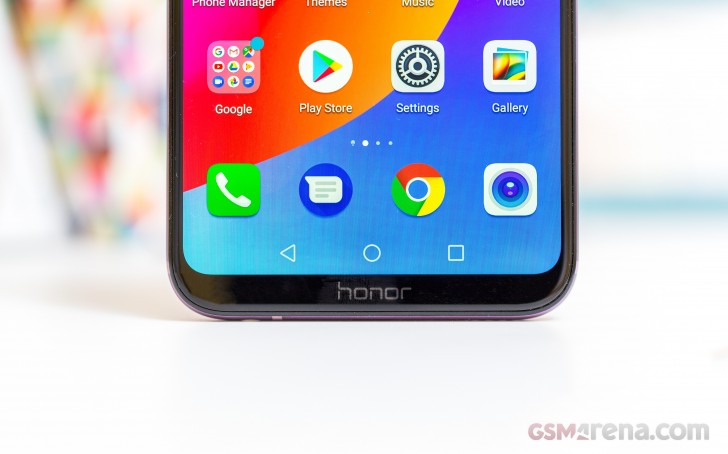
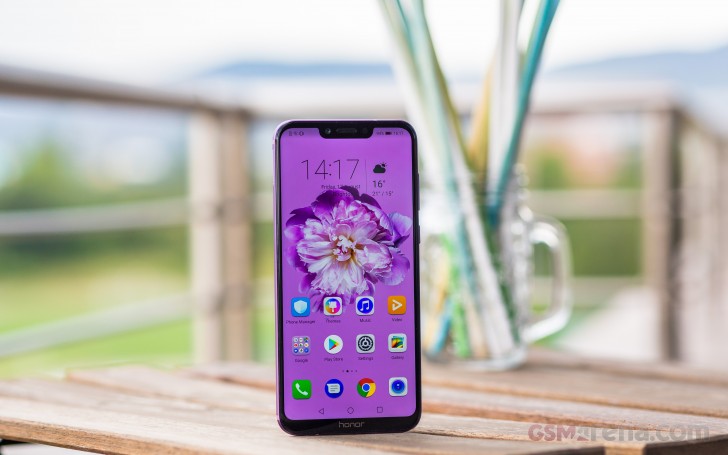
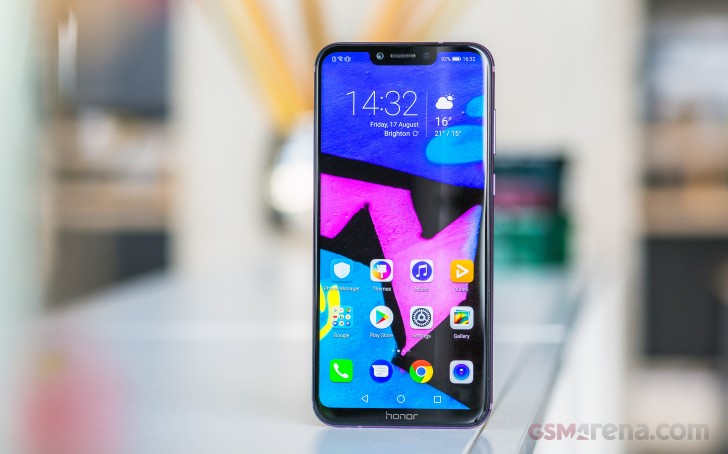
The Honor Play looks like most of the smartphones today – a metal body, notched screen, and a dual-camera on the back. The Kirin 970 chip is what’s in charge of the gaming session and the Play has Huawei’s GPU Turbo out of the box.
Huawei Honor Play review

The Kirin 970 has been known as one of the most efficient pieces of hardware for mobile gaming – it doesn’t cost as much but offers stable and sustainable performance. And with GPU Turbo things can only get better.

The 6.3″ 1080p screen, notch or not, is enough for gaming purposes, there is a large battery, and you can have the Honor Play with either 4 or 6 gigs of RAM. And on that attractive price at launch – CNY 1,999, INR 19,999, £279, €329 – color us intrigued.

Honor Play specs:

  • Body: Aluminum body, 157.9 x 74.3 x 7.5 mm, 176g
  • Screen: 6.3″ 2,340×1,080px (19.5:9) IPS LCD, 409ppi, notched
  • Chipset: HiSilicon Kirin 970, Octa-core (4×2.4 GHz Cortex-A73 & 4×1.8 GHz Cortex-A53), Mali-G72 MP12 GPU
  • Memory: 4/6GB RAM, 64GB of storage, (hybrid) microSD slot
  • Camera: Dual: 16MP RGB (f/2.2) + 2MP for depth sensing, phase detection autofocus; 2160p @ 30fps video
  • Selfie cam: 16MP (f/2.0), 1080p video
  • OS: Android 8.1 Oreo with Huawei EMUI 8.2 + AI features
  • Battery: 3,750 mAh non-removable, 18W fast charging
  • Connectivity: Dual Nano-SIM; USB-C (USB 2.0), NFC, Bluetooth 4.2, GPS, GLONASS
  • Misc: Rear-mounted fingerprint sensor, single bottom-firing loudspeaker, 3.5mm audio port

Many omissions can be forgiven when a phone is as affordable as the Honor Play. Like the notch. And the hybrid SIM slot. And the missing FM radio.
Huawei Honor Play review

Huawei will be launching the Kirin 980 chipset any moment now, which made possible to lower the Kirin 970 price even more and yet keep it valuable thanks to the recent GPU Turbo upgrades. We’ve already seen it’s not just a PR talk and the Turbo can make a difference, so the Honor Play seems like a thoughtful addition to the otherwise crowded Honor series.

The phone is available in China and India already, while Europe is getting it just now. Will it game though? Let’s find out!

Unboxing the Honor Play

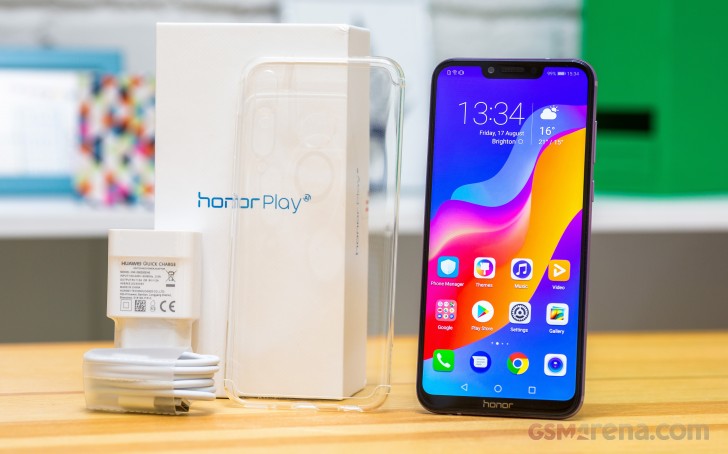
The white retail box of the Honor Play contains the phone itself, a white USB-C cable, and a white 18W charger. There are no headphones included, but an analogue audio port is available so feel free to plug your favorite pair.
Huawei Honor Play review

There is a transparent soft case inside the paper compartment, which may not be as needed on a metal phone as it is on one with a glass back, but we still appreciate its presence.

Design

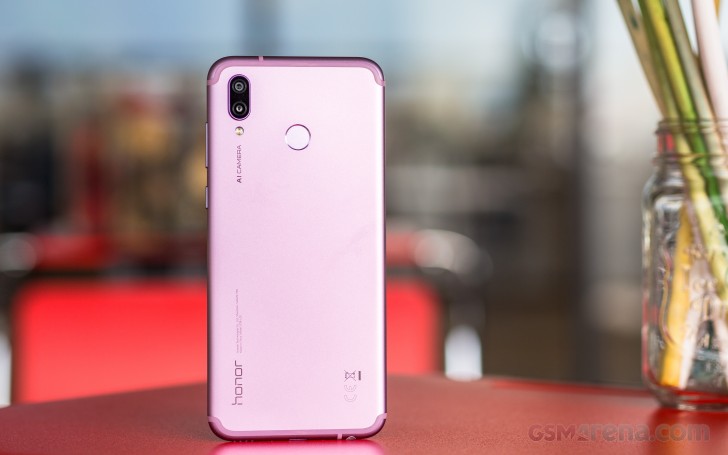
We admit we were delighted to handle the Honor Play – its metal body was a breath of fresh air after a series of glass and glossy devices. Once the aluminum unibody was the popular choice, but now only a few phones get to offer it and the Honor Play is one of those rarities.

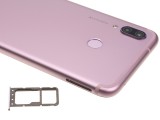
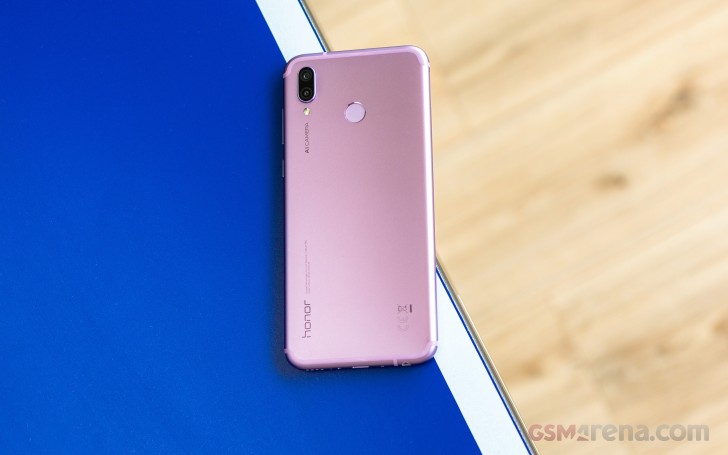
The aluminum unibody of the Honor Play is designed the right way – flat back, curved sides with rounded corners, and the good old antenna lines running fashionably around the top and bottom. For some reason, Honor decided to paint those in a darker violet hue than the rest of the body.
Huawei Honor Play review

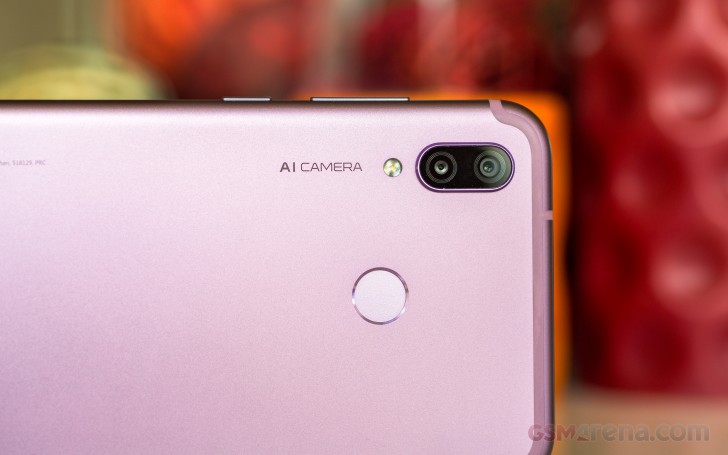
The fingerprint reader is on the back, always-on as usual, and blazing-fast and accurate. That’s the experience we usually get with Huawei-made devices and we are happy this hasn’t changed a bit.

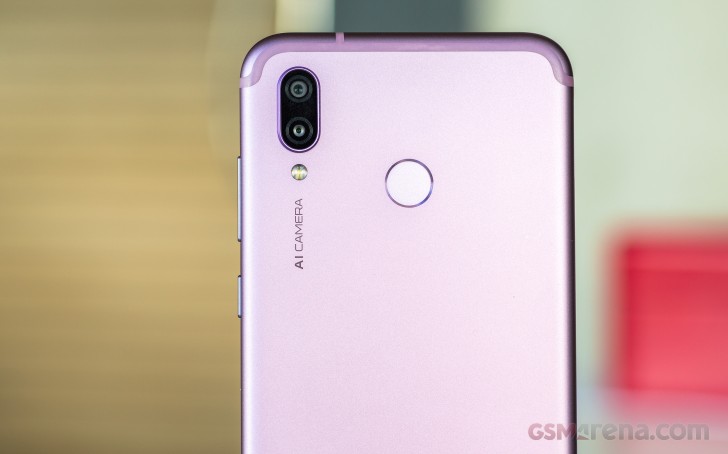
The dual-camera setup is humping around, too. There is a 16MP primary cam here and a secondary 2MP sensor for depth sensing. A single LED flash sits outside the camera deck.
Huawei Honor Play review

Huawei, and its Honor subsidiary, like to brag with the AI prowess of the camera. Just like with the Honor 10, the Play model also gets AI CAMERA inscription on the back. We’re glad they haven’t started putting texts with the phone’s other features around the body, too.

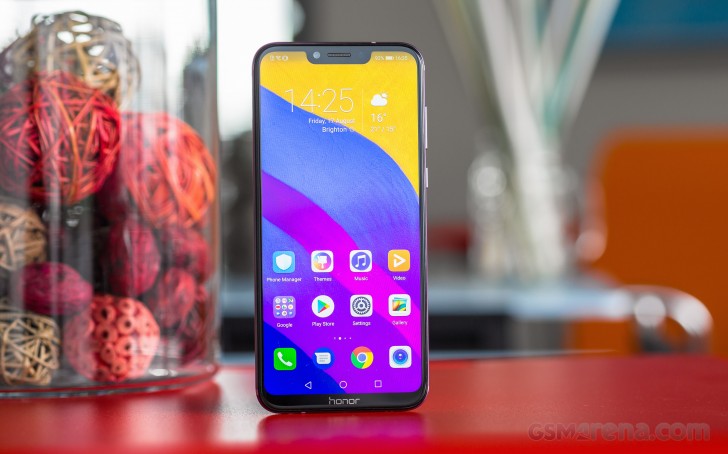
The Honor Play looks modern and trendier at the front. That’s because it packs a large 6.3″ display with tiny bezels and the mother of all trends – the cutout! The notch houses the earpiece, the sensors, and the 16MP selfie snapper, while a tiny LED notification blinker is hidden beneath the earpiece grille.
Huawei Honor Play review

A notched screen is one way to trim the bezels and while not a fan-favorite, we can’t be angry with makers opting to give us less bezels even if it’s at the expense of a notch.
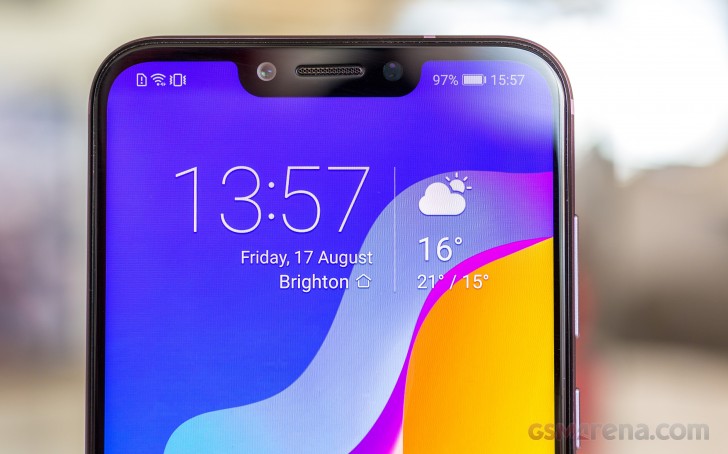
Huawei Honor Play review

Honor isn’t specifying the type of glass used to protect the screen, but the history has taught us that sooner or later it will turn out to be one of those tough to break Gorillas.

The Honor Play features all necessary ports – analogue audio and USB Type-C, while its SIM slot is of the hybrid kind – you can swap the second SIM for a microSD card.


Honor Play - Huawei Honor Play review Honor Play - Huawei Honor Play review Honor Play - Huawei Honor Play review Honor Play - Huawei Honor Play review
Honor Play

The recent Honor Play global announcement introduced two special color options with some design elements imitating a PCB traces running along the back – Player Edition Red and Player Edition Black, the latter with red accents around the hardware keys, camera and fingerprint scanner. They round the tally up to five colors, including the standard Midnight Black, Navy Blue, and Ultra Violet (the one we are reviewing).


Honor Play - Player Edition red - Huawei Honor Play review Honor Play - Player Edition red - Huawei Honor Play review Honor Play - Player Edition red - Huawei Honor Play review
Honor Play – Player Edition red

The Honor Play spreads at 157.9 x 74.3 x 7.5 mm and weighs 176 g – that’s just 2mm taller than the recently launched Pocophone with a smaller 6.18″ notched screen.

Finally, the Play’s metal unibody has a pleasant matte finish, which boosts the grip and balances the curvy frame which on the other hand is compromising it. The Honor feels secure enough in hand, though one-handed operations are rarely possible at this screen size.

Display

The Honor Play packs a 6.3″ IPS LCD display with a cutout on top. It has a resolution of 1,080 x 2,340 pixels or 409ppi. This size and resolution make for one of the tallest screen aspect ratios on a smartphone – 19.5:9.

There is no information on the display glass, but most Huawei and Honor devices use Gorilla Glass, so we have no reason to believe the Honor Play didn’t get the same treatment.
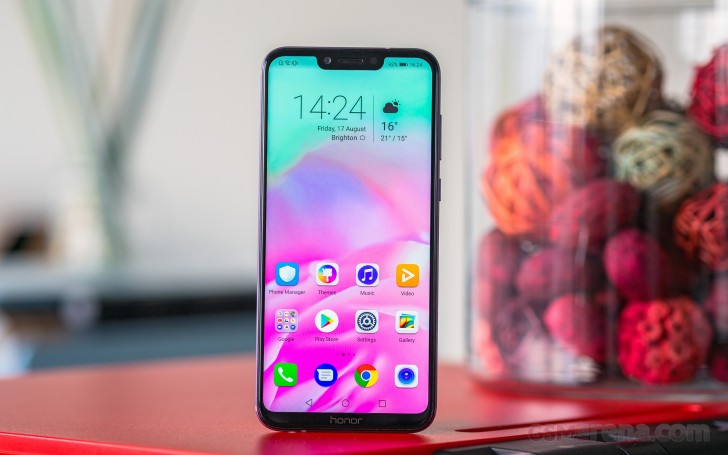
Huawei Honor Play review

The Honor Play has three different color temperature presets for its display – Default, Warm, and Cold. Each of those has Normal for accurate and Vivid option for punchy colors. By default, the Honor Play is set at Default + Vivid. This is also where the screen achieves the maximum brightness of 470 nits. Elsewhere the Honor Play screen won’t light up north of 440 nits.

Unfortunately, the black levels are far from stellar no matter the color mode, and this explains the average contrast ratio of 1100:1.

Display test 100% brightness
Black, cd/m2 White, cd/m2 Contrast ratio
Honor Play 0.414 470 1135
Honor 10 (Normal) 0.32 449 1403
Huawei Honor 7X 0.236 458 1941
Xiaomi Pocophone F1 0.314 461 1468
Xiaomi Mi 8 SE 0 455
Oppo F7 0.228 446 1956
Xiaomi Mi A2 0.277 420 1516
Xiaomi Mi A2 Lite 0.385 488 1268
Huawei P20 Lite 0.27 482 1785
Meizu 15 0 444

The Honor Play maximum brightness isn’t that impressive and there is no option to boost it outdoors. That’s why we got a good score for sunlight contrast, but nothing impressive. You would need the maximum brightness the screen can offer and then you’ll be able to use it hassle-free in those bright sunny days.

Sunlight contrast ratio

  • Meizu 154.082
  • Xiaomi Mi 8 SE3.901
  • Honor Play3.349
  • Oppo F73.333
  • Xiaomi Mi A2 Lite3.087
  • Xiaomi Pocophone F13.059
  • Huawei P20 Lite2.952
  • Huawei Honor 7X2.734
  • Xiaomi Mi A22.696

Now let’s talk about color accuracy. Having so many different screen modes is probably confusing, so we’d try to keep it short. We won’t comment on the Vivid options, as the colors are all over the board, as expected.

The Honor Play is set at Default + Normal out of the box. We measured an average deltaE of 4.5 for the DCI-P3 color space and maximum deviation of 7.2 at point white (leans toward violet). There is noticeable blue tint on the screen no matter what you are looking at.

But if you are all about color accuracy – then just pick Normal + Warm. With an average deltaE of 3.4 and a maximum deviation of 5 – the Honor Play will offer you reasonably accurate colors. The display may look a bit duller if you are coming from a punchy screen, but it’s better to have that option for a more accurate color rendition even if it’s not always on.

Battery life

The Honor Play is powered by a large 3,750 mAh battery. It offers Huawei’s custom solution called QuickCharge, which is not to be mistaken with SuperCharge. It still requires using the provided 18W charger and special cable combo, which can be limiting. Those two pieces come bundled with the Honor Play, so at least you don’t have to go shopping.

The 9V/2A QuickCharge adapter can bring the Honor Play from 0% to about 35% in around 30 minutes, which is not terribly fast either.

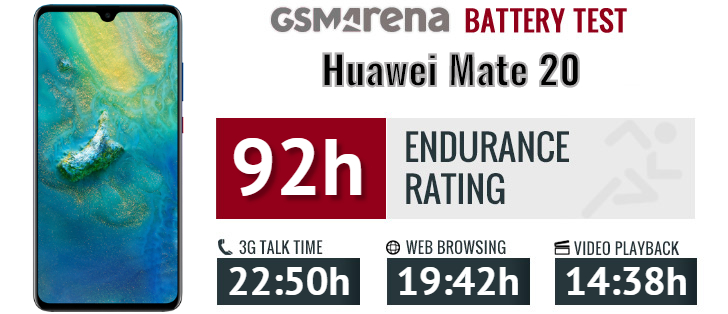
The Honor Play scored an excellent result in our battery test with a 94-hour Endurance rating. It did a great job in all tested scenarios – video playback, calls, web browsing and even stand-by performance.
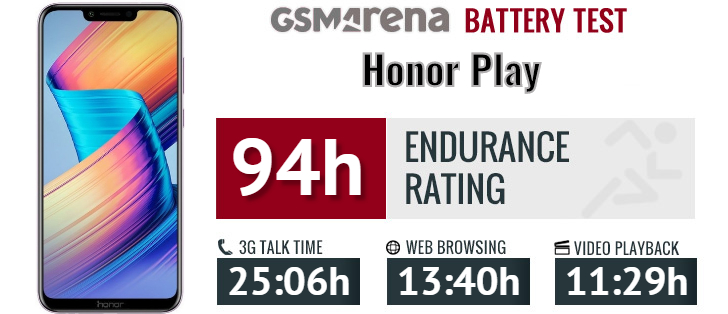
Huawei Honor Play review

Our endurance rating denotes how long a single battery charge will last you if you use the Honor Play for an hour each of telephony, web browsing, and video playback daily. We’ve established this usage pattern, so our battery results are comparable across devices in the most common day-to-day tasks. The battery testing procedure is described in detail in case you’re interested in the nitty-gritties. You can also check out our complete battery test table, where you can see how all of the smartphones we’ve tested will compare under your own typical use.

Loudspeaker

There is one speaker on the Honor Play, and it’s at the bottom. It scored a Good mark in our loudness test. The sound quality is excellent though with very deep sound, rich, and with deep bass for a tiny loudspeaker.

Speakerphone test Voice, dB Pink noise/ Music, dB Ringing phone, dB Overall score
Honor Play 68.3 73.8 75.8 Good
Huawei Honor 7X 66.4 71.1 85.1 Very Good
Oppo Realme 1 64.8 70.5 89.9 Very Good
Huawei P20 66.6 69.8 90.0 Very Good
Oppo F7 68.0 73.8 84.8 Very Good
Honor 10 69.3 72.6 87.3 Excellent
Xiaomi Mi 8 SE 70.5 74.1 85.2 Excellent
Huawei P20 Pro 71.8 69.2 91.0 Excellent
Xiaomi Pocophone F1 72.8 74.7 86.6 Excellent
Xiaomi Mi A2 89.5 72.2 89.8 Excellent

Audio quality

The Honor Play delivered nicely accurate output with an external amplifier and its output was similarly excellent when headphones came into play. In fact the only reading to be affected was stereo crosstalk and that by a lower amount than usual.

Unfortunately, loudness wasn’t quite so impressive with the Honor Play being below average in both parts of the test. So those with a pair of high-impedance headphones might want to steer clear from that one. The rest should be perfectly happy with its performance.

Test Frequency response Noise level Dynamic range THD IMD + Noise Stereo crosstalk
Honor Play +0.01, -0.03 -93.0 93.1 0.0037 0.0093 -92.9
Honor Play (headphones) +0.12, -0.06 -92.3 92.5 0.0027 0.088 -65.7
Pocophone F1 +0.01, -0.02 -93.6 93.6 0.0010 0.0069 -93.8
Pocophone F1 (headphones) +0.65, -0.08 -91.2 92.5 0.0082 0.359 -50.3
Oppo Find X +0.03, -0.07 -93.4 93.9 0.0012 0.0063 -89.3
Oppo Find X (headphones) +0.01, -0.58 -92.2 93.5 0.0088 0.330 -55.7
HTC U12+ +0.02, -0.15 -94.3 94.3 0.0021 0.0069 -94.3
HTC U12+ (headphones) +0.18, -0.13 -93.7 93.6 0.0024 0.104 -52.7
Samsung Galaxy S9+ +0.01, -0.03 -92.6 92.5 0.0012 0.0076 -93.4
Samsung Galaxy S9+ (headphones) +0.03, -0.03 -92.2 92.2 0.0017 0.042 -76.3

Android 8.1 with EMUI 8.2

Honor Play runs on Android 8.1 with EMUI 8.2 – a similar combination to what we saw on the Honor 10 a while ago. The EMUI is as custom as a launcher can get, so the Android purists may want to look elsewhere for a vanilla experience. The new v8.2 improves the Face Unlock and Gallery with machine learning, there are some new Gaming tricks, and a brand new Party Mode for music playback sync across different devices.
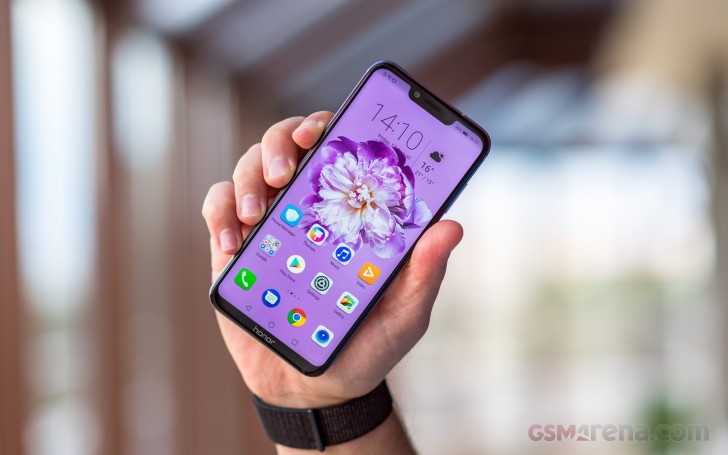
Huawei Honor Play review

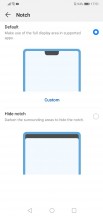
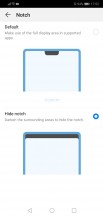
You can either embrace the notch, or you can opt to mask it with a black status bar that extends all the way down to the bottom edge of the notch. You should know, however, that hiding it doesn’t really work as well with an LCD panel as with it does with an AMOLED.


Notch control - Huawei Honor Play review Notch control - Huawei Honor Play review
Notch control

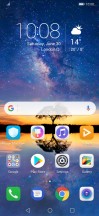
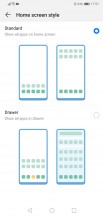
Out of the box, there is no app drawer on the EMUI 8 – it’s a single tier interface like on the iPhone. However, if you miss the Android’s usual layout, you can enable it back in the Display settings. There is also a handy search feature, which can be accessed by flicking down on any empty area of the home screen.


Home screen 1 - Huawei Honor Play review Home screen 2 - Huawei Honor Play review Home options - Huawei Honor Play review Search - Huawei Honor Play review Enable drawer - Huawei Honor Play review Lockscreen - Huawei Honor Play review
Home screen 1 • Home screen 2 • Home options • Search • Enable drawer • Lockscreen

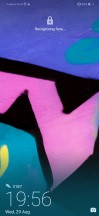
EMUI has Magazine lock screen, as usual, which rotates through a bunch of wallpapers, so you see a different one every time you fire up the display.
Huawei Honor Play review

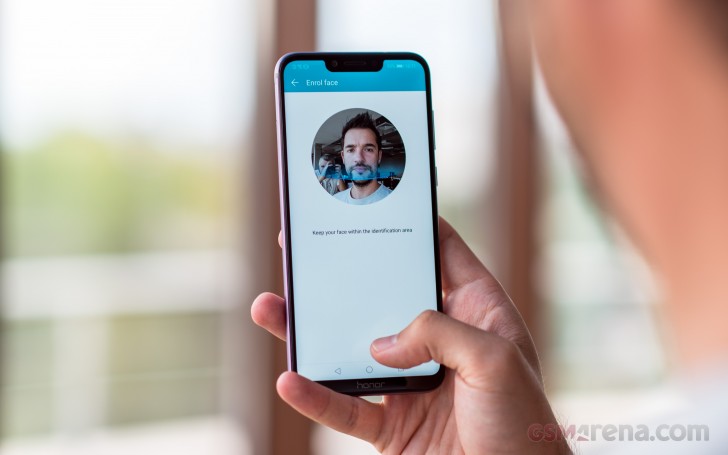
Huawei’s EMUI offers plenty of customization and features like (not so secure) face unlock, smart rotation, and lift to wake. The face unlock has been enhanced with machine learning (or as Honor likes to call it – AI Power) and will learn to recognize your face even with changes such as facial hair or sunglasses.

Themes are supported, too, and there is a lot to choose from.
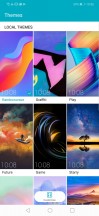
Themes - Huawei Honor Play review Themes - Huawei Honor Play review Themes - Huawei Honor Play review Themes - Huawei Honor Play review Themes - Huawei Honor Play review
Themes

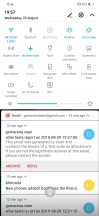
The notification shade is pretty much a standard affair. There’s a brightness bar with an Auto toggle – pull down again for more toggles.

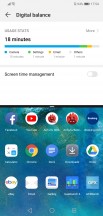
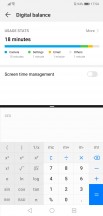
Multitasking is pretty standard as well. Tap-holding the Recents key will let you activate split screen.

Notification area - Huawei Honor Play review Toggles - Huawei Honor Play review Recent apps - Huawei Honor Play review Split screen - Huawei Honor Play review
Notification area • Toggles • Recent apps • Split screen

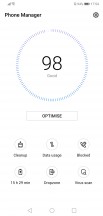
From the Phone Manager app, you can access shortcuts to storage cleanup, battery settings, blocked numbers, Virus scan powered by Avast, and mobile data usage.

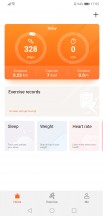
Huawei’s own Music app is here and offers a way to listen to stored MP3s. Huawei’s Health app is also pre-installed. It offers Google Fit syncing and step counting. There’s a file manager app and a note-taking app. There is an abundance of replacements for these in the Play Store, however.

There is an improved AI-powered gallery with EMUI 8.2. The app now supports automatic sorting with highlights. The machine learning decides the sorting criteria – location, date, event, etc.

Phone Manager - Huawei Honor Play review Music Player - Huawei Honor Play review Gallery - Huawei Honor Play review Huawei Health - Huawei Honor Play review Files - Huawei Honor Play review
Phone Manager • Music Player • Gallery • Huawei Health • Files

The Party Mode is a new feature courtesy of EMUI 8.2. It’s available from app of the same name and allows the user to connect to multiple phones to play the same song simultaneously.

Party Mode - Huawei Honor Play review Party Mode - Huawei Honor Play review Party Mode - Huawei Honor Play review Party Mode - Huawei Honor Play review
Party Mode

Honor Play will be getting an updated Game Center with a firmware update very soon. It will enable the so-called 4G Smart Shock – dynamic vibrations similar to the ones on the PlayStation’s DualShock controller in compatible games. The first game to support this new feature will be PUBG Mobile. But what’s already available for games is the 3D Game Sound – this works in various games when using wired headphones and should emulate 3D sound.

Performance and benchmarks

The Kirin 970 chipset is what makes the Honor Play tick and the hardware behind all that gaming PR talk. It’s a year-old SoC that will soon be replaced by the new Kirin 980 launching on the Huawei Mate 20, but still one very potent piece of technology.

The Kirin 970 has an octa-core processor with 4 Cortex-A73 cores clocked at up to 2.4GHz and another 4 Cortex-A53 cores capped at 1.8GHz. The GPU is a twelve-core Mali-G72 MP12. There’s either 4 or 6 GB of RAM depending on the model you get.

Huawei Honor Play review

Quite expectedly, the Honor Play scores on par with other Kirin 970-powered devices such as the P20, Honor 10 and View 10. Single-core performance in Geekbench is excellent but the latest Qualcomm chip is superior (Pocophone). All of the above applies equally well to the Honor Play’s multi-core CPU performance.

GeekBench 4.1 (single-core)

Higher is better

  • Xiaomi Pocophone F12438
  • Huawei Honor View 101902
  • Honor Play1899
  • Huawei P201897
  • Honor 101894
  • Xiaomi Mi 8 SE1890
  • Xiaomi Mi A21617
  • Oppo R15 Pro1612
  • Oppo F71531
  • Huawei P20 Lite938
  • Xiaomi Mi A2 Lite881

GeekBench 4.1 (multi-core)

Higher is better

  • Xiaomi Pocophone F19003
  • Huawei Honor View 106738
  • Huawei P206722
  • Honor Play6696
  • Honor 106591
  • Xiaomi Mi 8 SE5908
  • Oppo F75901
  • Oppo R15 Pro5809
  • Xiaomi Mi A24625
  • Xiaomi Mi A2 Lite4388
  • Huawei P20 Lite3756

Raw graphics power is also great and behind only from the Snapdragon 845’s Adreno 630. The Mali-G72 in Honor Play does pretty alright for the class, if not beyond the expectations.

GFX 3.0 Manhattan (onscreen)

Higher is better

  • Xiaomi Pocophone F159
  • Honor Play55
  • Huawei Honor View 1055
  • Honor 1053
  • Huawei P2046
  • Xiaomi Mi 8 SE30
  • Xiaomi Mi A221
  • Oppo R15 Pro19
  • Oppo F718
  • Xiaomi Mi A2 Lite9.4
  • Huawei P20 Lite8.1

GFX 3.1 Car scene (onscreen)

Higher is better

  • Xiaomi Pocophone F131
  • Huawei P2023
  • Honor Play21
  • Honor 1021
  • Huawei Honor View 1020
  • Xiaomi Mi 8 SE12
  • Xiaomi Mi A28.6
  • Oppo R15 Pro7.6
  • Oppo F76.7
  • Xiaomi Mi A2 Lite3.4
  • Huawei P20 Lite2.8

Huawei recently unveiled an interesting software project to the public. It is called “GPU Turbo” and should provide great graphics performance improvements to most recent Huawei smartphones. The Honor Play comes with the GPU Turbo update out of the box, but this maybe misleading to the users.

GPU Turbo accelerates performance by optimizing system utilization of software and hardware resources. With GPU Turbo, graphics processing efficiency can be improved by up to 60 percent while overall SoC power consumption is saved by 30 percent. This is beneficial since graphically demanding operations typically consume battery quickly.

So, GPU Turbo is essentially an extra software optimization layer, sitting between the OS or a particular application and the Android graphics APIs, like OpenGL and the actual GPU drivers.

Even though GPU turbo sounds like it’s promising almost magical improvements, it is up to developers to actually optimize their apps to support the new rendering instructions and APIs. Huawei has promised that it will gradually work towards optimizing the EMUI launcher rendering. But given the way the Android UI is rendered, that’s unlikely to lend itself to major optimization.

Turbo GPU is realistically aimed at gamers and more importantly, game developers, who have to implement the tech inside their titles. Hopefully, Huawei can get enough game studios on board to allow GPU Turbo to lift off. Otherwise, it will just remain unused, sitting in the background. At launch, PlayerUnknown’s Battlegrounds Mobile PUBG and Mobile Legends: Bang Bang are the only two games that have support for Turbo GPU.

We already did a review of the GPU Turbo on the Huawei P20 and we found out that contrary to the common misconception, Huawei’s GPU Turbo does not necessarily improve maximum frame rates. What it does, however, is significantly smooth out any major frame rate fluctuations and dips, and we were impressed by the perceptibly smoother gaming experience. As a bonus, the tech also provides battery life savings when gaming.

AnTuTu benchmark got us some pretty big and impressive numbers, bested only by the most current Snapdragon 845 chip in the Pocophone.

AnTuTu 7

Higher is better

  • Xiaomi Pocophone F1265314
  • Huawei Honor View 10212708
  • Huawei P20206906
  • Honor Play204876
  • Honor 10200440
  • Xiaomi Mi 8 SE170218
  • Oppo R15 Pro146526
  • Oppo F7139414
  • Xiaomi Mi A2130927
  • Huawei P20 Lite87431
  • Xiaomi Mi A2 Lite77964

The Honor Play is not the most powerful smartphone today, but it sure is among the top 5. We are well familiar with the Kirin 970 capabilities and the chip is simply great for gaming. And with the GPU Turbo update it can only get better, live a second life if you will.

Performance-wise the Honor Play aces every task and its highly-praised chipset will live up to the expectations.

But since we know the Kirin 970, we are familiar with its heating and throttling specifics. The good news is that the Honor Play is all metal and its chassis helps dispersing heat much better than glass. Some throttling does occur in benchmarks after repeated runs, but only there – no throttling happens in games, even in long sessions.

The Honor Play does build some heat once we start running the benchmarks, but it takes a lot of time to get to the Play unpleasantly hot and, once again, it happens only in benchmarks.

So, before we call it a day here – the Honor Play and its Kirin 970 offers flagship punch no matter the task at hand, and the GPU will do for seamless gaming with sustainable top-notch performance.

A 16MP camera with depth sensor

The Honor Play has a dual-camera setup similar to what we saw on the Honor 7X. We’re looking at a 16MP sensor behind f/2.2 lens with phase-detection autofocus, accompanied by a 2MP cam for depth information, and a single LED flash.

Huawei Honor Play review

There is no optical image stabilization for the Honor Play. But Honor promises to bring its proprietary AIS – Automatic Image Stabilization – via software update soon. It reduces blur and compensates for device shake while capturing photos and videos. It’s a software solution that works within 0.2 seconds to detect if the phone is handheld and automatically sets the exposure and framing using AI scene recognition. It’s supposed to be 98% accurate when it comes to figuring out whether you’re holding the handset in your hand.

The Honor Play, just like the Honor 10, stresses on its AI CAMERA. It recognizes in real time 22 different categories of subjects and shooting scenarios and adjusts shooting parameters accordingly.

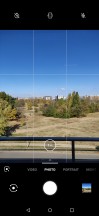
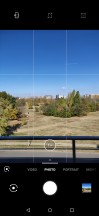
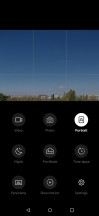
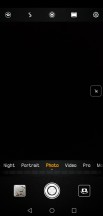
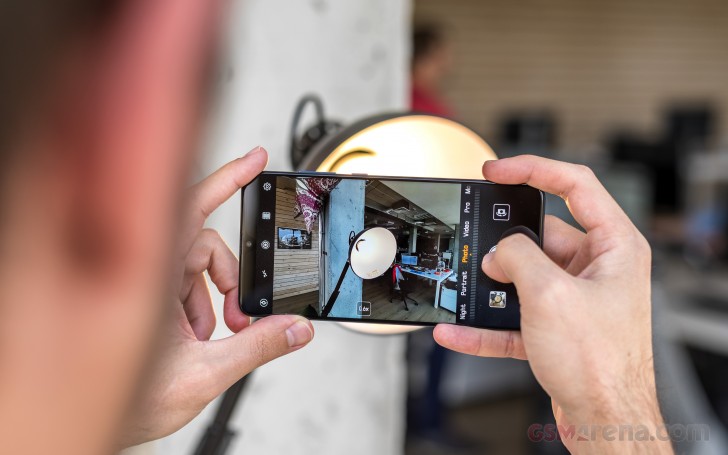
The camera interface is as messy as before. First off, you have a mode selector on the bottom that you swipe left and right to change modes, but you can’t swipe on the viewfinder, just on the selector itself.

Swiping up and down doesn’t switch between front and rear camera either, you have a button for that (admittedly, on the bottom within easy reach). Basically, you’re wasting the viewfinder by not having gestures enabled on it, except for pinch to zoom.

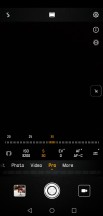
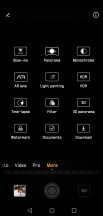
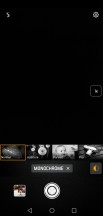
Camera app - Huawei Honor Play review AI on - Huawei Honor Play review Modes - Huawei Honor Play review Settings - Huawei Honor Play review Aperture - Huawei Honor Play review Manual - Huawei Honor Play review
Camera app • AI on • Modes • Settings • Aperture • Manual

It’s odd to have a manual HDR mode separately when the AI takes care of that – it’s like a dynamic range enhancement is On all the time.

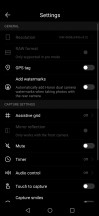
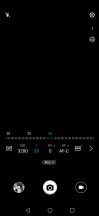
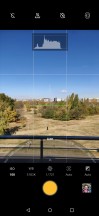
You get manual (Pro) mode, too. There you can adjust parameters yourself – ISO (50 to 6400), shutter speed (1/4000s to 30s), exposure compensation (-4 to +4EV in 1/3 stop increments), and white balance (presets and light temperature). You can also choose the metering mode (matrix, center-weighted and spot), and the focus mode (single, continuous and manual). If the phone thinks you messed up the exposure, an icon will pop up to warn you.

Since artificially defocused backgrounds became all the rage, Huawei and Honor phones have had both a Portrait mode and an Aperture mode. In Aperture, you can choose the simulated aperture in the range from f/0.95 to f/16. Post shot, you can change the aperture and the focus point within the Gallery.

In Portrait mode you can enable and disable the background blur (why disable it, though), you can change the simulated lighting, and you can also add some beautification on a scale from 0 to 10.

Image quality

Honor’s implementation of the so-called AI is enabled by default. The AI toggle is accessible from the viewfinder, while the P20 phones have it hidden in settings. The algorithms are not as aggressive as Huawei’s were, even though the AI pretty much works the same way and operates under the same scene presumptions. The camera recognizes the scene properly and most of the time turns on the right mode accordingly, its defaults for each scene do saturate the colors more than usual and the high contrast lowers the dynamic range, but nothing is as excessive as it was on the P20 series.

So, the AI pictures have more than enough detail, obviously saturated, yet pleasant colors, low noise levels, and superb contrast. Multi-frame stacking is often used with the AI scenes, so if HDR was required, it’s applied in real time, and you will always get the most from both shadows and lights.

Honor Play 16MP AI camera samples - f/2.2, ISO 400, 1/100s - Huawei Honor Play review Honor Play 16MP AI camera samples - f/2.2, ISO 50, 1/1172s - Huawei Honor Play review Honor Play 16MP AI camera samples - f/2.2, ISO 50, 1/2033s - Huawei Honor Play review Honor Play 16MP AI camera samples - f/2.2, ISO 50, 1/1403s - Huawei Honor Play review
Honor Play 16MP AI camera samples - f/2.2, ISO 50, 1/1862s - Huawei Honor Play review Honor Play 16MP AI camera samples - f/2.2, ISO 50, 1/1339s - Huawei Honor Play review Honor Play 16MP AI camera samples - f/2.2, ISO 50, 1/997s - Huawei Honor Play review Honor Play 16MP AI camera samples - f/2.2, ISO 50, 1/1085s - Huawei Honor Play review
Honor Play 16MP AI camera samples - f/2.2, ISO 50, 1/1504s - Huawei Honor Play review Honor Play 16MP AI camera samples - f/2.2, ISO 50, 1/1225s - Huawei Honor Play review Honor Play 16MP AI camera samples - f/2.2, ISO 50, 1/692s - Huawei Honor Play review
Honor Play 16MP AI camera samples

The normal samples without AI are quite good, too. They have plenty of detail, very accurate colors, high contrast and even lower noise levels. The dynamic range is quite impressive, and we suspect some frame-stacking might be applied here as well.

If you are viewing this page on a computer, you can easily compare the AI and the regular samples by using the compare icon in the bottom right corner on any of the sample segments.

Honor Play 16MP normal camera samples - f/2.2, ISO 400, 1/100s - Huawei Honor Play review Honor Play 16MP normal camera samples - f/2.2, ISO 50, 1/1163s - Huawei Honor Play review Honor Play 16MP normal camera samples - f/2.2, ISO 50, 1/2028s - Huawei Honor Play review Honor Play 16MP normal camera samples - f/2.2, ISO 50, 1/1174s - Huawei Honor Play review
Honor Play 16MP normal camera samples - f/2.2, ISO 50, 1/1898s - Huawei Honor Play review Honor Play 16MP normal camera samples - f/2.2, ISO 50, 1/1340s - Huawei Honor Play review Honor Play 16MP normal camera samples - f/2.2, ISO 50, 1/1664s - Huawei Honor Play review Honor Play 16MP normal camera samples - f/2.2, ISO 50, 1/1079s - Huawei Honor Play review
Honor Play 16MP normal camera samples - f/2.2, ISO 50, 1/1486s - Huawei Honor Play review Honor Play 16MP normal camera samples - f/2.2, ISO 50, 1/1274s - Huawei Honor Play review Honor Play 16MP normal camera samples - f/2.2, ISO 50, 1/737s - Huawei Honor Play review
Honor Play 16MP normal camera samples

And after all of these shots, if you are still wondering how the manual HDR is doing – well, pretty well actually. It outputs very balanced shots.

HDR off - f/2.2, ISO 50, 1/570s - Huawei Honor Play review HDR on - f/2.2, ISO 50, 1/576s - Huawei Honor Play review
HDR off • HDR on

The AI works for some magic on the low-light shots to improve the contrast and colors, but that’s about it. It’s not as smart and as capable as on the P20 phones and there is no tripod-free Night Mode available for the Honor Play. The samples are very noisy, way noisier than the regular ones you’ll see in a bit, but with brighter exposure and warmer colors, which worked for improved contrast and overall better look.

Honor Play 16MP AI low-light samples - f/2.2, ISO 2500, 1/13s - Huawei Honor Play review Honor Play 16MP AI low-light samples - f/2.2, ISO 2500, 1/13s - Huawei Honor Play review Honor Play 16MP AI low-light samples - f/2.2, ISO 3200, 1/13s - Huawei Honor Play review Honor Play 16MP AI low-light samples - f/2.2, ISO 3200, 1/13s - Huawei Honor Play review
Honor Play 16MP AI low-light samples - f/2.2, ISO 1000, 1/17s - Huawei Honor Play review Honor Play 16MP AI low-light samples - f/2.2, ISO 1600, 1/17s - Huawei Honor Play review Honor Play 16MP AI low-light samples - f/2.2, ISO 1600, 1/13s - Huawei Honor Play review
Honor Play 16MP AI low-light samples

The regular low-light images are nothing special, too, but they have far less noise. They are quite soft as well, but the colors are true to reality, though the contrast is rather low. But the occasional low-light snaps will do fine for the social networks. And frankly – we’ve seen a lot worse. So, the regular snaps are nothing special, as we said, just alright.

Honor Play 16MP normal low-light samples - f/2.2, ISO 2500, 1/13s - Huawei Honor Play review Honor Play 16MP normal low-light samples - f/2.2, ISO 2500, 1/13s - Huawei Honor Play review Honor Play 16MP normal low-light samples - f/2.2, ISO 3200, 1/13s - Huawei Honor Play review Honor Play 16MP normal low-light samples - f/2.2, ISO 3200, 1/13s - Huawei Honor Play review
Honor Play 16MP normal low-light samples - f/2.2, ISO 1000, 1/17s - Huawei Honor Play review Honor Play 16MP normal low-light samples - f/2.2, ISO 2000, 1/17s - Huawei Honor Play review Honor Play 16MP normal low-light samples - f/2.2, ISO 2000, 1/17s - Huawei Honor Play review
Honor Play 16MP normal low-light samples

There is a Night mode on the Honor Play but this shot requires a tripod and up to 30s of waiting. At first, we thought it will take a couple of shots and combine them. But this mode is actually closer to what the Light Trails does – basically, it takes one very low exposure photo and then begins to add lights. The phone almost succeeds into cutting out the light trails themselves, and the result is a photo with excellent exposure and contrast, detailed at that. The picture lack sharpness, but that’s alright – at least it’s well exposed.

When using the manual mode, you can select a shutter speed up to 32s with ISO up to 6400. The viewfinder image will change as the exposure develops, so if you figure you’ve gathered enough light you can stop at any time.

And with this freedom, you just need a small tripod to get wonderful images. If you lock the ISO to 50 and use the longer shutter speeds, you can get some stunning long exposure shots come night-time.

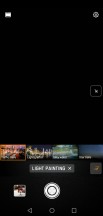
Then there’s the Light painting mode, which includes four sub-modes: Car light trails, Light graffiti, Silky Water and Star track. You’d need to have the phone perched on stable support for shooting in these modes (a tripod or a beanbag) as these extremely long exposures can’t be done handheld without camera shake. These modes are nothing new so that we won’t go into too much detail here.

Night Shot - f/2.2, ISO 100, 1/-0s - Huawei Honor Play review Manual - ISO 50, 4s - f/2.2, ISO 50, 1/-3s - Huawei Honor Play review Light Painting with Car Trails - f/2.2, ISO 64, 1/-0s - Huawei Honor Play review
Night Shot • Manual – ISO 50, 4s • Light Painting with Car Trails

You should check how the Honor Play does against the Honor 10 and Pocophone F1 in our Photo Compare Tool. We’ve pre-selected these two, but you are free to pick any other phone to compare it against.

Photo Compare Tool Photo Compare Tool Photo Compare Tool
Honor Play vs. Honor 10 vs. Pocophone F1 in our Photo compare tool

Portraits and Variable Aperture

The Honor Play, just like other multi-camera Huawei phones, has a couple of faux bokeh modes – Portrait and Aperture. The Portrait mode is the one meant for people, complete with bokeh toggle, beautification, and simulated lighting.

All the samples turned out rather good and unless you have really curly or messy hair, the camera would do just fine.

Honor Play 16MP portrait samples - f/2.2, ISO 100, 1/50s - Huawei Honor Play review Honor Play 16MP portrait samples - f/2.2, ISO 160, 1/33s - Huawei Honor Play review Honor Play 16MP portrait samples - f/2.2, ISO 200, 1/33s - Huawei Honor Play review Honor Play 16MP portrait samples - f/2.2, ISO 160, 1/33s - Huawei Honor Play review
Honor Play 16MP portrait samples

Portrait Lighting effects are available. The samples won’t be everybody’s cup of tea, but we guess those effects will find some fans.

Portrait Lightning samples - f/2.2, ISO 200, 1/50s - Huawei Honor Play review Portrait Lightning samples - f/2.2, ISO 200, 1/50s - Huawei Honor Play review Portrait Lightning samples - f/2.2, ISO 200, 1/50s - Huawei Honor Play review
Portrait Lightning samples

The Aperture Mode, on the other hand, lets you do post-shot re-focusing and simulates apertures in the f/0.95-f/16 range.

Subject separation is similarly non-perfect in both modes but given the right subject and background you can have some usable and convincing portraits.

F/1 - f/0.9, ISO 50, 1/50s - Huawei Honor Play review F/2.8 - f/2.8, ISO 80, 1/50s - Huawei Honor Play review F/1 - f/0.9, ISO 125, 1/50s - Huawei Honor Play review F/2.4 - f/2.4, ISO 125, 1/50s - Huawei Honor Play review
F/1 • F/2.8 • F/1 • F/2.4

Selfies

The Honor Play has a 16MP snapper with a fixed-focus lens for its selfie camera. As usual, we’d gladly trade some megapixels for autofocus, or at least a focus plane further from the phone, because as things stand, you need to shoot your face from pretty close to be in sharp focus. But even if you miss, the high resolution would probably compensate for the slight blurriness.

Once you get the distance right, the level of detail is very good. Colors are faithfully represented, and dynamic range is good for a selfie camera.

Honor Play 16MP selfie samples - f/2.0, ISO 50, 1/100s - Huawei Honor Play review Honor Play 16MP selfie samples - f/2.0, ISO 100, 1/33s - Huawei Honor Play review Honor Play 16MP selfie samples - f/2.0, ISO 50, 1/100s - Huawei Honor Play review Honor Play 16MP selfie samples - f/2.0, ISO 100, 1/50s - Huawei Honor Play review
Honor Play 16MP selfie samples

There’s also a portrait mode. In fact, it’s the mode the selfie camera defaults to when you switch from the main cam – a bit weird. You can turn the blur on and off, there’s also beautification (a 0-10 setting).

Honor Play 16MP Portrait samples - f/2.0, ISO 50, 1/182s - Huawei Honor Play review Honor Play 16MP Portrait samples - f/2.0, ISO 80, 1/33s - Huawei Honor Play review Honor Play 16MP Portrait samples - f/2.0, ISO 80, 1/33s - Huawei Honor Play review Honor Play 16MP Portrait samples - f/2.0, ISO 50, 1/384s - Huawei Honor Play review
Honor Play 16MP Portrait samples

Various Simulated Lighting effects are available for the portraits, if you are into those.

Honor Play 16MP Portrait selfies with Lightning effects - f/2.0, ISO 80, 1/33s - Huawei Honor Play review Honor Play 16MP Portrait selfies with Lightning effects - f/2.0, ISO 80, 1/33s - Huawei Honor Play review Honor Play 16MP Portrait selfies with Lightning effects - f/2.0, ISO 80, 1/33s - Huawei Honor Play review Honor Play 16MP Portrait selfies with Lightning effects - f/2.0, ISO 80, 1/33s - Huawei Honor Play review
Honor Play 16MP Portrait selfies with Lightning effects

Video recording

The Honor Play offers 4K and 1080p video recording – the latter available in both 30 and 60 fps options. You can also choose between the h.264 and h.265 codecs. EIS is available only for the 1080p at 30fps videos and it does an excellent job at stabilizing the picture.

The 4K footage at 30fps is nice and detailed, with pleasing colors, plenty of contrast, and steady framerate. The foliage could have been better, but that’s not a flagship phone, so let’s not be picky. The dynamic range is great, as are the colors. Notable is also the high-quality stereo sound captured with 192 kbps bitrate.

The 1080p clips shot at 30fps are also detailed, and impress with the same nice colors and contrast, and high dynamic range. But there is noticeable over-sharpening.

Finally, the 1080p samples shot at 60fps are always blurry and look out of focus. We tried quite a few different takes – each of those resulted in a blurry video. So, until that is fixed with an update (they weren’t so bad on the Honor 10), the 60fps footage is simply a no-go.

You can also download the untouched video samples: 2160p (10s, 36MB)1080p at 30fps (10s, 9MB)1080p at 60fps (10s, 10MB).

Finally, you can use our Video Compare Tool to see how the Honor Play stacks against the Honor 10 and Pocophone F1 when it comes to video capture.

Video Compare Tool Video Compare Tool Video Compare Tool
2160p: Honor Play against the Honor 10 and the Pocophone F1 in our Video compare tool


The Competition

Honor Play aims at gamers, obviously, but instead of making it the best gaming phone on the planet, Honor chose to make it powerful and affordable with some extra gaming chops.

And it succeeded – the Honor Play is indeed impressively powerful and offers a seamless gaming experience. The trendy notched screen is large enough for games, while the camera department offers some nice tricks. Finally, the battery life is simply great for all purposes.

Xiaomi Pocophone F1 Oppo F9 Pro Xiaomi Mi 8 SE LG G7 One
Xiaomi Pocophone F1 • Oppo F9 Pro • Xiaomi Mi 8 SE • LG G7 One

Xiaomi did the same thing with the Pocophone experiment and, well, it did it better. The Pocophone, where available, is cheaper, yet more powerful, has better all-around camera experience, and more features such as stereo speakers and FM radio.

The Oppo F9 has a new take on the notch, its design is cooler, but the GPU is far inferior to the Honor’s. The F9 has better looks and selfie camera, but for everything else – the Honor Play is the better device.

Xiaomi’s Mi 8 SE is yet another notched device, but with an AMOLED panel. It’s among the first phones to pack the new Snapdragon 710 chip, which has an equally powerful processor to the Kirin 970 but lesser graphics punch. The Mi 8 SE does better when it comes to camera quality, but it sure isn’t on par with the Honor Play as far as gaming is concerned.

Finally, the LG G7 One was unveiled just recently and it looks quite intriguing. It’s able to match the Honor Play price, has a higher-res 1440p HDR screen, a powerful Snapdragon 835 chipset even if it won’t impress with any special camera skills. Still, with that screen and Android One software, the G7 One should be interesting enough to deserve a recommendation.

The Verdict

The Honor Play has one of the best bang-for-the-buck ratios, probably bested only by the Pocophone F1 by Xiaomi. The Play has quite an impressive hardware package and is wrapped in metal, which is a build we rarely see these days.

Huawei Honor Play review

The Play delivers on its promise – it provides an excellent gaming performance with a twist on the cheap. And if those two factors are leading for you, the Honor Play should be on your shortlist of devices you must check before getting your next phone.

Pros

  • Metal unibody
  • Large screen with thin bezels and a notch
  • Top-notch performance
  • Great battery life
  • Good all-round camera experience with some creative options
  • Affordable

Cons

  • The phone can heat up under pressure
  • Mediocre photos in low light
  • No EIS for 4K, 1080p@60fps videos are terrible

Thunder Purple variant of OnePlus 6T spotted in online listings

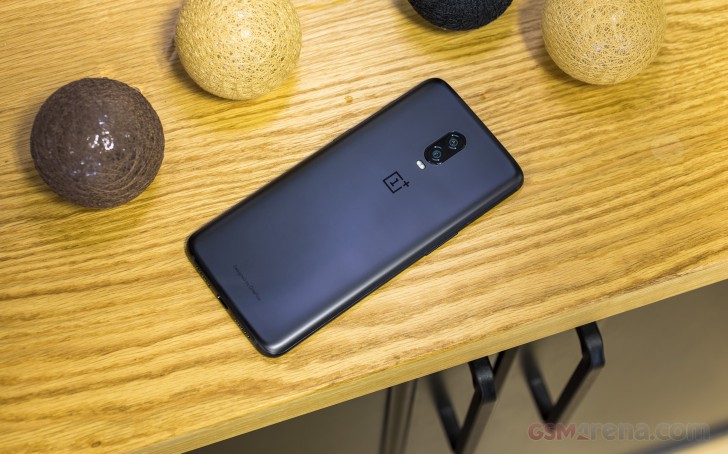
Were you disappointed that the OnePlus 6T is available only in Black and Black? There’s some good news – it seems that a new color version is on the way.

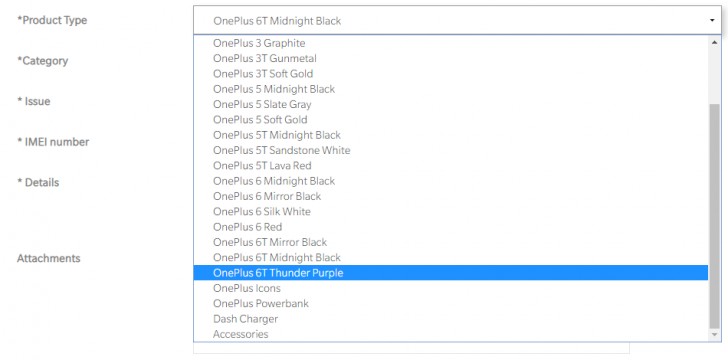
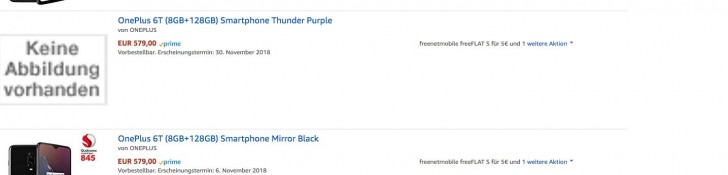
It’s dubbed “Thunder Purple” and was briefly up on Amazon Germany for pre-order. The €580 price matches the 8/128GB version in Midnight Black. It was an option on the official support page as well.

This will be the first purple in the OnePlus lineup. Besides the usual black and gray-ish colors, we’ve had Gold, Red and White. The Amber Red version of the OnePlus 6 was unveiled two months after the phone itself, so we may be in for a bit of a wait before the purple model arrives.

Xiaomi sold 100 million devices in 10 months

Xiaomi targeted to ship more than 100 million smartphones in 2018 and according to the latest information, it managed to reach the milestone with two months to spare. Lei Jun delivered a speech at Zhong Guan Cun Forum in Beijing, China, where he announced the number was reached on October 26.

Lei Jun, who is the founder of Xiaomi and also a VP of the All-China Federation of Industry and Commerce, said that his company was the fastest growing in its domestic market. He also expressed gratitude to his team for the “continuous efforts in technological innovation and quality improvement over the years”.

At exactly 11:23 PM on October 26, Xiaomi recorded its 100th million smartphone shipment. He chose to announce this event exactly at the Zhong Guan Cun Science Park where he founded the company back in 2010. Some Chinese media dubbed the place “The Chinese Silicon Valley” and entrepreneurs, including Jun, claim it can become the new invention and technology hub of the world.

Samsung Galaxy A9 (2018) will soon launch in India, price revealed

The Samsung Galaxy A9 (2018) will soon go on sale in India for INR 39,000 (€470).

The information was obtained through the source code of Samsung’s official website in India. The listed device comes with 6GB of RAM and 128GB of storage.

The Samsung Galaxy A9 (2018) has an ample 6.3-inch Super AMOLED, a Snapdragon 660 chipset and a potent 3,800mAh battery.

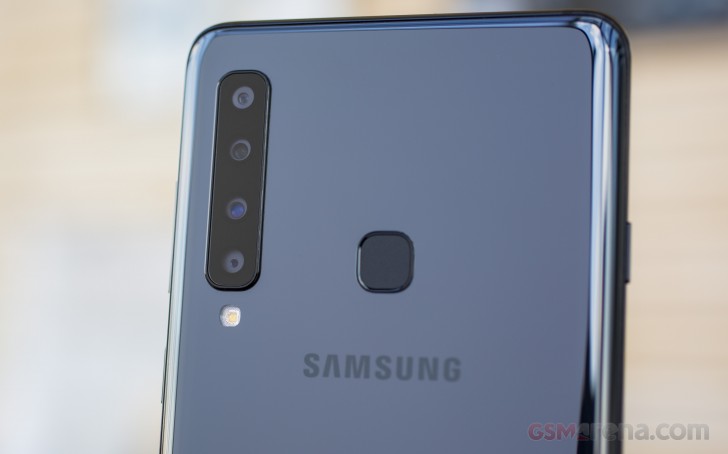
However its key selling point is the quad-camera setup at the back – a standard 24MP f/1.7 camera, a 12mm ultrawide 8MP f/2.4 camera, a 2x telephoto 10MP f/2.4 camera and a depth-sensing 5MP f/2.2 unit.

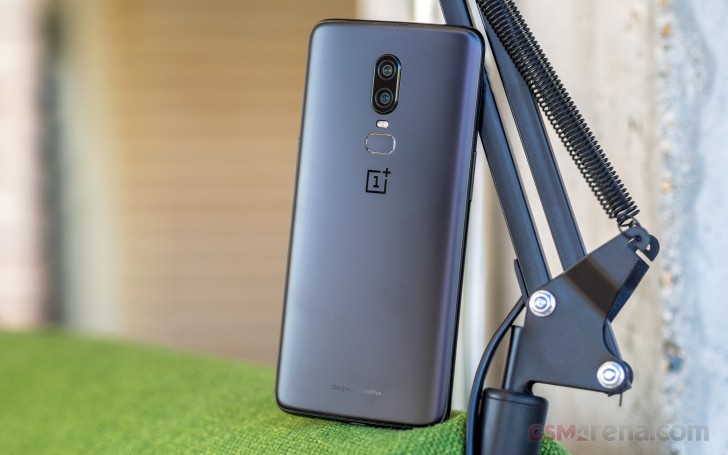
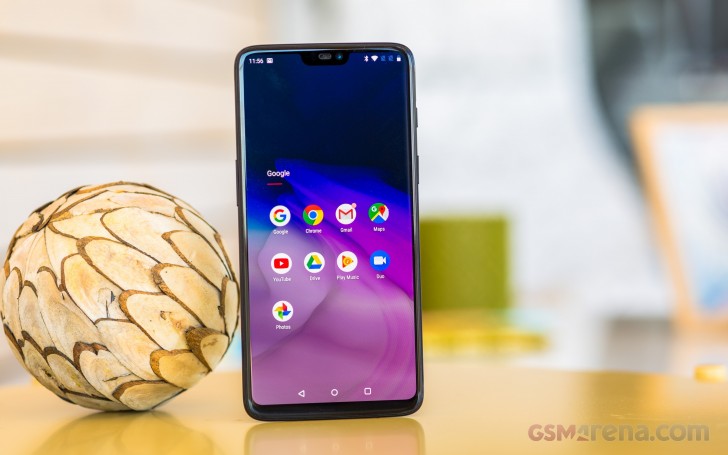
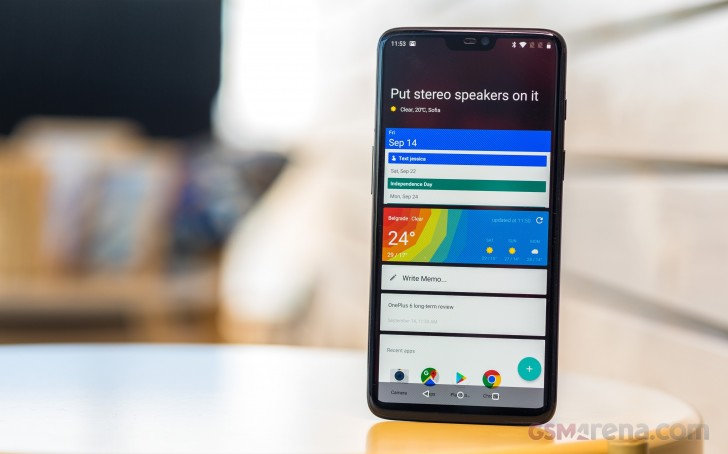
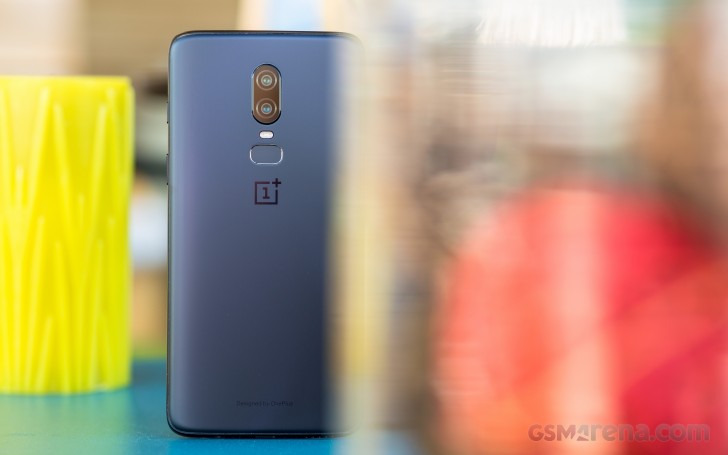
OnePlus 6T review

Introduction

There’s a new OnePlus 6T flagship in town, one uniquely similar and all the while, different from its predecessor. A new and bigger AMOLED panel, with a smaller notch and cutting-edge in-display fingerprint reader, plus a bigger battery pretty much define the upgrade over the OnePlus 6. However, the OnePlus 6T also marks the official removal of the headphone jack – surely, a downgrade and sad occasion for many long-term fans.

OnePlus 6T specs

  • Body: 157.5 x 74.8 x 8.2 mm, 185 g. Aluminum frame, glass back, 2.5D Gorilla Glass 6 display glass. Mirror Black, Midnight Black schemes.
  • Display: 6.41″ Optic AMOLED, 2,340×1,080px resolution, 19.5:9 aspect ratio 402ppi; sRGB/DCI-P3 color space support.
  • Rear cameras: Main camera: Sony IMX 519 1/2.6″ sensor, 16MP, 1.22µm pixel size, f/1.7 aperture, phase detection autofocus, OIS, EIS. Secondary camera: Sony IMX376K sensor, 20MP, 1.0µm pixel size, f/1.7 aperture. 2160p/60fps video recording, 1080p/240fps or 720p/480fps slow motion
  • Front camera: Sony IMX 371 sensor, 16MP, 1.0µm pixel size, f/2.0 aperture; EIS; 1080p/30fps video recording.
  • OS/Software: Android 9 Pie; OxygenOS custom overlay.
  • Chipset: Qualcomm Snapdragon 845: octa-core CPU (4×2.7 GHz Kryo 385 Gold & 4×1.7 GHz Kryo 385 Silver), Adreno 630 GPU.
  • Memory: 6/8GB of LPDDR4X RAM; 128/256GB UFS 2.1 2-LANE storage.
  • Battery: 3,700mAh Li-Po (sealed); Dash Charge proprietary fast charging (5V/4A).
  • Connectivity: Dual nano-SIM; 5-Band carrier aggregation, LTE Cat.16/13 (1024Mbps/150Mbps); USB Type-C (v2.0); Wi-Fi a/b/g/n/ac; GPS, GLONASS, Beidou, Galileo; NFC; Bluetooth 5.0, supports aptX and aptX HD.
  • Misc: Under-display fingerprint reader; single speaker on the bottom; tri-position Alert Slider.

OnePlus’s success is one of the textbook examples of viral online marketing in the smartphone industry. The Chinese manufacturer has built its reputation as an enthusiasts brand up from total obscurity relying on cutthroat pricing, lofty slogans and a loyal, tight-knit community.

OnePlus 6T review

So when you’ve spent the last few years cultivating a dedicated fan base by insisting that their opinions, wishes, and preferences come first, a certain backlash is to be expected when you go ahead and remove a feature they’ve explicitly voted as a must-have – the audio jack.

A hip, fan-friendly public image is great to have and OnePlus managed to craft one for itself truly masterfully. However, when it actually comes time to mass-produce handsets, the manufacturing realities ruling the parent company BBK Electronics Corporation impose a whole other set of necessities. In this regard, OnePlus, Vivo, Oppo, and even the young Realme are all subject to pretty much the same limitations and constraints that the whole industry abides by. And OnePlus is no longer positioned as the market disruptor it used to be so we can’t realistically expect more.

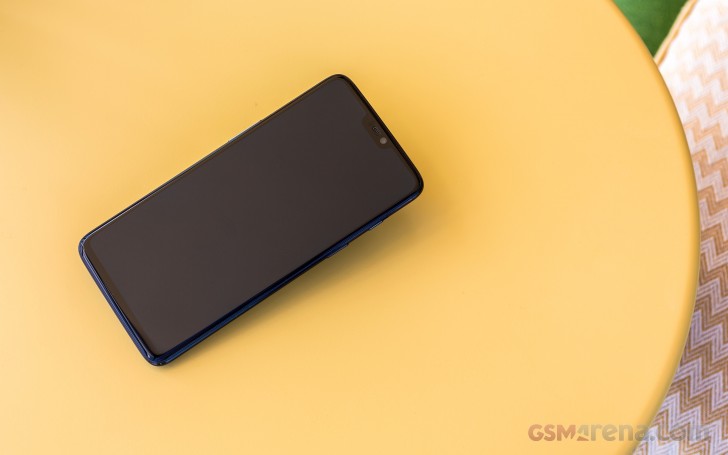
So love it or hate it, the OnePlus 6T design and hardware are a product of the market realities and trends in 2018. It’s no longer the brand you turn to for a breath of fresh air and just on the opposite, you get what everyone else is serving.

OnePlus 6T review

Luckily, a smartphone is a lot more than the sum of its hardware parts and external shell. The product experience exists on an independent plane of its own. Whether it is software, support or customer service, OnePlus has always put its own twist on things and usually, it’s always been to the benefit of the consumer. The OnePlus 6T is no different and there is plenty to love about the experience it provides. Let’s have a look inside the box first.

Unboxing

That experience starts with the package and accessories. In a way, the brand itself has added value. Few companies have managed to craft such an appealing signature image as OnePlus. Everything from the “Never Settle” slogan and mission statement it conveys to the recognizable logo design and materials, and the exclusive materials such as sandstone or wood have remained part of the package the consumer is getting. What’s more, you can accessorize the OnePlus 6T heavily to the point it even matches your attire on different occasions and OnePlus would love it if you consider them a lifestyle brand for the fashion-conscious.

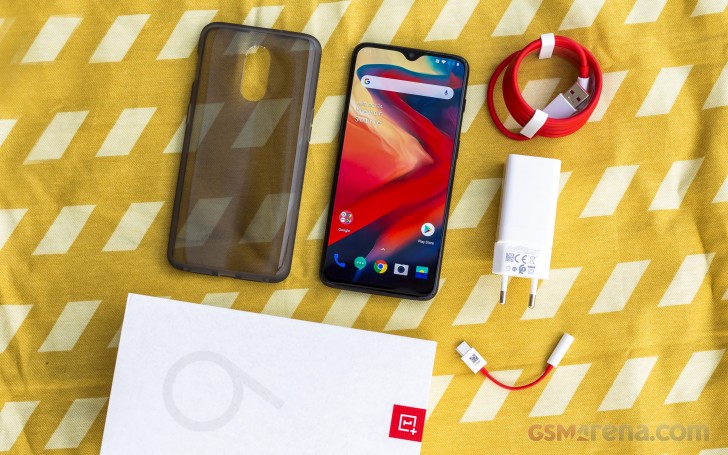
OnePlus 6T review

This approach and the attention to detail have served them well. The retail package of our OnePlus 6T review unit is nothing short of a perfect embodiment of the company’s long-standing PR image efforts. It includes things like inspirational quotes and a letter from the CEO. All of them making it abundantly clear that you – the OnePlus community is at the core of the company itself.

Musings aside, the two-piece box itself feels very premium. It’s one of the nicest we’ve seen lately, without actually being too flashy. It is coated with a rubberized soft coating and comes with multiple boxes and trays on the inside, including a thick plastic bed for the phone. Shipping damage should be a non-issue. Plus, every bit and piece inside the box feels really good to the touch. The various leaflets and manuals even carry the signature red color. OnePlus clearly went all out on packaging, but we have to wonder if that money could have been better spent on accessories.

There are no headphones in the box, although, there is, at least a little Type-C to 3.5mm adapter included. On the other hand, we can’t really complain too much, since our box came with a thick clear rubber case. Another level of protection you get, out of the box is a precision-cut, pre-applied screen protector. It’s not glass, but still looks and feels pretty good.

For charging, you get a familiar while 20W wall DASH charger in the box, along with a red USB Type-A to Type-C cable. The latter is definitely not standard due to the extra pins DASH requires, so hold on to it. Otherwise, you’d be stuck with slower charging speeds. Speaking of which, while 20W is definitely snappy, it is nowhere near the whopping 50W, as found on Oppo’s Find X Lamborghini Edition. We know many fans were hoping to see this blazing fast charging make its way to the OnePlus line. But OnePlus is obviously trying their best to keep costs down. So, perhaps, next year.

Design

Circling back to the whole BBK Electronics Corporation ownership situation, it’s pretty easy to understand the design trends and limitations the lines of Oppo, Realme, Vivo and OnePlus have to work with.

While not necessarily a bad thing, or a new reality, for that matter, it does take away some of the design novelty and create similarity within BBK’s various smartphone lineups. That being said, as per expectations, the OnePlus 6T looks very similar to the Oppo R17 and R17 Pro.

Overall, you get the same familiar metal frame, glass sandwich design. It is still the prevalent look of the day. The OnePlus 6T is 2mm taller than its predecessor and about 5% thicker, also a bit heavier. Still, it does include a larger battery and bigger display. Unfortunately, ingress protection is still not on the OnePlus list of features. However, the front protective glass layer has seen a upgrade to the new Gorilla Glass 6 material, compared to Gorilla Glass 5 on the OnePlus 6.

OnePlus 6T glass back - OnePlus 6T review OnePlus 6T glass back - OnePlus 6T review
OnePlus 6T glass back

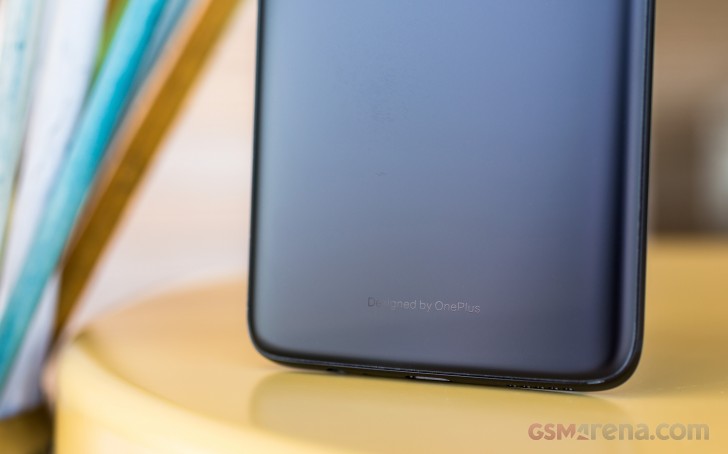
The official specs don’t really mention anything about the back glass panel, though, other than a 40-step count for the manufacturing process. We haven’t had any durability issues with the review unit so far. Plus, OnePlus has a solid track record in this regard, so it should be a non-issue. We have to admit, we a re a bit bummed-out that the Silk White color option is gone. At least in this initial release, that is.

The OnePlus 6T can currently be had in a reflective Mirror Black or a mat Midnight Black. That might sound kind of boring, but the two actually look very different. Plus, going by track record once again, more colors are bound to pop-up in the future, in special limited editions of the OnePlus 6T or otherwise.

Both back panel variants looks and feel very nice to the touch. The reflective one, naturally, attracting more dirt and grease. It is a bit unfortunate that there is still no wireless charging on OnePlus phone, since it would have been a perfect match for the glass back plate.

Front side - OnePlus 6T review
Front side

One thing that’s clearly missing from the back side of the OnePlus 6T is a fingerprint reader. The 3.5mm audio jack, IP rating and wireless charging might be notable omissions, as already pointed out, but OnePlus decided that the under-display fingerprint reader is a worthwhile feature to jump on this year.

OnePlus 6T review

In case this is your first encounter with the tech, it does have certain limitations to overcome. Since the reader is optical by nature and placed a few inches away from the display glass surface, reading requires plenty of light and good transparency (which the OLED panel provides), a good and wide surface area without a lot of motion and a second or two to complete. Hence, for the best result, you need to get the finger placement right on top of the reader, conveniently marked with an on-screen circular animation then press slightly harder, so your finger spreads out more and doesn’t move too much.

OnePlus 6T review

Sure, this type of readers are still not at the level of speed and accuracy that the conventional readers offer. We’re happy to share that the UD fingerprint reader on the OnePlus 6T is definitely leaps ahead of earlier implementations we’ve seen. It is a lot less picky about the placement of the finger, the strength with which you press down is quite reasonable and the reading accuracy is nearly perfect. The only thing that still needs a bit of work is speed. And even that is no longer that far behind a conventional fingerprint reader and it’s perhaps the fastest UD reader we’ve seen so far (Huawei Mate 20 Pro included).

The OnePlus 6T finally brings one of the first usable and reliable in-display fingerprint reader implementations to the table.

If you find its limitations hard to swallow at this point, there is always Face Unlock, you can use instead or in parallel. It is just as snappy and accurate as the one on the OnePlus 6.

Enough beating about the notch then, shifting our eyes up a bit from the trendy in-display fingerprint reader, we instantly spot the “teardrop” notch – another 2018 trend. Now, we won’t go defending the notch design regardless the shape or size it comes in. However, to OnePlus’s (or rather BBK’s) credit, the one on the OnePlus 6T is really small. Definitely a lot less intrusive than the one on the OnePlus 6. Well, a hole is still a hole and if you really despise it, you will probably have to hide it from the settings menu and sacrifice a bit of screen real estate.

Teardrop notch - OnePlus 6T review
Teardrop notch

Still, that relatively small area does manage to hold the 16MP selfie camera, along with the full array of traditional sensors, namely a three-in-on ambient/distance/RGB module. Plus, the earpiece is somewhere in that region as well. No notification LED, though. This obviously had to go.

On to controls then. In keeping with tradition, the OnePlus 6T has one extra button, compared to most conventional handsets. And it’s definitely better than a dedicated AI assistant button. The three-stage mode selector toggle key has remained one of the OnePlus design staples for yet another year. It is positioned pretty high up on the right-hand side of the device and complete with a textured finish and plenty of customizability on the software side.

Teardrop notch - OnePlus 6T review Teardrop notch - OnePlus 6T review
Teardrop notch

The only real issue we have with it is the stiffness. Granted, compared to the OnePlus 6 unit we have at the office, the rocker on the OnePlus 6T feels a bit lighter and easier to slide. However, the force required to do so is still a bit too much and it could easily lead to a nasty fall.

Underneath the mode switch there’s a standard power button. Nicely defined and wide enough to press comfortably.

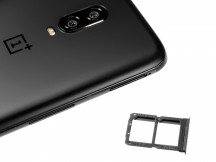
Dual SIM tray - OnePlus 6T review
Dual SIM tray

On the opposite side – a volume rocker. Also, pretty bog-standard. These provide a nice tactile feedback and feel “clicky” so no complaints at all.

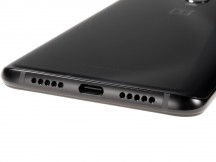
Bottom side - OnePlus 6T review
Bottom side

The top of the OnePlus 6T is pretty much empty, with only a small secondary microphone hole in sight. The bottom side has a bit more going on, but with one notable omission – no 3.5mm audio jack. Instead, OnePlus decided to go for a double grill aesthetic. Only one of those actually houses a speaker, while the other is for the main microphone. And that’s the only speaker you get on the OnePlus 6T. The earpiece does not pull double duty for a hybrid setup. A potentially missed opportunity, in our book, but also likely a cost-saving measure. The same can be said about the USB Type-C port, namely since it still houses a USB 2.0 data connection. A minor annoyance for most users, for sure, but non the less, it is worth pointing out that the port lacks any additional whistles, like fast data transfer rates or video out. OTG is present, though.

Display

Now, compromising on quality of life extras like ingress protection or stereo speakers is one thing, but an inferior display is something central to a phone’s experience, which will definitely drag it down. Thankfully, OnePlus has its priorities straight in this regard. Aside from the questionable notch, the 6.4-inch AMOLED panel on the OnePlus 6T has little faults to speak of.

OnePlus 6T review

At 6.41 inches in diagonal, it is definitely a step up in size from its predecessor. Of course, not all of that screen real estate is created equal or universally usable, due to the “skinny” 19.5:9 aspect ratio. For most vertically scrolling UI components, like lists and web pages it works pretty well. Multimedia is a bit of a different story.

Resolution is still set at an ultra-wide FullHD of 2340 x 1080 pixels, in this particular case. This is both a cost-saving measure and potentially a small battery-conserving one. Frankly, at 402 ppi, we still find the picture on screen perfectly sharp.

Display test 100% brightness
Black, cd/m2 White, cd/m2 Contrast ratio
Apple iPhone XS 0 660
Samsung Galaxy S9 (Max Auto) 0 658
Xiaomi Mi 8 (Max Auto) 0.002 624 312000
Huawei P20 Pro (Max Auto) 0 582
Xiaomi Pocophone F1 0.314 461 1468
Xiaomi Mi 8 0 458
OnePlus 6 0 456
OnePlus 6T (Max Auto) 0 455
OnePlus 6T 0 453
Sony Xperia XZ3 0 442
Google Pixel 3 0 426
Google Pixel 2 XL 0 420
Huawei P20 Pro 0 412
Samsung Galaxy S9 0 370

It’s an excellent panel, even if not one that exactly manages to live up to OnePuls’ claims of “one of the brightest in the industry.” 453 nits are really good on an OLED. Plus, thanks to the perfect blacks, you get that all-important infinite contrast. Under direct sunlight, the OnePlus 6T does consistently manage to shine a couple of nits brighter, but for all intents and purposes, it lacks a brightness boost mode as other makers do.

Sunlight contrast ratio

  • OnePlus 5T4.789
  • Samsung Galaxy S94.63
  • Samsung Galaxy S9+4.537
  • Samsung Galaxy Note84.148
  • OnePlus 6T4.138
  • Huawei P20 Pro4.087
  • Xiaomi Mi 84.086
  • Xiaomi Pocophone F13.059

Judging by the “Optic OLED” moniker, used by OnePlus, we can only assume the panel comes courtesy of Samsung as their previous screens. The lack of HDR certification hints that it’s probably not a top-of-the-line model. Still, it excels when it comes to color accuracy. The OnePlus 6T offers quite a few color profile tweaks.

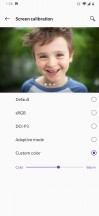
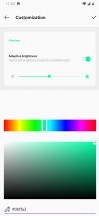
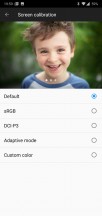
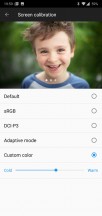
Screen calibration options - OnePlus 6T review Screen calibration options - OnePlus 6T review
Screen calibration options

In the default mode most colors tend to get over-saturated a bit. It makes for a punchier AMOLED-y look, but the particular profile does introduce a fair bit of blue tint. If you like looking at a bit brighter colors, you can use the custom color profile slider and just warm the pallet up a bit to your liking. For an even more comfortable everyday experience, the Adaptive mode does a pretty good job of recognizing the ambient light temperature and adjusting the panel accordingly.

OnePlus 6T review

For more precise color control, both the DCI-P3 and sRGB profiles test well within what can be considered color-calibrated territory. The latter produced an average deltaE of just 2.4, with a maximum of 5 in cyan.

Rounding off the additional display options, there is a Night Mode, that’s simply a fancy name for a blue light filter. It does come with an intensity slider and a scheduler.

Then there is Reading mode, which simply makes the display monochrome. In can be set to auto-trigger on a per-app basis.

Night mode - OnePlus 6T review Reading mode - OnePlus 6T review Ambient display - OnePlus 6T review
Night mode • Reading mode • Ambient display

Ambient display has a few extras hidden under the hood as well. You can set a couple of different triggers for it, like tapping the screen or picking up your phone and there are a few watch style to choose from. There is no always-on mode, as a pre-emptive battery conservation measure.

Battery Life

Looking at a quick specs comparison between the OnePlus 6T and its predecessor, one thing almost instantly sticks out – the 400mAh or so, bump up in battery capacity. The handset now rocks a 3,700mAh pack, which is only natural, considering its bigger display and bigger body, all around.

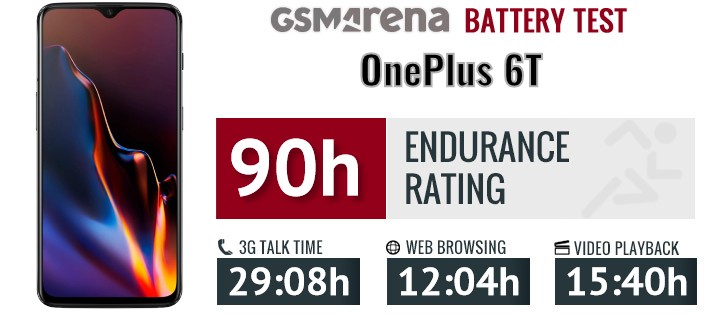
The OnePlus 6T scored a great 90 hour total endurance rating in our battery test. Looking back at the OnePlus 6 and its endurance rating, the variance in individual on-screen tests, namely web browsing and video playback mostly falls in line well with the increase in battery capacity.

However, it is also clear that OnePlus has been keeping busy with software optimization, as well, since a few mAh of battery aren’t nearly enough to explain the massive network standby time improvement we observed on the OnePlus 6T, compared to its predecessor. Whatever network issue OnePlus had, it appears to be all cleared up now. Hopefully, the fix is already available across existing OnePlus 6 devices as well.

Our endurance rating denotes how long a single battery charge will last you if you use the OnePlus 6T for an hour each of telephony, web browsing, and video playback daily. We’ve established this usage pattern, so our battery results are comparable across devices in the most common day-to-day tasks. The battery testing procedure is described in detail in case you’re interested in the nitty-gritties. You can also check out our complete battery test table, where you can see how all of the smartphones we’ve tested will compare under your own typical use.

Now, we’ve already established that you don’t get any fancy new ultra-fast charging tech with the OnePlus 6T, a la Oppo’s new 50W standard. Still, the trusty old 20W DASH technology is still speedy and efficient and safe in its “divide and conquer” approach to charging two halves of the battery simultaneously. With the included wall charger, the OnePlus 6T managed to get from 0% to 55% in 30 minutes, and a full charge was completed in just over an hour.

Since OnePlus is yet to make the jump to a Type-C to Type-C cable, DASH still relies on a custom Type-A to Type-C USB connector, with extra pins on one side. That means you do need to hold on to your custom cables, but it also means that any DASH accessories you already happen to own are still compatible. Fans will surely appreciate that.

Loudspeaker

The OnePlus 6T only has a single, bottom-firing speaker at its disposal. Still, it gets quite loud and produces clean sound.

Speakerphone test Voice, dB Pink noise/ Music, dB Ringing phone, dB Overall score
Google Pixel 2 XL 66.2 70.4 78.2 Good
OnePlus 6 70.2 74.7 70.0 Good
Apple iPhone X 68.9 74.0 76.2 Very Good
Xiaomi Mi 8 68.1 72.3 82.2 Very Good
Samsung Galaxy S9 68.5 74.3 81.1 Very Good
Apple iPhone XS 71.5 75.7 78.9 Very Good
OnePlus 6T 67.2 72.5 84.5 Very Good
Sony Xperia XZ3 (ClearAudio+) 68.0 75.3 84.0 Very Good
Sony Xperia XZ3 71.0 75.4 82.9 Excellent
Huawei P20 Pro 71.8 69.2 91.0 Excellent
Xiaomi Pocophone F1 72.8 74.7 86.6 Excellent

Looking at the individual scores, we can see that the new phone ranks lower than the OnePlus 6 in the Music and Voice loudness tests, but scores a lot higher in the high-pitched Old phone ringing test.

OnePlus 6T review

This shows that the two phones have differently tuned speakers. The OnePlus 6T does distort high-pitched sounds a bit but less so than the OP6.

Audio quality

The move away from a 3.5mm audio jack has cost the OnePlus 6T a bit regarding loudness – the OnePlus 6 was above average both with an active external amplifier and with headphones, whereas its successor is average and below average respectively.

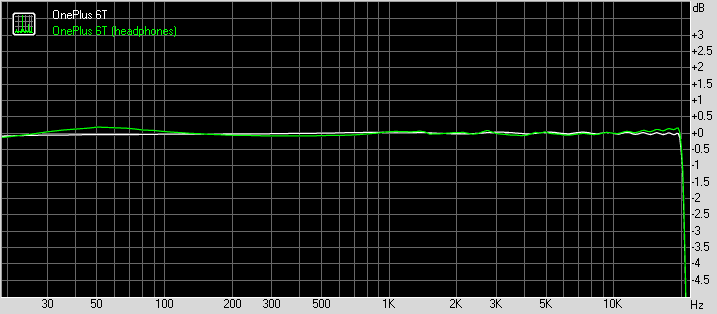
Yet, when it comes to clarity of the output, the two are virtually indistinguishable. You get perfectly accurate output without headphones and a moderate amount of stereo crosstalk when you plug them in. Some minor intermodulation distortion and frequency response shakiness also appear, but those are impossible to detect without dedicated equipment.

Test Frequency response Noise level Dynamic range THD IMD + Noise Stereo crosstalk
OnePlus 6T +0.03, -0.05 -93.4 93.3 0.0010 0.0070 -93.8
OnePlus 6T (headphones) +0.17, -0.15 -93.2 93.1 0.0056 0.245 -61.1
Huawei Mate 20 Pro +0.02, -0.09 -87.7 87.0 0.0024 0.012 -87.8
Huawei Mate 20 Pro (headphones) +0.15, -0.07 -92.1 92.0 0.0029 0.149 -82.2
Sony Xperia XZ3 +0.01, -0.02 -91.2 93.2 0.0024 0.0080 -88.7
Sony Xperia XZ3 (headphones) +0.38, -0.21 -93.1 92.5 0.0049 0.233 -61.7
Sony Xperia XZ2 Premium +0.01, -0.02 -91.0 93.4 0.0026 0.0082 -87.6
Sony Xperia XZ2 Premium (headphones) +0.40, -0.20 -92.9 91.2 0.0049 0.236 -61.7
Samsung Galaxy Note9 +0.01, -0.03 -93.7 93.7 0.0017 0.0074 -94.1
Samsung Galaxy Note9 (headphones) +0.03, -0.02 -93.6 93.5 0.0033 0.046 -93.2
Oppo Find X +0.03, -0.07 -93.4 93.9 0.0012 0.0063 -89.3
Oppo Find X (headphones) +0.01, -0.58 -92.2 93.5 0.0088 0.330 -55.7
HTC U12+ +0.02, -0.15 -94.3 94.3 0.0021 0.0069 -94.3
HTC U12+ (headphones) +0.18, -0.13 -93.7 93.6 0.0024 0.104 -52.7

OnePlus 6T frequency response

Oxygen OS with a slice of Pie

OnePlus has a solid track record of delivering and maintaining a clean, snappy and near-stock Android experience. The Oxygen OS ROM running on the OnePlus 6T is the latest iteration and a perfect embodiment of that mentality.

OnePlus 6T review

The ROM manages to maintain a near-stock appearance, with minimal clutter, while still including a few usable extras and quality of life additions. Another crucial part of the OxygenOS formula is a tight update schedule. OnePlus has been delivering quite well in this department, which is why the OnePlus 6T ships with Android 9 Pie out of the box. Plus, older OnePlus devices have already gotten a taste of the latest Google core as well, so there are few real software novelties to speak of on the OnePlus 6T. And anything that is still exclusively found on it will surely be making its way to other parts of the company’s lineup shortly.

Ambient display - OnePlus 6T review Ambient display - OnePlus 6T review
Ambient display

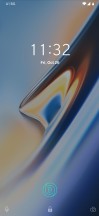
After a bit of battery endurance controversy on the OnePlus 6, the true Always-On display feature is gone. Still, there is an Ambient display that can be set to automatically pop up when you tap the screen or pick up the phone. It’s the usual mostly monochrome affair, complete with a customizable clock widget, optional display message, and notifications. Of course, there is the immediately noticeable round icon guide for the in-display fingerprint reader.

Fingerprint settings - OnePlus 6T review Fingerprint settings - OnePlus 6T review Fingerprint settings - OnePlus 6T review Fingerprint settings - OnePlus 6T review Fingerprint settings - OnePlus 6T review
Fingerprint settings

Since we are on the topic of security and the fingerprint reader already, it’s worth mentioning that it does come with a few customization options to play around with. The new fingerprint enrolment process is pretty similar to what you would do for a standard reader, only the wizard is a bit more thorough. It definitely takes a minute or so to register a finger, since the OS is adamant about recording as much of the surface area as possible, prompting you to shift your finger around on its edges.

OnePlus 6T review

In our mind, the extra time spend in setup compared to something like a recent Samsung Galaxy device is definitely worth it, considering how accurate and speedy the UD reader tech has become in just a few short months since we saw its first implementation on a phone. As far as customization goes, you get three distinct and very well made animations to choose from that play out while the reader is engaged and sort of mask the bright green spot of light that shines on your thumb while it is working.

Face unlock - OnePlus 6T review Face unlock - OnePlus 6T review
Face unlock

Of course, you can always opt out of the futuristic fingerprint reading tech, if it’s not your cup of tea or even choose to simply accompany it with a Face Unlock. It is both incredibly fast and reliable on the OnePlus 6T. The only times we saw it struggle was in very dim environments.

If you’re one to enjoy gestures, the 6 has them. While the screen is still off you can draw letters or symbols on the screen to do stuff. For instance, draw < or > for previous/next track, || (two-finger swipe) to pause, or assign an app to the letters O, V, S, M, and W. Beyond that, there is also flip to mute and a three-finger swipe down gesture to capture a screenshot. Double tap to wake and send back to standby are also present.

Gesture navigation options - OnePlus 6T review Gesture navigation options - OnePlus 6T review Gesture navigation options - OnePlus 6T review
Gesture navigation options

Gesture navigation isn’t exactly new to the OnePlus family. OnePlus has its own iPhone X-inspired scheme set up that came optional on the OnePlus 6 and was also introduced on the OnePlus 5T via update. Swipe up from the bottom center to go to the homescreen, swipe and hold for recent tasks, or swipe up from either side to go back. Of course, if you’re not for of this way of getting around the UI, you can go back to the good old navigation bar and its buttons.

New to the Android Pie version of Oxygen OS is Google’s own new navigation scheme. It sort of sits in-between the OnePlus all gesture approach and conventional buttons, since it does have a back button and a central control knob, of sorts. Tapping on it takes you to the home screen. Long pressing it triggers the Google Assistant. The “menu button” or task switcher/recent apps button is gone. To replace that you swipe up from the navigation area, or even slightly above it to bring up the revamped recent apps interface. A second swipe up, or alternatively, one longer/wider swipe, to begin with, takes you to the app drawer. It definitely takes some getting used to.

Buttons and gestures - OnePlus 6T review Buttons and gestures - OnePlus 6T review
Buttons and gestures

And speaking of gestures and navigation schemes, we definitely can’t overlook the signature OnePlus alert slider. It still toggles between Ring, Vibration and Silent modes, like always, but there are also a few minute tweaks that can be made to some of these modes.

Lock screen - OnePlus 6T review Home screen - OnePlus 6T review App drawer - OnePlus 6T review Folder - OnePlus 6T review Launcher settings - OnePlus 6T review
Lock screen • Home screen • App drawer • Folder • Launcher settings

As far as aesthetics go, the OnePlus launcher comes pretty close to stock, with only a few minor additions. There is the Shelf, which is in place of your leftmost homescreen and is quite similar to the Google Assistant feed. It shows the weather, your most used apps, and frequent contacts. You can also add widgets and change the header image.

OnePlus Shelf - OnePlus 6T review OnePlus Shelf - OnePlus 6T review
OnePlus Shelf

While there is no full-featured Theme support in Oxygen OS, there are quite a few customization options, scattered throughout the various settings menus. You can still choose between a predominantly white or dark UI, the latter, of course, makes a lot more sense on an AMOLED panel.

Theme - OnePlus 6T review Notch options - OnePlus 6T review Font - OnePlus 6T review Accent Color - OnePlus 6T review Accent Color - OnePlus 6T review
Theme • Notch options • Font • Accent Color

OnePlus offers a couple of options for system Fonts, as well as Icon Pack support, with various shapes and dyes. Speaking of colors, there is also the option to select a custom Accent color. This is the secondary color that gets dissipated all throughout the UI and can really make a noticeable difference to the appearance of the device.

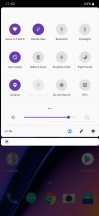
One spot the different color accent instantly shines through is the notification shade and especially the quick toggles area. The notification shade can be lowered with a single swipe from anywhere in the UI (that’s a setting though, and it’s off by default) and an additional swipe will reveal the entire list of quick toggles. You can also use two fingers to bring down the whole thing in a single motion. The brightness slider is complemented by an Auto switch, something Google keeps refusing to build into stock Android. You can also handpick the icons that show up in the status bar.

Notification shade - OnePlus 6T review Expanded view - OnePlus 6T review Recent apps - OnePlus 6T review Multi-window - OnePlus 6T review
Notification shade • Expanded view • Recent apps • Multi-window

OnePlus stuck to the rolodex style recent app switcher for quite some time, but now Oxygen OS finally decided to go stock and adopt the Android Pie horizontally scrolling view, with its huge interactive windows. There’s the option for split-screen multi-window, naturally, accessible via the three menu dots in the app windows corner.

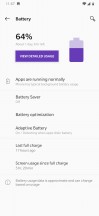
Digging down further in the Oxygen OS menu structure, we find a few more interesting additional features. Apparently, OnePlus adopted the smart Adaptive Battery management layer from Android Pie as well. It definitely can’t hurt to have it work alongside the company’s other Battery optimization.

Battery optimization - OnePlus 6T review Adaptive Battery - OnePlus 6T review
Battery optimization • Adaptive Battery

Speaking of Android Pie additions, we were hoping to see the rest of Google’s wellness center implemented as well, complete with options like Wind-down and app timers. These are absent from Oxygen OS at the time of writing this review, but our guess is OnePlus will waste no time in implementing them.

Oxygen OS also has a Utilities menu, entirely dedicated to some of its additional features. Gaming mode doesn’t actually boost performance or anything similar, but can offer a distraction-free experience, better control over notifications, calls and brightness, as well as a priority network mode that won’t let other apps steal vital bandwidth away from your games.

Utilities - OnePlus 6T review Gaming Mode - OnePlus 6T review OnePlus Switch - OnePlus 6T review OnePlus Laboratory - OnePlus 6T review Smart Boost - OnePlus 6T review
Utilities • Gaming Mode • OnePlus Switch • OnePlus Laboratory • Smart Boost

OnePlus Switch is a phone migration utility, likely familiar to OnePlus fans an users. However, in its latest version, it comes with the additional promise of app data migration. From our limited testing, it appears to work well enough, but there’s little it can do for certain misbehaving apps that don’t want to or haven’t correctly exposed their data.

OnePlus 6T review

Last, but not least, there is Smart Boost, which we already mentioned in the performance section of the review. It currently resides in the OnePlus Laboratory section, which does speak of its beta nature, but is non the less, turned on by default. Again, we can’t really test how well it speeds up cold app start-up times, but it can’t really hurt to just leave it on. Especially if you get the 8GB RAM OnePlus 6T tier.

Performance

The OnePlus 6T finds itself in a rather weird place as far as internals go. It is based around the still current Snapdragon 845 flagship, but the chip came out fairly early this year. On the one hand, that potentially places it pretty late in its deprecation cycle. Well, not literally, of course, since a flagship chipset remains relevant for at least a few years. But, you still get our point.

OnePlus 6T review

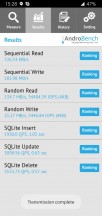
On the other hand, and this is the weirder part, the original OnePlus 6 is also based on the same 10nm, Snapdragon 845 silicon. RAM tiers are pretty much unchanged as well, set at 6GB for the entry-level and 8GB for the upper tier. Storage has seen some changes, namely that the base storage variant is now 128GB, not 64GB. Now, the official specs do mention some storage specifics, namely that the UFS 2.1 chips use 2 lanes. What that boils down to is potentially quicker storage speeds, which could affect performance to some degree. We ran a quick benchmark to see just how much of a variance we are looking at, and while the OnePlus 6T has consistently quicker speeds, the difference is not really significant.

Storage speed: OnePlus 6T - OnePlus 6T review Storage speed: OnePlus 6 - OnePlus 6T review
Storage speed: OnePlus 6T • OnePlus 6

Other than that, we expect the 8GB, 128GB OnePlus 6T review unit to perform practically identical to our 6GB, 128GB OnePlus 6 in synthetic benchmarks. Both also run OnePlus’ signature near-stock build of Android Pie. So, any variance should come from extra RAM alone. And the numbers line up perfectly.

GeekBench 4.1 (multi-core)

Higher is better

  • Apple iPhone XS11472
  • Apple iPhone X10215
  • Huawei Mate 20 Pro9712
  • OnePlus 69011
  • Xiaomi Pocophone F19003
  • OnePlus 6T8977
  • Samsung Galaxy S98830
  • Sony Xperia XZ38607
  • Xiaomi Mi 88494
  • Google Pixel 38146
  • Google Pixel 3 XL8088
  • Huawei P20 Pro6679
  • Google Pixel 2 XL6428

GeekBench 4.1 (single-core)

Higher is better

  • Apple iPhone XS4823
  • Apple iPhone X4256
  • Samsung Galaxy S93759
  • Huawei Mate 20 Pro3291
  • Sony Xperia XZ32486
  • OnePlus 62450
  • Xiaomi Pocophone F12438
  • OnePlus 6T2431
  • Xiaomi Mi 82431
  • Google Pixel 32377
  • Google Pixel 3 XL2363
  • Google Pixel 2 XL1915
  • Huawei P20 Pro1907

Looking at the pure-CPU test first, we see the 4×2.8 GHz Kryo 385 Gold, plus 4×1.7 GHz Kryo 385 Silver cores inside the Snapdragon 845 perform as expected. We had no issues with thermal management during stress tests either. The OnePlus 6T remains lukewarm to the touch under load.

Basemark OS 2.0

Higher is better

  • Apple iPhone XS6060
  • Apple iPhone X4708
  • OnePlus 6T4452
  • OnePlus 64440
  • Google Pixel 33909
  • Google Pixel 3 XL3895
  • Xiaomi Mi 83858
  • Xiaomi Pocophone F13713
  • Sony Xperia XZ33700
  • Samsung Galaxy S93382
  • Google Pixel 2 XL3379
  • Huawei P20 Pro3252

Basemark ranks the pair of OnePlus devices even closer together. Also, quite noticeable ahead of the Snapdragon 845 pack, due to software optimization alone.

AnTuTu 7

Higher is better

  • Apple iPhone XS346379
  • OnePlus 6T293994
  • Sony Xperia XZ3284555
  • Huawei Mate 20 Pro273913
  • Xiaomi Pocophone F1265314
  • OnePlus 6264200
  • Google Pixel 3 XL258244
  • Samsung Galaxy S9250156
  • Google Pixel 3233699
  • Apple iPhone X233100
  • Xiaomi Mi 8217298
  • Huawei P20 Pro209884
  • Google Pixel 2 XL203119

Moving on to AnTuTu and its more compound performance assessment, we can clearly see it’s taking notice of the extra 2GB of RAM, compared to the OnePlus 6. Looking at the Huawei Mate 20 Pro and the Xiaomi Pocophone F1, both also equipped with 8GB of system memory, we can see the benefits of OnePlus’ near-stock, lean and well-optimized Android OS at work.

GFX 3.1 Manhattan (1080p offscreen)

Higher is better

  • Apple iPhone XS98
  • Apple iPhone X65
  • OnePlus 6T60
  • Xiaomi Pocophone F160
  • OnePlus 658
  • Google Pixel 357
  • Sony Xperia XZ356
  • Xiaomi Mi 853
  • Huawei Mate 20 Pro53
  • Samsung Galaxy S946
  • Google Pixel 3 XL44
  • Google Pixel 2 XL42
  • Huawei P20 Pro40

GFX 3.1 Car scene (1080p offscreen)

Higher is better

  • Apple iPhone XS60
  • Apple iPhone X37
  • OnePlus 635
  • OnePlus 6T35
  • Xiaomi Pocophone F135
  • Google Pixel 335
  • Sony Xperia XZ335
  • Xiaomi Mi 833
  • Huawei Mate 20 Pro29
  • Samsung Galaxy S928
  • Google Pixel 3 XL28
  • Google Pixel 2 XL25
  • Huawei P20 Pro23

On-screen rendering is where the screen resolution starts to play a major role. The Adreno 630 feels more comfortable rendering at the FullHD+ scale of the OnePlus 6T than the QHD+ on something like the Sony Xperia XZ3.

GFX 3.1 Manhattan (onscreen)

Higher is better

  • Apple iPhone XS60
  • OnePlus 655
  • Google Pixel 355
  • OnePlus 6T53
  • Xiaomi Pocophone F153
  • Xiaomi Mi 850
  • Apple iPhone X49
  • Huawei P20 Pro37
  • Sony Xperia XZ331
  • Huawei Mate 20 Pro27
  • Samsung Galaxy S924
  • Google Pixel 3 XL24
  • Google Pixel 2 XL21

GFX 3.1 Car scene (onscreen)

Higher is better

  • Apple iPhone XS47
  • OnePlus 633
  • Google Pixel 333
  • Xiaomi Mi 833
  • OnePlus 6T31
  • Xiaomi Pocophone F131
  • Apple iPhone X28
  • Huawei P20 Pro21
  • Sony Xperia XZ319
  • Huawei Mate 20 Pro17
  • Samsung Galaxy S914
  • Google Pixel 2 XL13
  • Google Pixel 3 XL12

That being said, it is clear that even the 60 extra rows of 1080 pixels each, that the 19.9:9 OnePlus 6T sports over its predecessor do make a noticeable difference when rendering the same thing in true full-screen. Of course, if you run into any performance trouble or simply can’t tolerate the notch digging into your content, there’s always the option to hide the notch for certain apps and games.

Basemark X

Higher is better

  • Google Pixel 344369
  • OnePlus 644229
  • OnePlus 6T43886
  • Sony Xperia XZ343843
  • Xiaomi Pocophone F143652
  • Xiaomi Mi 843285
  • Google Pixel 3 XL43073
  • Samsung Galaxy S942645
  • Huawei P20 Pro39945
  • Google Pixel 2 XL39143

Basemark X typically offers a more accurate and comparable representation of overall graphical fidelity, and we can see the OnePlus 6T neck to neck with its predecessor.

So, hardware-wise, it should come as no surprise that the OnePlus 6T is just a potent and capable of a flagship as its predecessor. Perhaps the latter might just have a slight edge in some on-screen rendering scenarios if you really insist on using the entire screen to game. However, marketing materials for the OnePlus 6T do mention a rather interesting Smart Boost technology, which we couldn’t find any mention of on previous OnePlus phones.

OnePlus 6T review

As per its description, it merely takes frequently used apps and stores some of their initialization data in the RAM. This, in turn, enables the promise of 5% to 20% faster cold starts on said apps. Unfortunately, this is really hard to test. Plus, any meaningful data we do acquire could be skewed in the UFS 2.1 storage chips on the new OnePlus 6T do turn out to use one extra data lane for quicker read and write speeds.

One may be nearly useless, but the other is great

OnePlus, along with sister company Oppo, has been pushing a particular camera setup for a few generations of devices, one we didn’t feel was entirely justified from the get go and that’s not changed with the OnePlus 6T. Starting with the OP5T, the secondary cam on the back got the same focal length lens as the main one, replacing the slightly longer (and similarly slightly more useful) module of the OP5. Effectively that means two cameras with the same FOV but different sensors.

Oneplus 6T review

The hardware goes like this. You have the primary cam with a 1/2.6″ Sony IMX519 sensor that packs some 16 million 1.22µm pixels. The lens has a 25mm equivalent focal length and an f/1.7 aperture, and is stabilized. The secondary one relies on the 1/2.8″ Sony IMX376K imager placed behind a similarly specced f/1.7 25mm-equivalent lens.

There are no major changes to the camera app compared to the previous generation, which was in turn an evolution of the one found on the 5T. The app defaults to the stills viewfinder, but a swipe to the right (or up in landscape) will bring up one for video, while a swipe to the left (or, obviously, down) evokes the Portrait mode. Another swipe in the latter direction will then take you to the Night mode – this one’s new.

In the stills viewfinder you also have quick toggles for flash mode, self-timer, and aspect ratio. The HDR toggle is gone from plain sight and is now in settings. As before, there’s still a 1x/2x button despite the lack of an actual telephoto camera.

Accessing other modes is done by tapping on the tiny arrow next to the 1x/2x button. That’ll get you access to Panorama, Pro mode, Slow motion, and Timelapse. It’s only on this mode selector screen that you can see the settings cog wheel – if you have no prior experience with OP phones, you’d be scratching your head trying to find the settings the first few tries.

The Pro mode allows manual tweaking of shooting parameters, including ISO (100-3200), white balance (by light temperature), shutter speed (1/8000s to 30s), focus, and exposure compensation (-2/+2EV in third-stop and half-stop increments). You can save 2 sets of custom parameters too, if you happen to do the same thing over and over again. A live histogram is also provided (quite a rare feature) and RAW capture is available too.

Camera interface: Viewfinder - Oneplus 6T review Camera interface: Aspect settings (up top) - Oneplus 6T review Camera interface: Portrait mode - Oneplus 6T review Camera interface: Other modes - Oneplus 6T review Camera interface: Pro mode - Oneplus 6T review
Camera interface: Viewfinder • Aspect settings (up top) • Portrait mode • Other modes • Pro mode

Image quality

Daylight images from the OnePlus 6T come very likable, which isn’t remotely a surprise given the identical hardware to the OP6, whose shots we really enjoyed. We’re particular fans of the wide dynamic range in the default AutoHDR state. Detail is good too, though we’ve seen better per-pixel results. And while you’re zoomed in to 1:1, you’d spot some noise too, even at base ISO, but it’s not as much or as obtrusive as to be an issue.

Camera samples - f/1.7, ISO 100, 1/4005s - Oneplus 6T review Camera samples - f/1.7, ISO 100, 1/3559s - Oneplus 6T review Camera samples - f/1.7, ISO 100, 1/3305s - Oneplus 6T review
Camera samples - f/1.7, ISO 100, 1/2862s - Oneplus 6T review Camera samples - f/1.7, ISO 100, 1/3679s - Oneplus 6T review Camera samples - f/1.7, ISO 100, 1/3305s - Oneplus 6T review
Camera samples - f/1.7, ISO 100, 1/2533s - Oneplus 6T review Camera samples - f/1.7, ISO 160, 1/50s - Oneplus 6T review Camera samples - f/1.7, ISO 160, 1/100s - Oneplus 6T review
Camera samples

Colors are a subjective area, but we still feel like OnePlus has got them just right. It renders the Fall scenes very pleasantly and manages to convey the vibe nicely. We observed a significant difference between the OP6T and OP6 in some scenes (the dreamy sunrise shots of the trees), and we’re strongly leaning towards the 6T’s version. The OP6’s rendition is more muted – more so than even the generally color-conservative iPhone, whose shots we’ve included for comparison. That said, images taken at midday didn’t really differ all that much between the two OnePlus phones – is it some sort of a sunrise scene optimizer on the OP6T?

Camera samples: OP6T - f/1.7, ISO 100, 1/139s - Oneplus 6T review Camera samples: OP6 - f/1.7, ISO 100, 1/977s - Oneplus 6T review Camera samples: iPhone XS Max - f/1.8, ISO 25, 1/340s - Oneplus 6T review
Camera samples: OP6T - f/1.7, ISO 100, 1/201s - Oneplus 6T review Camera samples: OP6 - f/1.7, ISO 100, 1/1700s - Oneplus 6T review Camera samples: iPhone XS Max - f/1.8, ISO 25, 1/737s - Oneplus 6T review
Camera samples: OP6T - f/1.7, ISO 100, 1/139s - Oneplus 6T review Camera samples: OP6 - f/1.7, ISO 100, 1/1423s - Oneplus 6T review Camera samples: iPhone XS Max - f/1.8, ISO 25, 1/467s - Oneplus 6T review
Camera samples: OP6T - f/1.7, ISO 125, 1/50s - Oneplus 6T review Camera samples: OP6 - f/1.7, ISO 100, 1/163s - Oneplus 6T review Camera samples: iPhone XS Max - f/1.8, ISO 64, 1/121s - Oneplus 6T review
Camera samples: OP6T • OP6 • iPhone XS Max

There’s a 1x/2x button so figured we’d test what the OP6T, fully aware that it doesn’t have the camera to properly do the 2x part. Predictably, the results aren’t amazing and it’s nothing you can’t achieve by cropping the 1x shot, upsampling and sharpening a bit.

Camera samples: 2x zoom - f/1.7, ISO 100, 1/3720s - Oneplus 6T review Camera samples: 2x zoom - f/1.7, ISO 100, 1/3455s - Oneplus 6T review Camera samples: 2x zoom - f/1.7, ISO 100, 1/1047s - Oneplus 6T review
Camera samples: 2x zoom - f/1.7, ISO 100, 1/3468s - Oneplus 6T review Camera samples: 2x zoom - f/1.7, ISO 100, 1/3257s - Oneplus 6T review Camera samples: 2x zoom - f/1.7, ISO 100, 1/2284s - Oneplus 6T review
Camera samples: 2x zoom

In low light, the OnePlus 6T takes very good, if not class-leading photos. Color saturation is very well preserved, detail is good and noise reduction is well handled.

Low-light samples, Photo mode - f/1.7, ISO 1250, 1/10s - Oneplus 6T review Low-light samples, Photo mode - f/1.7, ISO 3200, 1/10s - Oneplus 6T review Low-light samples, Photo mode - f/1.7, ISO 1600, 1/13s - Oneplus 6T review
Low-light samples, Photo mode

There’s a newly added night mode, which attempts to do something along the lines of the pseudo long exposures we saw introduced on the Huawei P20. It’s nowhere nearly as good, however, and in handheld shooting often produces less sharp results than the regular photo mode.

Low-light samples, Night mode - f/1.7, ISO 3200, 1/5s - Oneplus 6T review Low-light samples, Night mode - f/1.7, ISO 3200, 1/5s - Oneplus 6T review Low-light samples, Night mode - f/1.7, ISO 3200, 1/5s - Oneplus 6T review
Low-light samples, Night mode

It behaves quite differently when the phone detects it’s being well supported – like on a tripod. The pseudo long exposures get actually longer, to the tune of 30s per shot as opposed to the ~3s when hand-held. You can expect overall superior images that way, though it raises the question of whether the newly added Night mode is of any use if you have a tripod anyway.

OP6T, low light: Tripod, Photo mode - f/1.7, ISO 4000, 1/6s - Oneplus 6T review OP6T, low light: Tripod, Night Mode - f/1.7, ISO 800, 1/0s - Oneplus 6T review OP6T, low light: Handheld, Photo mode - f/1.7, ISO 4000, 1/10s - Oneplus 6T review OP6T, low light: Handheld, Night Mode - f/1.7, ISO 3200, 1/5s - Oneplus 6T review
OP6T, low light: Tripod, Photo mode • Tripod, Night Mode • Handheld, Photo mode • Handheld, Night Mode

For thoroughness’ sake we took a bunch of zoomed in shots as well. You could call them usable in a pinch, though again you could achieve the same results from post-processing the wide-angle images. In all fairness, in low light, even phones with actual telephoto cameras don’t actually use their telephoto cameras for 2x zooming, so the end results are comparable.

Low-light samples, 2x zoom - f/1.7, ISO 800, 1/17s - Oneplus 6T review Low-light samples, 2x zoom - f/1.7, ISO 1250, 1/13s - Oneplus 6T review Low-light samples, 2x zoom - f/1.7, ISO 2000, 1/17s - Oneplus 6T review
Low-light samples, 2x zoom

If not for zooming in, then at least the second camera can be used for depth detection in portrait mode. As with all implementations that rely on a 25mm-ish camera for portraits, taking headshots with the OnePlus 6T means going very close to your subject, and people generally aren’t thrilled to have cameras stuck in their faces. On the other hand, you can do self-portraits with the rear camera at arm’s length distance and still comfortably fit your mug in the frame unlike with tighter telephoto-based setups.

The OP6T does a great job with subject separation, and background blur looks pretty convincing.

Portrait samples - f/1.7, ISO 125, 1/100s - Oneplus 6T review Portrait samples - f/1.7, ISO 400, 1/50s - Oneplus 6T review Portrait samples - f/1.7, ISO 100, 1/3115s - Oneplus 6T review
Portrait samples

It works similarly well on non-human subjects too, even if they happen to be doggos.

Portrait samples, non-human subjects - f/1.7, ISO 100, 1/151s - Oneplus 6T review Portrait samples, non-human subjects - f/1.7, ISO 100, 1/1725s - Oneplus 6T review Portrait samples, non-human subjects - f/1.7, ISO 100, 1/334s - Oneplus 6T review
Portrait samples, non-human subjects

Don’t forget to check out how the OnePlus 6T fares against the competition in our Photo compare tool. We’ve picked OnePlus’ own 6 and the Samsung Galaxy S9+ to get you started, but it’s a pretty rich database of tested phones to choose from.

Photo Compare Tool Photo Compare Tool Photo Compare Tool
OnePlus 6T against the OnePlus 6 and the Galaxy S9+ in our Photo compare tool

16MP selfies too

The OnePlus 6T has a 16MP camera on the front too, just like the OnePlus 6. It’s mated to an f/2.0 aperture lens, which the EXIF says has a 20mm equivalent focal length. It really doesn’t. It’s more like a 25mm (which is what the OP6 used to report back in the day, only now the old model says 20mm too – just OP things?).

EXIF musings aside, the OP6T takes some impressively detailed selfies under the right light. However, if the HDR mode kicks in it robs images of absolute sharpness, and it does tend to kick in a lot. There’s also a particular tendency to render dark areas straight up black, like this guy’s hair.

Selfie samples - f/2.0, ISO 160, 1/100s - Oneplus 6T review Selfie samples - f/2.0, ISO 160, 1/50s - Oneplus 6T review Selfie samples - f/2.0, ISO 400, 1/33s - Oneplus 6T review
Selfie samples - f/2.0, ISO 320, 1/50s - Oneplus 6T review Selfie samples - f/2.0, ISO 100, 1/1318s - Oneplus 6T review Selfie samples - f/2.0, ISO 100, 1/2276s - Oneplus 6T review
Selfie samples

Portrait mode is available on the front as well despite the lack of a secondary cam. The haloing we observed around OP6 selfie portraits is present here too, but other than that the algorithms work very well.

Selfie samples, portrait mode - f/2.0, ISO 100, 1/133s - Oneplus 6T review Selfie samples, portrait mode - f/2.0, ISO 320, 1/50s - Oneplus 6T review Selfie samples, portrait mode - f/2.0, ISO 100, 1/884s - Oneplus 6T review
Selfie samples, portrait mode

Video quality

Not much has changed in the video department compared to the OP6. The OP6T can still record video in both 2160p and 1080p at either 60fps or 30fps, plus a 720p mode if you particularly hate the subject matter. 720p is also the resolution where you can have 480fps slow-mo capture.

Bit rates are also unchanged and 4K60 footage clocks in at a whopping 121Mbps, 4K30 gets 42Mbps, while 1080p is allocated 40Mbps and 20Mbps for 60fps and 30fps respectively. Audio is recorded in stereo at 156kbps in all modes.

As before, stabilization is available in the 30fps modes and cannot be switched off. On top of the expected crop that it introduces, it also has a detrimental effect on absolute detail and effectively 60fps footage is sharper and crisper. Wouldn’t it have been nice if there were a toggle to turn it off if you knew you’d have proper support for the phone? Or, you know, have processing algorithms that don’t ruin video quality for the sake of stabilization?

Anyway, the stabilization works quite well ironing out handshake or the motion produced when walking. It’s less impressive when panning, with somewhat abrupt transitions at the start and finish.

2160p capture is nice and detailed in both frame rates, though as we said, the 60fps has an edge in sharpness. Dynamic range is nice and wide and we’re also liking the color reproduction.

Dynamic range and colors are similarly great in 1080p, and the difference in crispiness is again present – the 60fps mode is the sharper one.

For those of you who want to pixel peep on your own computers, we’ve uploaded short samples straight out of the phone (2160/60fps2160p/30fps1080p/60fps1080p/30fps).

Another kind of pixel peeping can take place inside our Video compare tool. We’ve pre-selected the OnePlus 6 and the Samsung Galaxy S9+, but feel free to play around with other phones we’ve tested.

Video Compare Tool Video Compare Tool Video Compare Tool
OnePlus 6T against the OnePlus 6 and the Galaxy S9+ in our 4K Video compare tool

Video Compare Tool Video Compare Tool Video Compare Tool
OnePlus 6T against the OnePlus 6 and the Galaxy S9+ in our FullHD Video compare tool.

Competition

Back in the early days of OnePlus, when lofty “flagship killer” slogans were thrown around, our task of recommending the unknown, mysterious challenger out of China was a lot easier. Regardless whether you are a fan of OnePlus and its products today, it’s hard to deny the company’s vision and its role in smartphone history as one of the few companies attempting to disrupt the flagship smartphone scene.

OnePlus 6T reviewOnePlus 6 (left) vs OnePlus 6T (right)

Fast forward to 2018 and the mobile scene is vastly different. OnePlus is no longer operating on a startup scale with nearly as aggressive pricing and powerful challengers, like Xiaomi are quickly saturating pretty much every smartphone niche and price bracket with hard to beat value offers. The Xiaomi Mi 8 is a perfect example of a flagship on a budget. A big AMOLED panel and flagship chipset are both accounted for. The Mi 8 also throws in an arguably better dual camera setup in the mix.

OnePlus 6T reviewOnePlus 6 (left) vs OnePlus 6T (right)

If you want to take cost-savings to the extreme, 2018 gave birth to a few really unique offers – flagships on a budget pretty much rivaling the original OnePlus One, like the Xiaomi PocoPhone F1. Mind you, with a smaller LCD display, plastic shell, a rather basic camera setup, and pretty poorly-received OS skin, there are more than a few drawbacks to consider carefully going down this route.

Xiaomi Mi 8 Google Pixel 2 XL Samsung Galaxy S9+ Huawei P20 Pro
Xiaomi Mi 8 • Google Pixel 2 XL • Samsung Galaxy S9+ • Huawei P20 Pro

Speaking of software, it’s another major reason to put after the OnePlus 6T. If you find yourself in that boat, hunting a clear Android experience, then there’s every reason to consider the Pixel 2 XL. Sure, it’s no longer the current Google flagship and you will be getting older hardware. Still, you can pretty much count on a smooth experience, even on the older silicon and there is plenty of praise to give to Google’s camera.

OnePlus 6T review

Take price out of the equation or factor in carrier subsidies where OnePlus’ game is non-existent, or even explore some alternative retail channels and the nice depreciated pricing on certain models and things get tough for the OnePlus 6T. The Galaxy S9+, for example, has a proper IP68 rating, a microSD slot, and a real telephoto camera. That, plus a sharper display and longer battery life. Want to go even bigger? Through the magic of the open market, in most European markets, the Galaxy Note8 is actually quite similarly priced to the Galaxy S9+.

Over at camp Huawei, the P20 Pro stands out as a great alternative. The Kirin 970 isn’t quite on par with the Snapdragon 845, but the trio of Huawei camera area a force to be reckoned with. Plus, you get a few other quality-of-life bonuses as well, like IP67 rating, stereo speakers and even an IR blaster.

Verdict

Like we already mentioned, the heyday of OnePlus as the underdog disrupting the market and growing big on viral marketing seems to be officially over now. Frankly, this comes as no surprise, since the earlier model was inherently unsustainable and we have been observing the slow transition to a more mature market presence for a few generations now. It took the arrival of the OnePlus 6T, however, to officially finalize the transition in our mind.

Pros

  • The value proposition is still great
  • Bigger, brighter and overall better display than the OnePlus 6, with a smaller notch
  • Bigger battery than OnePlus 6, with still snappy 20W DASH charging
  • Bigger base storage than the OnePlus 6 (128GB)
  • Finally usable in-display fingerprint reader – quicker and more accurate than ever.
  • Oxygen OS has a stock look, but offers more features, and is blazing fast. Some Android Pie features have already started popping up in Oxygen OS and first on the OnePlus 6T
  • The camera has seen a few software improvements over the same hardware setup in the OnePlus 6. All of these improvements, like Night mode, will spread to other OnePlus devices as well.

Cons

  • A proper telephoto/ultra-wide camera would be more useful
  • Still no official IP rating, no stereo speakers
  • No microSD slot, no wireless charging, no headset in the box, proprietary charging peripherals

The OnePlus 6T is clearly not a radically different device compared to the OnePlus 6. One could make the argument that the latter didn’t really pose a significant upgrade over the OnePlus 5T either. OnePlus’s product strategy has never really been aimed at forcing its users to upgrade hardware frequently. The extended software support cycle is a clear indication of just the opposite. The core idea has always been to present a viable alternative to the Huaweis and Samsung Galaxy phones of the day.

OnePlus 6T review

In this respect the OnePlus 6T is frankly an equally attractive option as its predecessor. True, nothing major has changed: the chipset is the same, and so are the cameras. Still, for anyone looking for a flagship alternative to the mainstream option today, the OnePlus 6T is a no-brainer over its predecessor. Well, if you don’t care too deeply about the 3.5mm audio jack, that is. The excellent, bigger and less notched display, the bigger battery, the now surprisingly reliable and usable in-display fingerprint reader all sweeten the deal.

You’re still not getting an ingress resistance rating, wireless charging or stereo speakers, to name a few things, but oddly enough, that’s perfectly okay, in the same way, it was okay with the OnePlus 6 and the 5T before it.

Samsung Galaxy S10 to skip the iris scanner

Reports about Samsung removing the iris scanner from the Galaxy S10 become more and more frequent. A Korean media outlet has quoted industry insiders who claimed the company would stay away from the tech and will rely on the fingerprint scanner as the key biometric security measure.

Rumors about removing the iris scanner arrived earlier this year, and now they look to have been confirmed by two independent sources. By ditching the scanner Samsung will be able to make the top bezel thinner or make room for 3D Face-scanning technology, which seems to be the preferred choice among makers lately.

The reporters at ETNews suggest the under-dispaly fingerprint scanner will be finally introduced to Samsung smartphones with the Galaxy S10 trio. Instead of the Synaptics optic sensor, used by vivo, Oppo and OnePlus, it will rely on the ultrasound sensor, developed by Qualcomm.

Snapdragon 8150 results appear in Geekbench.

Out of the blue, the first phone with Snapdragon 8150 was announced (the first foldable phone to boot), but we’ve seen little of the chipset so far. Benchmark runs from it started appearing in Geekbench, giving us an early peek at the performance to come (the results appear to be from a reference device rather than the FlexPai).

The 8150 chip should be based on a new generation Kryo cores. Qualcomm is mum on the setup, but rumor has it that it’s a 2+2+4 instead of the usual 4+4. The Kirin 980, a competing 7nm chipset that’s already on the market, has a similar three tier design and divides the responsibilities like so: two cores for burst performance, two for sustained speed and four little cores to handle the lighter tasks.

GeekBench 4.1 (multi-core)

  • Apple iPhone XS Max 11432
  • Snapdragon 8150 10084
  • Huawei Mate 20 Pro9712
  • Samsung Galaxy Note 99026
  • Google Pixel 3 XL8088

GeekBench 4.1 (single-core)

  • Apple iPhone XS Max 4777
  • Samsung Galaxy Note 93642
  • Huawei Mate 20 Pro 3291
  • Snapdragon 8150 3181
  • Google Pixel 3 XL 2363

Anyway, the results show a solid incremental improvement over the predecessor, the Snapdragon 845. However, they don’t leapfrog Huawei’s score and certainly don’t topple Apple. The single core performance of the A12 is out of reach.

Again, these are early results and we don’t even know if the chipset was running at the final clock speeds. And the best part of a Snapdragon chipset has always been the Adreno GPU, but we’ll need scores from a different benchmark to see how that does.

Huawei Mate 20. The true ‘Flagship’.

Introduction

Huawei Mate 20 or Huawei Mate 20 Pro? That’s one very reasonable dilemma, but you don’t have much of a choice, do you? If you are lucky to live in one of the few markets where both phones are available, then you can save some cash by getting the regular Mate 20. But it is one peculiar trade-off with some odd gains and losses. Let’s find out if that’s a deal worth making.

The Mate 20 is indeed the oddball in this duo. It has a lot in common with the Pro, but it also changes some of the key aspect of the phablet. The screen is bigger with a tiny droplet notch, but an LCD one with lower resolution and without and curves. The body is not water-resistant but has an audio jack and a proper bottom speaker. And the main camera while still triple, is completely different.

Huawei Mate 20 review

The Mate 20 lacks the new 40W SuperCharge and is stripped of all wireless charging capabilities, but it still can do 22.5W SuperCharge. It also loses the advanced face unlock, and the under-display fingerprint scanner, but gets the fan-favorite blazing-fast reader on the back.

The main camera is the feature to raise the biggest concerns. It’s still a triple one, but with different sensors, lenses, and there is no optical stabilization to be found. The Night Mode is present though, so the Mate 20 is keeping its cool under low-light.

Huawei Mate 20 specs

  • Body: dual-glass with metal frame; IP53-rated for dust and splash resistance
  • Screen: 6.53″ RGBW HDR IPS LCD, 1080 x 2244 px resolution (381ppi); waterdrop notch
  • Chipset: Kirin 980 chipset, octa-core processor (2xA76 @2.6GHz + 2xA76 @1.92GHz +4xA55 @1.8GHz), Mali-G76 MP10 GPU
  • Memory: 4/6GB RAM, 128GB storage (expandable via Nano Memory – hybrid slot)
  • OS: Android 9 Pie with EMUI 9;
  • Camera: 12MP f/1.8 + 8MP f/2.4 telephoto (54mm) + 16MP f/2.2 ultra-wide (17mm); 4K video capture, 720@960fps slow-mo, Leica branding
  • Camera features: 2x optical zoom, EIS, Variable Aperture, Portrait Mode, can shoot long-exposure without a tripod
  • Selfie cam: 24MP, f/2.0 Leica lens, Portrait Mode with live bokeh effects
  • Battery: 4,000mAh; Super Charge 22.5W
  • Security: Fingerprint reader (back), 2D Face Unlock
  • Connectivity: Dual SIM, Wi-Fi a/b/g/n/ac, Bluetooth 5 + LE, NFC, USB Type-C
  • Misc: IR blaster, 3.5mm audio port

Huawei Mate 20, just like the Pro, has a hybrid SIM slot that supports only the new Nano Memory Cards by Huawei. We are still looking to get one of those, but here is hoping Huawei broadens their availability soon enough.

There is a lot to talk about the Mate 20, so let’s start by popping this thing out of the box, shall we?

Unboxing

The Huawei Mate 20 is packed in a rather compact paper box, but don’t let the looks fool you – it’s full of goodies. The retail bundle contains a fat 22.5W charger and a modified USB-C cable – you need both for Super Charge to work.

Huawei Mate 20 review

Huawei’s most recent headphones are inside the box, too.

Huawei Mate 20 review

Just like the Mate 20 Pro, some of the Mate 20 retail boxes contain a transparent case – which happened to be present in our reviewer’s kit. Not all European markets are getting a case, and whatever the reason might be, we are not happy with this weird segmentation.

Design

The Huawei Mate 20 is arguably the better-designed Mate as it is looking less like a Galaxy and, well, more like a Mate. The flat screen glass and the thicker frame are friendlier for grip and handling – things we hope many still consider essential.

Huawei Mate 20 review

The Mate 20’s droplet-like notch is also a pleasant sight. The extra pixels are present only because the advanced 3D face scanning isn’t. But some of us still prefer the old-school fingerprint readers instead of bleeding-edge tech that more often gets in the way rather than pushing the experience forward. And we do mean under-display sensors, too.

The Mate 20 isn’t breaking from the flagship herd and adds yet another glass-sandwich built to the mix. The dewdrop notch and the square camera on the back add character to the Mate 20 and it’s not only unique in its own way but also very different from the old Mate 10.

Huawei Mate 20 reviewMate 10 and Mate 20

Speaking about good looks, the Mate 20 is available in glossy Black and gradient Twilight colors. It also comes in the new signature Midnight Blue option, which has a grippy vinyl-like texture on the rear curved glass. Hyperoptical pattern, they call it.

Huawei Mate 20 review

The Mate 10 had its fingerprint reader at the front, right below the screen, but the Mate 20’s edge-to-edge screen made that impossible. So, Huawei moved the scanner on the back, and it’s still as useful and fast.

Huawei Mate 20 reviewMate 10 and Mate 20

The Mate 20 has a slightly larger screen than the Mate 20 Pro, but it’s not an OLED one and has a lower 1080p resolution. Huawei is still using a premium panel, though, and a very bright one at that with a special RGBW matrix and HDR10 support.

The small cutout isn’t as an eyesore, and inside it packs the selfie camera and a bunch of sensors. The earpiece is outside the screen, etched in the frame, and it doubles as a second speaker.

Huawei Mate 20 review

The primary speaker is once again at the bottom, but it’s not within the USB port as it is on the Mate 20 Pro! What’s even better is the inclusion of a 3.5mm audio port at the top of the phone – again unlike the Mate 20 Pro.

Huawei Mate 20 review

So, the Mate 20 has an audio port (and FM radio!), a smaller notch, conventional speakers, and it even feels more secure in hand than the Mate 20 Pro. But these niceties come at the price of ingress protection. The Mate 20 is only IP53-rated for (some) dust and splash resistance, while the Mate 20 Pro has an IP68-certified dust and water-tight shell.

Then there is the tri-camera, which on the Mate 20 is less impressive compared to the Pro model. It has a 12MP main sensor behind f/1.8 lens, an 8MP cam with f/2.2 telephoto lens, and a 16MP snapper with f/2.2 17mm ultra-wide-angle lens. The monochrome shooter is gone for good, but we can’t imagine someone missing it badly.

Huawei Mate 20 review

The 80mm zoom lens and optical stabilization for the telephoto camera are reserved for the Mate 20 Pro. The Mate 20 only gets 2x optical zoom, and there is no OIS at all.

The camera is still a major step forward over the Mate 10, no two words about it, though slightly disappointing when you’ve seen the alternative.

Huawei Mate 20 review

The good news is Huawei’s AIS stabilization is here to stay, and it should be at least as good as on the P20. The Night Mode from the P20 phones is another goody available on both Mates, so the Mate 20 isn’t losing those cool long-exposure handheld photos.

Huawei Mate 20 - Huawei Mate 20 review Huawei Mate 20 - Huawei Mate 20 review Huawei Mate 20 - Huawei Mate 20 review Huawei Mate 20 - Huawei Mate 20 review
Huawei Mate 20

For better or worse, the Mate 20, just like the Mate 20 Pro, is pioneering the hybrid SIM slot with a new type of Nano-Memory Cards. These cards are invented by Huawei and have the shape of a nanoSIM, while packing up to 256 gigabytes of storage. Unfortunately, they are so new that you can’t really buy them anywhere. We can list a lot of reasons why the NM cards just don’t make sense, but we think most, if not all of you are already on the same page.

Huawei Mate 20 review

Huawei Mate 20 has a large 4,000 mAh battery, but it can do neither 40W wired nor any wireless charging. The Mate 20 does come with support for Huawei’s 22.5W SuperCharge, which should be more than enough anyway.

Huawei Mate 20 spreads at 158.2 x 77.2 x 8.3 mm – that’s as tall as the Mate 20 Pro but 5mm wider. The Mate 20 is also 8mm taller than the Mate 10, but equally wide and thick. Finally, all three of these Mates weigh the same at about 188g.

The Mate 20 is as slippery as it looks, which is worrisome for such a big device. Sure, the thicker frame and the grippy ‘Hyperoptical’ surface finish on the Midnight Blue option do add some grip, but nothing as major as you can imagine. And while the regular Mate 20 feels more secure in hand than the Pro, the extra silicone case, if available, would help a lot.

Display

The Huawei Mate 20 features a 6.53″ IPS LCD, larger and taller than the 5.9″ unit on the Mate 10, but the resolution is now 1080p – lower than both the Mate 10 and Mate 20 Pro. The actual pixel count is 2,244 x 1,080 meaning an 18.7:9 aspect ratio and 381 ppi density. There is a tiny waterdrop notch at the top for the selfie camera, while a sheet of Gorilla Glass protects the whole thing.

Huawei Mate 20 review

The screen has the same RGBW underlying matrix as the Mate 10 and should deliver superb brightness. It’s HDR10-certified, too, and supports the larger DCI-P3 color space.

Huawei Mate 20 review

The RGBW subpixel arrangement replaces every second blue pixel with a white one – or rather every second blue filter is removed to let more light through. Which means instead of having a string of red-green-blue-white subpixels (RGBW), here you get a string, which looks something like GBR-GWR.

The screen of the Mate 20 has two Color modes – Normal and Vivid. Each of those also has three sub-modes – Default, Warm, and Cold.

The Vivid option corresponds to the DCI-P3 color space, while the Normal one switches to sRGB. Huawei hasn’t specified this anywhere, so we had to find it by testing the screen in our lab.

Anyway, the Mate 20 comes set on Vivid by default and we suggest leaving it this way. The mode offers 491 nits of (manual) maximum brightness, but it can go as high as 780 nits in bright light if you leave it on auto. No matter the mode, the contrast is always excellent at north of 1400:1.

We also measured a minimum brightness of just 1.4 nits.

Display test 100% brightness
Black, cd/m2 White, cd/m2 Contrast ratio
Huawei Mate 20 0.347 491 1415
Huawei Mate 20 (Max Auto) 0.554 778 1404
Huawei Mate 10 (normal) 0.3 415 1383
Huawei Mate 10 (normal max auto) 0.456 630 1382
Huawei Mate 10 (max auto vivid) 0.468 667 1425
Huawei Mate 20 Pro 0.002 508 254000
Huawei Mate 20 Pro (Max Auto) 0.003 657 219000
Huawei Mate 10 Pro (normal) 0 422
Huawei Mate 10 Pro (max auto vivid) 0 623
Apple iPhone XS 0 660
Apple iPhone XS Max 0 653
Samsung Galaxy Note9 0 367
Samsung Galaxy Note9 (Max Auto) 0 658
Google Pixel 3 0 426
Google Pixel 2 XL 0 420
HTC U12+ 0.2 366 1830
HTC U12+ (Max Auto) 0.214 389 1818
OnePlus 6T 0 453
OnePlus 6T (Max Auto) 0 455
Razer Phone 2 0.401 380 948
Razer Phone 2 (Max Auto) 0.403 426 1057
LG G7 ThinQ 0.225 460 2044
LG G7 ThinQ (outdoor) 0.499 920 1844
Xiaomi Pocophone F1 0.314 461 1468
Xiaomi Mi 8 0 458
Xiaomi Mi 8 (Max Auto) 0.002 624 312000

The average deltaE we measured for the screen on Vivid is 3.4 with a maximum deviation of 8.5 – a fine enough. The color accuracy for the Normal (sRGB) mode is also fine with an average deltaE of 3.

The sunlight contrast on the Huawei Mate 20 is good, though washed out colors are expected under bright sunlight. You do get much better results if you use the auto mode that allows the phone to push the brightness much higher though.

Sunlight contrast ratio

  • Apple iPhone XS5.171
  • Huawei Mate 20 Pro4.965
  • Samsung Galaxy Note94.531
  • Apple iPhone XS Max4.516
  • Google Pixel 34.35
  • OnePlus 6T4.138
  • Huawei Mate 10 Pro (normal)4.096
  • Xiaomi Mi 84.086
  • LG G7 ThinQ (outdoor)3.978
  • LG G7 ThinQ3.39
  • HTC U12+3.085
  • Xiaomi Pocophone F13.059
  • Huawei Mate 203.052
  • Razer Phone 22.932
  • Huawei Mate 10 (normal)2.742

Battery life

Huawei Mate 20, just like the Mate 10, is powered by a large 4,000 mAh battery sticking to a tradition dating back to the Mate 7 in 2014.

The Mate 20 supports the company’s proprietary SuperCharge at 5V and 4.5A. The required cable and charger are bundled with the Mate 20 and they can fill 55% of a depleted battery in half an hour and reach 100% in an hour and a half.

There is no wireless charging support on the Mate 20. That, and the 40W Super Charge support, are reserved for the Mate 20 Pro.

In our testing, the Mate 20 lasted upwards of 14 hours looping videos and twenty hours running our web browsing script. The 3G voice call test returned a 23h talk time. All these standalone tests returned impressive scores, indeed.

The overall Endurance rating ended up 92 hours. Just as on the Mate 20 Pro, that’s a bit lower than what we expected after such an excellent job on the screen-on tests, but the standby performance is just average, and it took its toll.

Huawei Mate 20 review

Our endurance rating denotes how long a single battery charge will last you if you use the Huawei Mate 20 for an hour each of telephony, web browsing, and video playback daily. We’ve established this usage pattern so our battery results are comparable across devices in the most common day-to-day tasks. The battery testing procedure is described in detail in case you’re interested in the nitty-gritties. You can also check out our complete battery test table, where you can see how all of the smartphones we’ve tested will compare under your own typical use.

Speakers

Huawei failed to mention this, but the Mate 20 enjoys the same stereo speakers as the Mate 20 Pro, P20 Pro and Mate 10 Pro, among other devices. But unlike the Mate 20 Pro, the Mate 20 has its bottom speaker outside of the USB-C port.

Sadly, the Mate 20 still uses the tiny and squeaky earpiece for a second speaker, and it still sounds rather poorly. Yes, it does the stereo effect, but the loudness of the speakers is mostly uneven, and you can tell. At some point, it might even become annoying.

The Huawei Mate 20 speakers scored a Very Good mark in our loudness test, a decibel shy of Excellent. The sound quality is about average though, far from the best in the industry. While playing some music, the audio was loud enough, but it’s rather shallow and often squeaky.

Speakerphone test Voice, dB Pink noise/ Music, dB Ringing phone, dB Overall score
Huawei Mate 20 Lite 67.8 70.0 84.2 Very Good
Samsung Galaxy S9+ 68.4 74.0 80.1 Very Good
Xiaomi Mi 8 68.1 72.3 82.2 Very Good
Huawei Mate 10 Lite 67.8 71.0 84.5 Very Good
OnePlus 6T 67.2 72.5 84.5 Very Good
Apple iPhone XS 71.5 75.7 78.9 Very Good
Samsung Galaxy Note9 71.2 74.9 80.2 Very Good
Huawei Mate 20 74.3 70.2 82.6 Very Good
Sony Xperia XZ3 (ClearAudio+) 68.0 75.3 84.0 Very Good
Huawei Mate 20 Pro 70.3 73.4 83.8 Very Good
Huawei Mate 10 Pro 70.1 73.8 84.2 Excellent
Apple iPhone XS Max 70.5 74.0 84.7 Excellent
Sony Xperia XZ3 71.0 75.4 82.9 Excellent
Xiaomi Mi 8 SE 70.5 74.1 85.2 Excellent
Huawei P20 Pro 71.8 69.2 91.0 Excellent
Xiaomi Pocophone F1 72.8 74.7 86.6 Excellent
Razer Phone 69.3 75.0 90.5 Excellent
LG G7 ThinQ 78.3 76.4 82.3 Excellent
HTC U12+ (Music) 76.0 73.6 88.5 Excellent
Huawei Mate 10 90.6 73.7 84.0 Excellent

Audio quality

The Huawei Mate 20 delivered decently accurate audio output in both parts of our test. All its scores were excellent with an active external amplifier and the damage dealt by headphones was minimal too.

Unfortunately, volume was only average so if you have very high-impedance headphones you may find the Mate 20 somewhat lacking. If that’s not the case though, you should be happy with its performance.

Test Frequency response Noise level Dynamic range THD IMD + Noise Stereo crosstalk
Huawei Mate 20 Pro +0.02, -0.09 -87.7 87.0 0.0024 0.012 -87.8
Huawei Mate 20 Pro (headphones) +0.15, -0.07 -92.1 92.0 0.0029 0.149 -82.2
Huawei Mate 20 +0.02, -0.16 -92.1 92.0 0.0017 0.013 -85.6
Huawei Mate 20 (headphones) +0.07, -0.07 -92.1 92.4 0.0021 0.106 -66.5
OnePlus 6T +0.03, -0.05 -93.4 93.3 0.0010 0.0070 -93.8
OnePlus 6T (headphones) +0.17, -0.15 -93.2 93.1 0.0056 0.245 -61.1
Sony Xperia XZ3 +0.01, -0.02 -91.2 93.2 0.0024 0.0080 -88.7
Sony Xperia XZ3 (headphones) +0.38, -0.21 -93.1 92.5 0.0049 0.233 -61.7
Samsung Galaxy Note9 +0.01, -0.03 -93.7 93.7 0.0017 0.0074 -94.1
Samsung Galaxy Note9 (headphones) +0.03, -0.02 -93.6 93.5 0.0033 0.046 -93.2
HTC U12+ +0.02, -0.15 -94.3 94.3 0.0021 0.0069 -94.3
HTC U12+ (headphones) +0.18, -0.13 -93.7 93.6 0.0024 0.104 -52.7

Huawei Mate 20 frequency response

Android Pie and EMUI 9

The Huawei Mate 20 runs Android 9 Pie under its thoroughly custom EMUI launcher, v9.0 in this instance. The Android purists are guaranteed not to like this combo, but Huawei has been working on its custom skins for years and nobody should have expected vanilla Android anyway.

Huawei Mate 20 review

Huawei has cleaned up the general interface and the settings panel has been simplified by hiding rarely used settings under “advanced” sub-menus in more categories. Huawei’s built-in apps are getting updated navigation menus along the bottom of the screen to make them easier to reach.

EMUI 9.0 also brings GPU Turbo 2.0, works for quicker app starts, and there is a new Password vault.

You get a better Huawei Share too, which can share files with a PC and print documents wirelessly.

A travel assistant by HiVision and in-house developed Digital balance app that tell you how much time you are spending on your phone and give you the option to limit yourself (the screen will go monochrome after the time is up) are in the package.

But in spite of all the novelties and newer Android version, the EMUI looks familiar so upgraders should feel right at home.

The Mate 20 doesn’t have the fancy under-display fingerprint reader, nor it employs 3D face scanning tech. Being a cheaper device, the Mate 20 enjoys a regular fingerprint sensor on its back, always-on and very fast and accurate as usual.

Face Unlock is available, but it’s just uses the front camera, which means it’s less secure and can potentially be fooled by a picture. So, if privacy is of utmost importance, you may want to avoid this option.

You can either embrace the notch, or you can opt to mask it with a black status bar that extends all the way down to the bottom edge of the notch. The Mate 20 has one of the smallest notches around, so we’d imagine few people would choose to hide it.

Huawei has pretty also implemented its version of iPhone’s gesture navigation – swipe up for Home, swipe up and stop midway for Task switcher, or swipe from the left or right edge of the screen for Back. Well, the iPhone does Back only from the left edge, so that’s an upgrade, right?

Notch control - Huawei Mate 20 review Without the notch - Huawei Mate 20 review Gesture navigation - Huawei Mate 20 review Gesture navigation - Huawei Mate 20 review Gesture navigation - Huawei Mate 20 review Gesture navigation - Huawei Mate 20 review
Notch control • Without the notch • Gesture navigation

Out of the box, there is no app drawer on the EMUI 9 – it’s a single tier interface akin to iOS. However, if you prefer Android’s usual two-tier layout, you can enable it from the Display settings.

Lockscreen - Huawei Mate 20 review Covers - Huawei Mate 20 review Homescreen - Huawei Mate 20 review Homescreen styles - Huawei Mate 20 review Digital Balance - Huawei Mate 20 review Digital Balance - Huawei Mate 20 review
Lockscreen • Covers • Homescreen • Homescreen styles • Digital Balance • Digital Balance

EMUI has Magazine lock screen, as usual, which cycles through a bunch of wallpapers (covers), so you see a different one every time you fire up the display.

Huawei’s EMUI offers plenty of customization and features, smart rotation, and lift to wake. Themes are supported, too, and there is a lot to choose from.

Fingerprint - Huawei Mate 20 review fingerprint enrolment - Huawei Mate 20 review Face recognition - Huawei Mate 20 review Themes - Huawei Mate 20 review Themes - Huawei Mate 20 review Themes - Huawei Mate 20 review
Fingerprint • fingerprint enrolment • Face recognition • Themes

The notification shade is a standard affair, with the usual Huawei take on the graphics. There’s a brightness slider and a row of toggles, and you pull down again for more toggles.

Multitasking is a familiar affair too. Tap-holding the Recents key will let you activate the split screen mode. You could have a video playing on top of the two windows if for some reason you find that useful.

Notification area - Huawei Mate 20 review Toggles - Huawei Mate 20 review Recent apps - Huawei Mate 20 review Split screen - Huawei Mate 20 review Split screen - Huawei Mate 20 review
Notification area • Toggles • Recent apps • Split screen • Split screen

From the Phone Manager app, you can access shortcuts to storage cleanup, battery settings, blocked numbers, Virus scan powered by Avast, and mobile data usage.

Huawei’s own Music app offers a way to listen to stored MP3s, while Huawei’s Health app offers Google Fit syncing and step counting. There’s a file manager app and a note-taking app. And if you don’t like any of those – there is an abundance of alternatives in the Play Store.

There is an improved AI-powered gallery with EMUI 9. In addition to the automatic sorting with highlights, you will get an automatic but editable Spotlight Reel.

Unlike the Mate 20 Pro, the Huawei Mate 20 comes with FM radio support and there is an app to handle it. Nice!

Phone Manager - Huawei Mate 20 review Music Player - Huawei Mate 20 review Gallery - Huawei Mate 20 review Huawei Health - Huawei Mate 20 review Files - Huawei Mate 20 review FM radio - Huawei Mate 20 review
Phone Manager • Music Player • Gallery • Huawei Health • Files • FM radio

Huawei Mate 20 features an IR blaster on its top side. Thanks to its Smart Remote companion app, you can control all of your appliances with your Mate.

Huawei Smart Remote - Huawei Mate 20 review Huawei Smart Remote - Huawei Mate 20 review
Huawei Smart Remote

The Mate 20 has a Kirin 980 chip

Huawei Mate 20, just like the rest of the Mate 20 family, utilizes HiSicon’s latest Kirin 980 chip. This is the first chipset in an Android phone built on the 7nm manufacturing process and it’s promising plenty of power and efficiency gains over its predecessor and other 10nm chipsets, including the Snapdragon 845.

Huawei Mate 20 review

The Kirin 980 uses an 8-core CPU design with 2x high-performance Cortex-A76 cores running at 2.6GHz and 2x Cortex-A76 cores clocked at 1.92GHz and 4x power-efficient Cortex-A55 cores that go up to 1.8GHz. The processor makes use of ARM’s DynamIQ architecture, which is the evolution of big.LITTLE and allows any subset of cores (or all together) to work simultaneously depending on the workload.

Kirin 980 SoC has a Mali-G76 MP10 (ten-core) GPU, which should offer tremendous performance and efficiency gains compared to its predecessor Mali-G72 in the Kirin 970.

EMUI 9’s GPU Turbo 2.0 is supported by six games in total for the time being. It allows all those games to run smoothly and steady at 60 fps at full resolution. GPU Turbo 2.0 is new, but Huawei is also working with game developers to enable it in even more popular games though we won’t be holding our breath.

The 7nm manufacturing process isn’t the Kirin 980’s only claim to fame. The chipset is also the first to support 2133MHz LPDDR4X memory and incorporates a dedicated dual NPU chip. Huawei calls the latter “Dual-Brain Power” and can help recognize up to 4,500 images per minute, which is around 120% faster than last year’s single NPU chip on the Kirin 970 SoC.

Finally, the chipset comes with a new Image Signal Processor, which delivers a 46% increase in data throughput and better multi-camera support. It promises an improved HDR color reproduction, Multi-pass noise reduction that removes artifacts without hurting with the image details and better motion tracking.

And now it’s time to run some tests.

Benchmarks

Benchmarks scores have been driving the industry for quite some time. Many Chinese makers try to impress with higher and higher (AnTuTu) results, leading to tampering with the phone performance in order to look favorable in the eyes of the users.

At IFA 2018 in Berlin Huawei officials confirmed that the manufacturer is using benchmark detection software to deliver the best possible results, only because its competitors are doing it and it wouldn’t want to be at a disadvantage.

Huawei then promised to make this hidden Performance mode available to anyone and now it’s live in the new Mate 20 phones. You can find the switch in the Battery settings. Previous Huawei phones are getting this option soon, too.

Huawei claims this mode gives you the full unrestricted power of the Kirin chipset. Sure, it will drain the battery and the phone will get hot, but for whatever reasons you need every bit of speed – you can have it now. There is a catch, though.

Once enabled the performance mode does unlock the full potential, but all safety measures are still in place. And they better be, as the Mate gets hot fast, even before AnTuTu has finished its run, and then…it throttles. And when throttling occurs, you are no longer in full speed.

Long story short – the Mate 20 can offer a small speed boost at some occasions with its Performance Mode, but not for long. To get the optimal scores in this mode we had to put the Mate 20 in a fridge for the whole test run and after it was done the phone was not cold!

The results – well, about 10% boost across all benchmark tests for the first run. Yes, that’s it. You can get a sustainable 5% boost from the regular mode over time, while the 10% bump is for the first few minutes only. So, we are not sure if the extra heat and battery drain are worth the hassle.

The Mate 20, performance mode or not, is on top of the whole Android pile, when it comes to multi-core processor performance. You can see the 10% gain from the performance mode quite clearly here.

GeekBench 4.1 (multi-core)

Higher is better

  • Huawei Mate 20 (perf.)10138
  • Huawei Mate 20 Pro (perf.)10110
  • Huawei Mate 209793
  • Huawei Mate 20 Pro9712
  • Samsung Galaxy Note99026
  • OnePlus 6T8977
  • Sony Xperia XZ38607
  • Google Pixel 3 XL8088
  • Huawei Mate 10 Pro6783
  • Huawei P20 Pro6679
  • Huawei Mate 106625

The single-core result of the Mate 20 CPU comes short of the Mongoose cores of the Galaxy Note9. The performance mode helps a little, but still not quite enough.

GeekBench 4.1 (single-core)

Higher is better

  • Samsung Galaxy Note93642
  • Huawei Mate 20 (perf.)3401
  • Huawei Mate 20 Pro (perf.)3390
  • Huawei Mate 20 Pro3291
  • Huawei Mate 203284
  • Sony Xperia XZ32486
  • OnePlus 6T2431
  • Google Pixel 3 XL2363
  • Huawei P20 Pro1907
  • Huawei Mate 10 Pro1902
  • Huawei Mate 101882

The Kirin 980 chipset has Mali-G76 10-core GPU in charge of graphics. The performance, while an improvement over the previous Kirin 970, wasn’t impressive on the Mate 20 Pro because of the higher 1440p resolution. The Mate 20 on the other hand has a less needy 1080p display and should offer better, if not chart-topping performance.

In terms of sheer power, the Mate 20 is slightly slower than the Snapdragon 845’s Adreno GPU. When we enabled the Performance mode though, and the Mate’s GPU matches and sometimes even beats the latest Adreno in circulation.

GFX 3.1 Manhattan (onscreen)

Higher is better

  • OnePlus 6T53
  • Huawei Mate 20 (perf.)51
  • Huawei Mate 2047
  • Huawei P20 Pro37
  • Huawei Mate 10 Pro35
  • Sony Xperia XZ331
  • Huawei Mate 20 Pro27
  • Huawei Mate 20 Pro (perf.)27
  • Samsung Galaxy Note925
  • Google Pixel 3 XL24
  • Huawei Mate 1023

GFX 3.1 Car scene (onscreen)

Higher is better

  • Huawei Mate 20 (perf.)31
  • OnePlus 6T31
  • Huawei Mate 2028
  • Huawei Mate 10 Pro21
  • Huawei P20 Pro21
  • Sony Xperia XZ319
  • Huawei Mate 20 Pro17
  • Huawei Mate 20 Pro (perf.)16
  • Samsung Galaxy Note915
  • Huawei Mate 1013
  • Google Pixel 3 XL12

Basemark X

Higher is better

  • Huawei Mate 20 (perf.)46149
  • Huawei Mate 20 Pro (perf.)44780
  • OnePlus 6T43886
  • Sony Xperia XZ343843
  • Huawei Mate 2043822
  • Google Pixel 3 XL43073
  • Samsung Galaxy Note941994
  • Huawei Mate 1040809
  • Huawei Mate 20 Pro40269
  • Huawei Mate 10 Pro40232
  • Huawei P20 Pro39945

The compound benchmarks such as AnTuTu and BaseMark confirm the flagship nature of the new Kirin 980 chipset. If performance mode is enabled, both Mates score 10% higher and come on top of both charts beating the rest of the Android gang.

AnTuTu 7

Higher is better

  • Huawei Mate 20 (perf.)308307
  • Huawei Mate 20 Pro (perf.)308050
  • OnePlus 6T293994
  • Sony Xperia XZ3284555
  • Huawei Mate 20 Pro273913
  • Huawei Mate 20273913
  • Google Pixel 3 XL258244
  • Samsung Galaxy Note9248823
  • Huawei Mate 10214037
  • Huawei P20 Pro209884

Basemark OS 2.0

Higher is better

  • Huawei Mate 20 Pro (perf.)4610
  • Huawei Mate 20 (perf.)4599
  • OnePlus 6T4452
  • Huawei Mate 204093
  • Huawei Mate 20 Pro3939
  • Google Pixel 3 XL3895
  • Sony Xperia XZ33700
  • Huawei Mate 10 Pro3425
  • Huawei Mate 103415
  • Huawei P20 Pro3252
  • Samsung Galaxy Note93064

Huawei Mate 20 and its Kirin 980 are a worthy flagship pair. The chip offers the fastest processor on the Android market, as usual, while its GPU punch is close to that of the most current Adreno by Qualcomm.

The Kirin 980 is manufactured on the cutting-edge 7nm process, but if you expected it not to heat up – you’d be wrong. The chip does release a reasonable amount of heat and the Mate 20 Pro does have a few spots that get hot when you subject it to a lot of pressure. The phone won’t go as hot as the previous Mates though. Some throttling may occur after running consecutive benchmark tests but only then.

The performance mode unlocks the full potential of the Kirin 980, which gave us a 10% boost in benchmark scores – and that is only when we kept the phone cold in the fridge. At room temperature the phone quickly heats up, throttles and you only gets about 5% benefit.

Huawei has delivered an all-around great chip with a class-leading processor and competitive graphics core. It has better thermal control and less throttling than the previous Kirin 970, too, making this arguably the first occasion when the Kirin chipset is actually an advantage for the Huawei rather than a shortcoming.

A different triple camera

Both Mate 20 phones pack triple-camera setups with dual-LED flash on their backs. Those four things are packed together into a square that should go down in history as the signature design feature of this Huawei Mate generation.

The setup waves goodbye to the monochrome and we won’t miss it much. It was very helpful for boosting low-light performance before chipsets could do multi-frame image stacking for noise reduction, but now all it provides are slightly better artsy black and white shots and we can agree Huawei did the right thing by putting a wideangle camera instead. The setup is Leica-branded, coming with the exclusive color filters if those happen to be your thing.

Huawei Mate 20 review

Even though the Huawei Mate 20 packs a triple camera setup similar to the Mate 20 Pro (wide, regular, telephoto), none of the cameras used match. The Mate 20 has a primary 12MP 1/2.3″ shooter with 27mm f/1.8 lens and an 8MP snapper with 54mm f/2.4 lens for telephoto purposes. The final camera is a 16MP one with ultra-wide angle 17mm f/2.2 lens. All of them lack optical stabilization.

As an added bonus to the ultra-wide-angle camera, Huawei says everyone will be able to shoot some impressive macro shots with it as the phone can focus from as close as 2.5cm.

Huawei Mate 20 offers only 2x optical zoom – there is no hybrid zoom nor 80mm 3x lens as was the case on the Pro. You will find 2x option in its camera app, while the wide-angle camera is called 0.6x.

The camera app is enhanced by Huawei’s AI just as before. There is Master AI 2.0, which can now recognize and tune settings for up to 1,500 different scenes. Huawei has made it less aggressive on the trees and skies, after the negative feedback it received for the P20 Pro where the Greenery and Blue Sky modes were over the top. We are happy with the presets used on the Mate 20 but if you’d like to keep the Master AI turned off, the switch for that is in the Camera app’s Settings page.

Photo - Huawei Mate 20 review Aperture - Huawei Mate 20 review Pro - Huawei Mate 20 review All modes - Huawei Mate 20 review Monochrome - Huawei Mate 20 review Light Painting - Huawei Mate 20 review
Photo • Aperture • Pro • All modes • Monochrome • Light Painting

The camera app itself hasn’t changed much since the P20 series. First off, you have a mode selector on the bottom. You swipe left or right to change modes, but you can’t swipe on the viewfinder, just on the selector itself. Swiping up and down doesn’t switch between front and rear camera either, you have a button for that (admittedly, it’s at the bottom within easy reach). Basically, you’re still wasting the viewfinder by not having gestures enabled on it, except for pinch to zoom.

As for switching between cameras, a tap on the ‘1x’ button in the viewfinder toggles consecutively the ‘2x’ (54mm), and the ‘0.6x’ (17mm) cameras.

There’s a Pro mode here where you can adjust parameters yourself – ISO (50 to 3,200), shutter speed (1/4000s to 30s), exposure compensation (-4 to +4EV in 1/3 stop increments), and white balance (presets and specific temperature). You can also choose the metering mode (matrix, center-weighted and spot), and the focus mode (single, continuous and manual). If the phone thinks you messed up the exposure, an icon will pop up to warn you.

Huawei Mate 20 review

The monochrome mode is still available in spite of the Mate 20 not having a dedicated B&W camera. It’s in the ‘More’ section, where the extra modes are: Monochrome, Panorama, and HDR, among others. And while we’re at it, what’s with the manual HDR mode when everyone else has some sort of Auto HDR already enabled?

Since bokeh effects became all the rage, Huawei phones have had both a Portrait mode, and an Aperture mode. There’s now more differentiation than ever between the two. In Aperture you can choose the simulated aperture in the range from f/0.95 to f/16. Post shot, you can change the aperture and the focus point within the Gallery.

In Portrait mode you can enable and disable the background blur (why disable it if you’ve chosen the mode in the first place, though), but you can also choose the bokeh shapes – circles, hearts, swirl or discs – which can produce some really cool effects! You can also opt for simulated lighting, and you can even add some beautification on a scale from 0 to 10.

Portrait - Huawei Mate 20 review Portrait Lighting - Huawei Mate 20 review Portrait Blur - Huawei Mate 20 review
Portrait • Portrait Lighting • Portrait Blur

The Mate 20 records video up to 4K resolution at 30fps – there’s still no 4K/60fps mode, though. You can, however, choose between h.264 and h.265.

There’s super slow-mo recording as well, in what’s become the industry-standard 720p/960fps, as well as ‘regular’ slow-mo in 720p/240 and 1080p/120fps. While the regular slow-mo clips are only limited in length by your free storage, the super slow-mo clips last precisely 10s – 6s of slow-mo and two seconds of regular speed action on both ends.

Huawei is offering the so-called HiVision smart assistant as part of the camera app. It’s basically an alternative to Smart Lens, automatically recognizing landmarks, art, and food. Some of the smart functions include text translation and calories count.

Huawei HiVision - Huawei Mate 20 review Huawei HiVision - Huawei Mate 20 review Huawei HiVision - Huawei Mate 20 review Huawei HiVision - Huawei Mate 20 review Huawei HiVision - Huawei Mate 20 review
Huawei HiVision

Image quality

While the 0.6x mode isn’t the default one when you start the camera, we figured it’s the right place to start with the examining of the Mate 20’s image quality.

There is plenty of resolved detail in the photos we took with the ultra-wide-angle camera. The color rendition is excellent, true to life, the noise levels are very low, and the dynamic range is often superb, probably due to the multi-stacking magic.

There is corner softness, but it is much less evident than on what we observed on the Mate 20 Pro pictures. The chromatic aberrations, which are expected with such a wide lens, are also rarer on the Mate 20 images than on the Pro’s.

Huawei Mate 20 16MP ultra-wide-angle samples - f/2.2, ISO 50, 1/1862s - Huawei Mate 20 review Huawei Mate 20 16MP ultra-wide-angle samples - f/2.2, ISO 50, 1/1931s - Huawei Mate 20 review Huawei Mate 20 16MP ultra-wide-angle samples - f/2.2, ISO 50, 1/2016s - Huawei Mate 20 review Huawei Mate 20 16MP ultra-wide-angle samples - f/2.2, ISO 50, 1/2525s - Huawei Mate 20 review
Huawei Mate 20 16MP ultra-wide-angle samples - f/2.2, ISO 50, 1/1859s - Huawei Mate 20 review Huawei Mate 20 16MP ultra-wide-angle samples - f/2.2, ISO 50, 1/2358s - Huawei Mate 20 review Huawei Mate 20 16MP ultra-wide-angle samples - f/2.2, ISO 50, 1/1792s - Huawei Mate 20 review Huawei Mate 20 16MP ultra-wide-angle samples - f/2.2, ISO 50, 1/1414s - Huawei Mate 20 review
Huawei Mate 20 16MP ultra-wide-angle samples

The ultra-wide-angle cam can also do for macro shots. These are quite good in quality and will do for the occasional shooting of flower petals, bugs, and other tiny peculiar things. Yes, chromatic aberration is noticeable here and there, but it’s not too bad.

Huawei Mate 20 16MP macro samples from the ultra-wide-angle camera - f/2.2, ISO 50, 1/116s - Huawei Mate 20 review Huawei Mate 20 16MP macro samples from the ultra-wide-angle camera - f/2.2, ISO 400, 1/50s - Huawei Mate 20 review Huawei Mate 20 16MP macro samples from the ultra-wide-angle camera - f/2.2, ISO 125, 1/100s - Huawei Mate 20 review Huawei Mate 20 16MP macro samples from the ultra-wide-angle camera - f/2.2, ISO 200, 1/100s - Huawei Mate 20 review
Huawei Mate 20 16MP macro samples from the ultra-wide-angle camera

Moving on to the regular photos. Those come from the 12MP sensor with the bright f/1.8 lens. There is one easy rule with the Mate 20 – if the ultra-wide-angle camera didn’t take it, then it’s a 12MP photo. That’s right; even the 8MP telephoto camera spits out 12MP images.

Anyway, the regular camera photos in good light are great. There is plenty of detail, impressive dynamic range, lively and accurate colors, superb contrast, and, overall, very mature processing rendition. The foliage presentation sometimes has the painfully familiar oil-painting look, but we guess this is the price to pay for the frame stacking. It’s not always that bad, not at all, but some of the greenery could have looked better.

So, the 12MP regular viewing angle photos are great looking and we are confident most users will be happy with them.

Huawei Mate 20 12MP regular samples - f/1.8, ISO 50, 1/6211s - Huawei Mate 20 review Huawei Mate 20 12MP regular samples - f/1.8, ISO 50, 1/5464s - Huawei Mate 20 review Huawei Mate 20 12MP regular samples - f/1.8, ISO 50, 1/3690s - Huawei Mate 20 review Huawei Mate 20 12MP regular samples - f/1.8, ISO 50, 1/6061s - Huawei Mate 20 review
Huawei Mate 20 12MP regular samples - f/1.8, ISO 50, 1/2717s - Huawei Mate 20 review Huawei Mate 20 12MP regular samples - f/1.8, ISO 50, 1/6024s - Huawei Mate 20 review Huawei Mate 20 12MP regular samples - f/1.8, ISO 50, 1/6024s - Huawei Mate 20 review Huawei Mate 20 12MP regular samples - f/1.8, ISO 50, 1/5128s - Huawei Mate 20 review
Huawei Mate 20 12MP regular samples - f/1.8, ISO 50, 1/4367s - Huawei Mate 20 review Huawei Mate 20 12MP regular samples - f/1.8, ISO 50, 1/3597s - Huawei Mate 20 review
Huawei Mate 20 12MP regular samples

The 54mm tele camera is only 8MP, but the photos we get out it are 12MP, so we suspect the 12MP one lends a hand through some image stacking because when there’s enough light the per-pixel detail is close to what the main camera produces. The upscaling artifacts are there, but they are really hard to spot. The color, contrast, and dynamic range are good, although the noise levels are a bit higher.

Huawei Mate 20 12MP telephoto samples - f/2.4, ISO 50, 1/2825s - Huawei Mate 20 review Huawei Mate 20 12MP telephoto samples - f/2.4, ISO 50, 1/2208s - Huawei Mate 20 review Huawei Mate 20 12MP telephoto samples - f/2.4, ISO 50, 1/877s - Huawei Mate 20 review Huawei Mate 20 12MP telephoto samples - f/2.4, ISO 50, 1/3436s - Huawei Mate 20 review
Huawei Mate 20 12MP telephoto samples - f/2.4, ISO 50, 1/927s - Huawei Mate 20 review Huawei Mate 20 12MP telephoto samples - f/2.4, ISO 50, 1/3135s - Huawei Mate 20 review Huawei Mate 20 12MP telephoto samples - f/2.4, ISO 50, 1/2445s - Huawei Mate 20 review Huawei Mate 20 12MP telephoto samples - f/2.4, ISO 50, 1/2101s - Huawei Mate 20 review
Huawei Mate 20 12MP telephoto samples - f/2.4, ISO 50, 1/1751s - Huawei Mate 20 review Huawei Mate 20 12MP telephoto samples - f/2.4, ISO 50, 1/875s - Huawei Mate 20 review
Huawei Mate 20 12MP telephoto samples

Remember the overly aggressive Master AI on the Huawei P20? Good news, folks, version 2.0 has been reworked, and we no longer get over-the-top Greenery and Blue Skies photos. If the phone recognizes a Blue Sky or Greenery scene, the algorithm applies only a minor contrast boost and very slight extra saturation of the blues or greens. But nothing over the top as on the P20.

Master AI - f/1.8, ISO 50, 1/3731s - Huawei Mate 20 review Regular - f/1.8, ISO 50, 1/3690s - Huawei Mate 20 review Master AI - f/2.2, ISO 50, 1/1919s - Huawei Mate 20 review Regular - f/2.2, ISO 50, 1/1873s - Huawei Mate 20 review
Master AI • Regular • Master AI • Regular

Now, it’s time to move to those low-light scenes. For the sake of consistency, we started from the wide-angle camera once more.

The 16MP camera has f/2.2 aperture and isn’t optically stabilized. The image quality turned out abysmal – the resolved detail is very low, the noise levels are extremely high, and you can barely see what’s on them. Unlike the Mate 20 Pro, the Mate 20 ultra-wide-angle camera isn’t fitted for low-light shots.

Huawei Mate 20 16MP ultra-wide-angle low-light samples - f/2.2, ISO 1600, 1/20s - Huawei Mate 20 review Huawei Mate 20 16MP ultra-wide-angle low-light samples - f/2.2, ISO 2000, 1/20s - Huawei Mate 20 review Huawei Mate 20 16MP ultra-wide-angle low-light samples - f/2.2, ISO 3200, 1/17s - Huawei Mate 20 review Huawei Mate 20 16MP ultra-wide-angle low-light samples - f/2.2, ISO 2500, 1/17s - Huawei Mate 20 review
Huawei Mate 20 16MP ultra-wide-angle low-light samples

Luckily, this is where the Night mode comes in. It will produce quite usable wide-angle pictures, even if it has its limitations. It creates pseudo long exposures by stacking multiple frames gathering light along the way. We’re talking three-, sometimes five-second-long hand-held exposures which would otherwise result in a blurry mess. Those are not always keepers and you still need to have a reasonably steady hand, but you’ll be getting usable photos in situations you’d otherwise get none. The phone also does a remarkable job of retaining color where others would lose saturation.

Huawei Mate 20 16MP ultra-wide-angle samples with Night Mode - f/2.2, ISO 1600, 1/-0s - Huawei Mate 20 review Huawei Mate 20 16MP ultra-wide-angle samples with Night Mode - f/2.2, ISO 1600, 1/-0s - Huawei Mate 20 review Huawei Mate 20 16MP ultra-wide-angle samples with Night Mode - f/2.2, ISO 1600, 1/-0s - Huawei Mate 20 review Huawei Mate 20 16MP ultra-wide-angle samples with Night Mode - f/2.2, ISO 1600, 1/-0s - Huawei Mate 20 review
Huawei Mate 20 16MP ultra-wide-angle samples with Night Mode

The 12MP low-light photos we took with the main camera are very good. It has bright f/1.8 aperture and even though it lacks optical stabilization, the shutter speed won’t go lower than 1/25s, so blurred images are highly unlikely.

And the pictures are great – plenty of detail, nice exposure, excellent contrast, and some very nice-looking colors. If Master AI is enabled, it will rarely use the Night Mode when using the regular camera. The noise is well managed, although the Mate 20 Pro still has an edge there.

Huawei Mate 20 12MP regular low-light samples - f/1.8, ISO 800, 1/25s - Huawei Mate 20 review Huawei Mate 20 12MP regular low-light samples - f/1.8, ISO 800, 1/25s - Huawei Mate 20 review Huawei Mate 20 12MP regular low-light samples - f/1.8, ISO 1250, 1/25s - Huawei Mate 20 review Huawei Mate 20 12MP regular low-light samples - f/1.8, ISO 1250, 1/25s - Huawei Mate 20 review
Huawei Mate 20 12MP regular low-light samples

The Night Mode produces brighter images and pops more detail in both shadows and highlights. Moving subject will get blurred, but other than that – those turned out to be some impressive photos.

Huawei Mate 20 12MP regular samples with Night Mode - f/1.8, ISO 800, 1/-3s - Huawei Mate 20 review Huawei Mate 20 12MP regular samples with Night Mode - f/1.8, ISO 640, 1/-3s - Huawei Mate 20 review Huawei Mate 20 12MP regular samples with Night Mode - f/1.8, ISO 800, 1/-3s - Huawei Mate 20 review Huawei Mate 20 12MP regular samples with Night Mode - f/1.8, ISO 1000, 1/-3s - Huawei Mate 20 review
Huawei Mate 20 12MP regular samples with Night Mode

Finally, Huawei Mate 20 won’t use its telephoto camera at night, just like many other flagships do. Instead, it will crop and digitally zoom from the regular 12MP camera and the quality is, understandably, very poor.

Huawei Mate 20 12MP telephoto low-light samples - f/1.8, ISO 640, 1/33s - Huawei Mate 20 review Huawei Mate 20 12MP telephoto low-light samples - f/1.8, ISO 640, 1/25s - Huawei Mate 20 review Huawei Mate 20 12MP telephoto low-light samples - f/1.8, ISO 1000, 1/25s - Huawei Mate 20 review Huawei Mate 20 12MP telephoto low-light samples - f/1.8, ISO 1250, 1/25s - Huawei Mate 20 review
Huawei Mate 20 12MP telephoto low-light samples

We also experienced this stunning sunset, while working on the review so we decided to take a shot with each camera. Enjoy!

Ultra-wide-angle - f/2.2, ISO 400, 1/33s - Huawei Mate 20 review Regular - f/1.8, ISO 320, 1/100s - Huawei Mate 20 review Telephoto - f/2.4, ISO 160, 1/33s - Huawei Mate 20 review
Ultra-wide-angle • Regular • Telephoto

And here you can see how the Mate 20 cameras compare against other snappers in our extensive pixel-peeking database.

Photo Compare Tool Photo Compare Tool Photo Compare Tool
Huawei Mate 20 (12MP) vs. Mate 20 Pro (10MP) vs. Pixel 3 (12MP) in our Photo compare tool

Photo Compare Tool Photo Compare Tool Photo Compare Tool
Huawei Mate 20 Ultra Wide (16MP) vs. Mate 20 Pro Ultra Wide (20MP) vs. Mate 20 Telephoto (12MP)

Shootout – Mate 20 vs. Mate 20 Pro

Huawei Mate 20 has a different triple camera on the back, which on paper seems less capable than the Mate 20 Pro’s. And we are sure many of you are wondering what will be the difference in quality. So, we took both phones for a spin, shot some pictures, and here’s how they stack up. We’ve left the telephoto cameras out of this as the difference in the field of view (52mm vs 80mm) makes it very hard to compare those fairly.

In well lit environments the Huawei Mate 20 and Mate 20 Pro photos are pretty much identical in quality. The field of view, the color rendition, the contrast, and the dynamic range – those are all on par. In fact, we observed more resolved detail in areas of uniform color and texture on the 12MP Huawei Mate 20 shots. The Mate 20 foliage presentation was a little bit better as well, with better defined grass and leaves.

So, it turns out that if you are into pixel-peeping, the Huawei Mate 20 might actually be the better shooter for the sunny scenes.

You can use the shortcut for our side-by-side photo compare tool available on each section of samples.

Huawei Mate 20 12MP daylight photos - f/1.8, ISO 50, 1/6211s - Huawei Mate 20 review Huawei Mate 20 12MP daylight photos - f/1.8, ISO 50, 1/5464s - Huawei Mate 20 review Huawei Mate 20 12MP daylight photos - f/1.8, ISO 50, 1/3690s - Huawei Mate 20 review Huawei Mate 20 12MP daylight photos - f/1.8, ISO 50, 1/6061s - Huawei Mate 20 review
Huawei Mate 20 12MP daylight photos - f/1.8, ISO 50, 1/6024s - Huawei Mate 20 review Huawei Mate 20 12MP daylight photos - f/1.8, ISO 50, 1/6024s - Huawei Mate 20 review Huawei Mate 20 12MP daylight photos - f/1.8, ISO 50, 1/5128s - Huawei Mate 20 review Huawei Mate 20 12MP daylight photos - f/1.8, ISO 50, 1/4367s - Huawei Mate 20 review
Huawei Mate 20 12MP daylight photos

Huawei Mate 20 Pro 10MP daylight photos - f/1.8, ISO 50, 1/4184s - Huawei Mate 20 review Huawei Mate 20 Pro 10MP daylight photos - f/1.8, ISO 50, 1/3279s - Huawei Mate 20 review Huawei Mate 20 Pro 10MP daylight photos - f/1.8, ISO 50, 1/2242s - Huawei Mate 20 review Huawei Mate 20 Pro 10MP daylight photos - f/1.8, ISO 50, 1/4032s - Huawei Mate 20 review
Huawei Mate 20 Pro 10MP daylight photos - f/1.8, ISO 50, 1/4115s - Huawei Mate 20 review Huawei Mate 20 Pro 10MP daylight photos - f/1.8, ISO 50, 1/3788s - Huawei Mate 20 review Huawei Mate 20 Pro 10MP daylight photos - f/1.8, ISO 50, 1/3135s - Huawei Mate 20 review Huawei Mate 20 Pro 10MP daylight photos - f/1.8, ISO 50, 1/2755s - Huawei Mate 20 review
Huawei Mate 20 Pro 10MP daylight photos

The 16MP ultra-wide angle shots are also close to what that Mate 20 Pro can do with its 20MP ultra-wide angle camera. The regular Mate 20 enjoys less noise and corner softness, and slightly better foliage presentation, but the Pro resolves more detail elsewhere. The latter of course is to be expected as the Mate 20 Pro shoots in higher resolution.

Still, for most intents and purposes, the ultra-wide-angle shots in bright days are equal.

Huawei Mate 20 16MP daylight ultra-wide-angle photos - f/2.2, ISO 50, 1/1862s - Huawei Mate 20 review Huawei Mate 20 16MP daylight ultra-wide-angle photos - f/2.2, ISO 50, 1/1931s - Huawei Mate 20 review Huawei Mate 20 16MP daylight ultra-wide-angle photos - f/2.2, ISO 50, 1/2016s - Huawei Mate 20 review Huawei Mate 20 16MP daylight ultra-wide-angle photos - f/2.2, ISO 50, 1/2525s - Huawei Mate 20 review
Huawei Mate 20 16MP daylight ultra-wide-angle photos - f/2.2, ISO 50, 1/2358s - Huawei Mate 20 review Huawei Mate 20 16MP daylight ultra-wide-angle photos - f/2.2, ISO 50, 1/1792s - Huawei Mate 20 review Huawei Mate 20 16MP daylight ultra-wide-angle photos - f/2.2, ISO 50, 1/1414s - Huawei Mate 20 review Huawei Mate 20 16MP daylight ultra-wide-angle photos - f/2.2, ISO 50, 1/1241s - Huawei Mate 20 review
Huawei Mate 20 16MP daylight ultra-wide-angle photos

Huawei Mate 20 Pro 20MP ultra-wide-angle daylight photos - f/2.2, ISO 50, 1/1623s - Huawei Mate 20 review Huawei Mate 20 Pro 20MP ultra-wide-angle daylight photos - f/2.2, ISO 50, 1/1558s - Huawei Mate 20 review Huawei Mate 20 Pro 20MP ultra-wide-angle daylight photos - f/2.2, ISO 50, 1/1580s - Huawei Mate 20 review Huawei Mate 20 Pro 20MP ultra-wide-angle daylight photos - f/2.2, ISO 50, 1/1901s - Huawei Mate 20 review
Huawei Mate 20 Pro 20MP ultra-wide-angle daylight photos - f/2.2, ISO 50, 1/2075s - Huawei Mate 20 review Huawei Mate 20 Pro 20MP ultra-wide-angle daylight photos - f/2.2, ISO 50, 1/1590s - Huawei Mate 20 review Huawei Mate 20 Pro 20MP ultra-wide-angle daylight photos - f/2.2, ISO 50, 1/1274s - Huawei Mate 20 review Huawei Mate 20 Pro 20MP ultra-wide-angle daylight photos - f/2.2, ISO 50, 1/873s - Huawei Mate 20 review
Huawei Mate 20 Pro 20MP ultra-wide-angle daylight photos

The regular 12MP camera on the Mate 20 shoots good low-light photos, while the Mate 20 Pro captures excellent ones. The 10MP Pro photos have less noise, more detail, better exposure and dynamic range. The Mate 20 Pro clearly demonstrates its higher standing when the conditions get tough.

Huawei Mate 20 12MP low-light photos - f/1.8, ISO 800, 1/25s - Huawei Mate 20 review Huawei Mate 20 12MP low-light photos - f/1.8, ISO 800, 1/25s - Huawei Mate 20 review Huawei Mate 20 12MP low-light photos - f/1.8, ISO 1250, 1/25s - Huawei Mate 20 review Huawei Mate 20 12MP low-light photos - f/1.8, ISO 1250, 1/25s - Huawei Mate 20 review
Huawei Mate 20 12MP low-light photos

Huawei Mate 20 Pro 10MP low-light photos - f/1.8, ISO 1250, 1/25s - Huawei Mate 20 review Huawei Mate 20 Pro 10MP low-light photos - f/1.8, ISO 1250, 1/25s - Huawei Mate 20 review Huawei Mate 20 Pro 10MP low-light photos - f/1.8, ISO 1250, 1/25s - Huawei Mate 20 review Huawei Mate 20 Pro 10MP low-light photos - f/1.8, ISO 2000, 1/20s - Huawei Mate 20 review
Huawei Mate 20 Pro 10MP low-light photos

The ultra-wide-angle comparison results in similar conclusions. The photos we took with the regular Mate 20 are noisier than the Pro’s, have less detail and poorer contrast, and the colors are washed out. Their dynamic range is quite poor, too. The Mate 20 Pro wins this round, too, even if its images are not that impressive, either.

Huawei Mate 20 16MP ultra-wide-angle low-light photos - f/2.2, ISO 1600, 1/20s - Huawei Mate 20 review Huawei Mate 20 16MP ultra-wide-angle low-light photos - f/2.2, ISO 2000, 1/20s - Huawei Mate 20 review Huawei Mate 20 16MP ultra-wide-angle low-light photos - f/2.2, ISO 3200, 1/17s - Huawei Mate 20 review Huawei Mate 20 16MP ultra-wide-angle low-light photos - f/2.2, ISO 2500, 1/17s - Huawei Mate 20 review
Huawei Mate 20 16MP ultra-wide-angle low-light photos

Huawei Mate 20 Pro 20MP ultra-wide-angle low-light photos - f/2.2, ISO 2000, 1/20s - Huawei Mate 20 review Huawei Mate 20 Pro 20MP ultra-wide-angle low-light photos - f/2.2, ISO 2500, 1/17s - Huawei Mate 20 review Huawei Mate 20 Pro 20MP ultra-wide-angle low-light photos - f/2.2, ISO 3200, 1/17s - Huawei Mate 20 review Huawei Mate 20 Pro 20MP ultra-wide-angle low-light photos - f/2.2, ISO 2500, 1/17s - Huawei Mate 20 review
Huawei Mate 20 Pro 20MP ultra-wide-angle low-light photos

The main camera on both Mate 20 and Mate 20 Pro capture some brilliant low-light photos with the Night Mode. The Mate 20 Pro images are superior though, with no detail falloff towards the corners, more detail and less noise. The difference isn’t that big though, so no matter which of these two devices you own, you will be quite happy with its Night mode.

Huawei Mate 20 12MP low-light photos with Night Mode - f/1.8, ISO 800, 1/-3s - Huawei Mate 20 review Huawei Mate 20 12MP low-light photos with Night Mode - f/1.8, ISO 640, 1/-3s - Huawei Mate 20 review Huawei Mate 20 12MP low-light photos with Night Mode - f/1.8, ISO 800, 1/-3s - Huawei Mate 20 review Huawei Mate 20 12MP low-light photos with Night Mode - f/1.8, ISO 1000, 1/-3s - Huawei Mate 20 review
Huawei Mate 20 12MP low-light photos with Night Mode

Huawei Mate 20 Pro 10MP low-light photos with Night Mode - f/1.8, ISO 1000, 1/-3s - Huawei Mate 20 review Huawei Mate 20 Pro 10MP low-light photos with Night Mode - f/1.8, ISO 800, 1/-3s - Huawei Mate 20 review Huawei Mate 20 Pro 10MP low-light photos with Night Mode - f/1.8, ISO 1250, 1/-3s - Huawei Mate 20 review Huawei Mate 20 Pro 10MP low-light photos with Night Mode - f/1.8, ISO 1000, 1/-3s - Huawei Mate 20 review
Huawei Mate 20 Pro 10MP low-light photos with Night Mode

The ultra-wide-angle cameras can do Night Mode, too. The Mate 20 images are a bit noisier than the Mate 20 Pro’s, but other than that – on par as far as detail, colors, and contrast are concerned.

Huawei Mate 20 16MP ultra-wide-angle low-light photos with Night Mode - f/2.2, ISO 1600, 1/-0s - Huawei Mate 20 review Huawei Mate 20 16MP ultra-wide-angle low-light photos with Night Mode - f/2.2, ISO 1600, 1/-0s - Huawei Mate 20 review Huawei Mate 20 16MP ultra-wide-angle low-light photos with Night Mode - f/2.2, ISO 1600, 1/-0s - Huawei Mate 20 review Huawei Mate 20 16MP ultra-wide-angle low-light photos with Night Mode - f/2.2, ISO 1600, 1/-0s - Huawei Mate 20 review
Huawei Mate 20 16MP ultra-wide-angle low-light photos with Night Mode

Huawei Mate 20 Pro 20MP ultra-wide-angle low-light photos with Night Mode - f/2.2, ISO 1600, 1/-0s - Huawei Mate 20 review Huawei Mate 20 Pro 20MP ultra-wide-angle low-light photos with Night Mode - f/2.2, ISO 1600, 1/-0s - Huawei Mate 20 review Huawei Mate 20 Pro 20MP ultra-wide-angle low-light photos with Night Mode - f/2.2, ISO 1600, 1/-0s - Huawei Mate 20 review Huawei Mate 20 Pro 20MP ultra-wide-angle low-light photos with Night Mode - f/2.2, ISO 1600, 1/-0s - Huawei Mate 20 review
Huawei Mate 20 Pro 20MP ultra-wide-angle low-light photos with Night Mode

So, the Mate 20 seems just as capable as the Pro in daylight (even slightly ahead), while the Mate 20 Pro excels the low-light scenarios.

Portraits

Huawei Mate 20 has three cameras on its back and would have been inexcusable if Portrait Mode wasn’t present. The feature, however, has changed since the P20 series.

For starters, you can’t choose the blur strength as you could before. Instead, you can use one of the few bokeh highlights shapes – circles, hearts, swirl or discs.

Huawei Mate 20 12MP Portraits with different bokeh effects - f/1.8, ISO 400, 1/100s - Huawei Mate 20 review Huawei Mate 20 12MP Portraits with different bokeh effects - f/1.8, ISO 250, 1/100s - Huawei Mate 20 review Huawei Mate 20 12MP Portraits with different bokeh effects - f/1.8, ISO 250, 1/100s - Huawei Mate 20 review Huawei Mate 20 12MP Portraits with different bokeh effects - f/1.8, ISO 250, 1/100s - Huawei Mate 20 review
Huawei Mate 20 12MP Portraits with different bokeh effects - f/1.8, ISO 50, 1/1712s - Huawei Mate 20 review Huawei Mate 20 12MP Portraits with different bokeh effects - f/1.8, ISO 50, 1/1681s - Huawei Mate 20 review Huawei Mate 20 12MP Portraits with different bokeh effects - f/1.8, ISO 50, 1/1681s - Huawei Mate 20 review Huawei Mate 20 12MP Portraits with different bokeh effects - f/1.8, ISO 50, 1/1681s - Huawei Mate 20 review
Huawei Mate 20 12MP Portraits with different bokeh effects

The subject separation is very good – in fact it’s among the best we’ve seen in a while. The different effects are also a departure from what we’re used to seeing, and we found them cool and a breath of fresh air.

Huawei Mate 20 12MP Telephoto Portraits with different bokeh effects - f/2.4, ISO 50, 1/552s - Huawei Mate 20 review Huawei Mate 20 12MP Telephoto Portraits with different bokeh effects - f/2.4, ISO 50, 1/564s - Huawei Mate 20 review Huawei Mate 20 12MP Telephoto Portraits with different bokeh effects - f/2.4, ISO 50, 1/564s - Huawei Mate 20 review Huawei Mate 20 12MP Telephoto Portraits with different bokeh effects - f/2.4, ISO 50, 1/564s - Huawei Mate 20 review
Huawei Mate 20 12MP Telephoto Portraits with different bokeh effects

Then there are Portrait Lighting effects, which have tolerable-but-not-great subject separation and generally aren’t our cup of tea.

Huawei Mate 20 12MP Portraits with different Lightning effects - f/1.8, ISO 250, 1/100s - Huawei Mate 20 review Huawei Mate 20 12MP Portraits with different Lightning effects - f/1.8, ISO 250, 1/100s - Huawei Mate 20 review Huawei Mate 20 12MP Portraits with different Lightning effects - f/1.8, ISO 250, 1/100s - Huawei Mate 20 review Huawei Mate 20 12MP Portraits with different Lightning effects - f/1.8, ISO 250, 1/100s - Huawei Mate 20 review
Huawei Mate 20 12MP Portraits with different Lightning effects

Finally, in addition to those blur and/or lighting effects, you can also use various skin and face beautifications, but we didn’t dig deep there.

Aperture mode

The Mate 20 also features the so-called Aperture Mode. It lets you do post-shot re-focusing and simulates apertures in the f/0.95-f/16 range. It can be used for both human and non-human subjects and does well with the subject isolation even with more complex shapes.

F/1 - f/0.9, ISO 125, 1/100s - Huawei Mate 20 review F/2.4 - f/2.4, ISO 125, 1/100s - Huawei Mate 20 review F/4 - f/4.0, ISO 125, 1/100s - Huawei Mate 20 review F/6.3 - f/6.3, ISO 125, 1/100s - Huawei Mate 20 review
F/1 • F/2.4 • F/4 • F/6.3

F/1 - f/0.9, ISO 50, 1/117s - Huawei Mate 20 review F/2.8 - f/2.8, ISO 50, 1/148s - Huawei Mate 20 review F/3.5 - f/3.5, ISO 50, 1/117s - Huawei Mate 20 review F/5.6 - f/5.6, ISO 50, 1/117s - Huawei Mate 20 review
F/1 • F/2.8 • F/3.5 • F/5.6

Selfies

The Mate 20 feature a 24MP f/2.0 camera with fixed focus for selfies at the front, borrowed from the P20 series. It can do portraits with various effects as usual. Its performance isn’t nearly as spectacular as the high pixel count might suggest, though.

We’d trade half of those megapixels for autofocus any time, or at least for a focus sweet spot that’s further from the phone, because as things stand right now, you need to shoot your face from pretty close for it to be in sharp focus. If you do manage to stay within the camera’s fixed focus sweet spot, the level of detail is quite amazing. Colors are faithfully represented, and dynamic range is good for a selfie camera.

Huawei Mate 20 24MP selfies - f/2.0, ISO 50, 1/189s - Huawei Mate 20 review Huawei Mate 20 24MP selfies - f/2.0, ISO 100, 1/100s - Huawei Mate 20 review Huawei Mate 20 24MP selfies - f/2.0, ISO 250, 1/100s - Huawei Mate 20 review
Huawei Mate 20 24MP selfies - f/2.0, ISO 400, 1/50s - Huawei Mate 20 review Huawei Mate 20 24MP selfies - f/2.0, ISO 250, 1/50s - Huawei Mate 20 review Huawei Mate 20 24MP selfies - f/2.0, ISO 50, 1/100s - Huawei Mate 20 review
Huawei Mate 20 24MP selfies

There is AI HDR turned on by default for the selfies and we strongly recommend leaving it on. It does a splendid job in recovering detail in the highlights.

AI HDR - f/2.0, ISO 50, 1/182s - Huawei Mate 20 review no HDR - f/2.0, ISO 50, 1/437s - Huawei Mate 20 review
AI HDR • no HDR

The front camera has the same Portrait mode as the main one, but the subject separation is far inferior. You can see ears and hair have gone missing on some of the shots. The cool blur effects have made it to the selfie portrait mode, too, which is nice.

Huawei Mate 20 24MP Selfie Portraits with different bokeh effects - f/2.0, ISO 50, 1/178s - Huawei Mate 20 review Huawei Mate 20 24MP Selfie Portraits with different bokeh effects - f/2.0, ISO 50, 1/162s - Huawei Mate 20 review Huawei Mate 20 24MP Selfie Portraits with different bokeh effects - f/2.0, ISO 50, 1/155s - Huawei Mate 20 review Huawei Mate 20 24MP Selfie Portraits with different bokeh effects - f/2.0, ISO 50, 1/151s - Huawei Mate 20 review
Huawei Mate 20 24MP Selfie Portraits with different bokeh effects

And you can, of course, use Portrait Lighting effects, if those are your thing, but with the poor subject separation they have very limited applications.

Huawei Mate 20 24MP Selfie Portraits with different Lightning effects - f/2.0, ISO 50, 1/1063s - Huawei Mate 20 review Huawei Mate 20 24MP Selfie Portraits with different Lightning effects - f/2.0, ISO 50, 1/1035s - Huawei Mate 20 review Huawei Mate 20 24MP Selfie Portraits with different Lightning effects - f/2.0, ISO 50, 1/1025s - Huawei Mate 20 review Huawei Mate 20 24MP Selfie Portraits with different Lightning effects - f/2.0, ISO 50, 1/1272s - Huawei Mate 20 review
Huawei Mate 20 24MP Selfie Portraits with different Lightning effects

Video recording

The Huawei Mate 20 isn’t introducing any new shooting modes over the P20 series, which means still no 4K at 60fps. You have a choice between the h.264 and h.265 codecs.

There is an always-on electronic stabilization available in every mode but the 1080p/60fps one.

You can shoot video with each camera in any resolution and use the 0.6x, 1x, and 2x triggers as you prefer. Oddly, we found out that in 1080p at 60fps the 2x footage is not from the 2x camera, but is digitally zoomed from the normal one.

The 4K footage of either camera is average – it lacks sharpness big time. The resolved detail isn’t terrible, but we’ve still seen mid-rangers do better. The colors sometimes are washed out, but the contrast and the dynamic range are pretty decent.

The always-on electronic stabilization might be responsible for this softness, but we can’t be sure as there is no way to disable it.

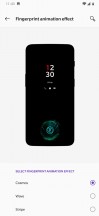
Disappointingly, the 4K videos we shot with the wide-angle camera have a frame rate of only 22-24fps instead of the regular 30fps.
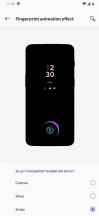
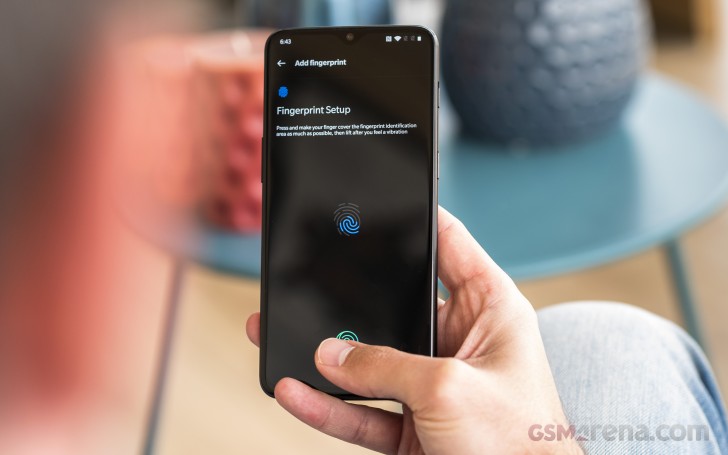
The closeup videos are quite good, though. The Mate 20 has spectacular EIS and even videos shot at night look great. The recorded audio is stereo with 192kbps bitrate and thanks to the high bitrate you will get excellent quality even at a concert. The video below is from the Mate 20 Pro, but it is representative of what you’d get with the Mate 20, too.

The 1080p footage looks sharper and these are among the best 1080p videos we’ve seen. The resolved detail is great, as are the colors, contrast, and the dynamic range.

The 1080p videos at 60fps are less detailed than the 30fps ones, but are otherwise a close match to the 30fps ones.

As usual, we’ve provided samples straight out of the camera for you to download – 2160p@30fps normal(10s, 36MB)2160p@30fps 2x zoom (10s, 35MB)2160p@30fps ultra-wide (11s, 25MB)1080p@30fps normal (10s, 15MB)1080p@30fps 2x zoom (10s, 15MB)1080p@30fps ultra-wide (10s, 14MB)1080p@60fps normal (10s, 23MB)1080p@60fps 2x zoom (10s, 24MB), and 1080p@60fps ultra-wide (11s, 23MB).

Finally, you can use our Video Compare Tool to see how the Huawei Mate 20 cameras stack against others when it comes to video capture.

Video Compare Tool Video Compare Tool Video Compare Tool
2160p: Huawei Mate 20 against the Mate 20 Pro the Pixel 3 in our Video compare tool

Video Compare Tool Video Compare Tool Video Compare Tool
2160p: Huawei Mate 20 Ultra Wide against the Mate 20 Pro Ultra Wide and Mate 20 Regular

Final Thoughts

Huawei Mate 20 is intended mostly for markets where the Pro model isn’t available, much like the Mate 10 was last year. And the Mate 20 is shaping to be one very reasonable refresh over its predecessor.

It brings a larger LCD screen with richer color support, a much faster Kirin chipset, and a massive camera upgrade on the back. The new triple cam at the back is far more versatile than the old dual-setup as it can go both wider and longer.

Huawei Mate 20 review

The Mate 20 isn’t quite as great as the Mate 20 Pro, but it wasn’t meant to be. It gets to keep the essentials – the new design, big screen, powerful chipset, and large battery, while cutting a few corners with the LCD panel and the inferior tri-camera to keep the price lower.

And it worked! The Huawei Mate 20 may have different sensors behind that signature square at the back, but it still matches the Pro’s photo and video quality on plenty of occasions. Admittedly, the Pro easily comes out on top at night, but we wouldn’t say the difference is as big as the gap in pricing.

While some might prefer the Pro’s AMOLED panel, this flat LCD has a lot going for it too. The waterdrop cutout is easier on the eyes, it’s bigger and the lack of curves makes it easier to apply screen protectors.

Also, while the Mate 20 misses on the super fast 40W charging on the Pro, we never thought that its 22.5W Super Charge is slow or inadequate.

So, the Huawei Mate 20 is doing a great job of delivering the flagship experience, while undercutting the Pro price significantly. It is an exercise in stripping away gimmicks and not paying over the odds to improve on what is already working very well.

The Competition

The last couple of months have seen a dozen of flagships go official and it will be one very tough shopping season. The Mate 20 will be facing some major threats out there and they deserve to be explored.

Samsung Galaxy S9+ Samsung Galaxy Note9 OnePlus 6T LG V40 ThinQ Huawei P20 Pro
Samsung Galaxy S9+ • Samsung Galaxy Note9 • OnePlus 6T • LG V40 ThinQ • Huawei P20 Pro

Samsung has two great smartphones on the market right now. The Galaxy S9+ is already cheaper and has the curvy AMOLED screen plus an interesting camera with variable aperture. The custom Exynos chipset is as fast as the latest Kirin, but in the end the Mate 20 camera is the better all-rounder and EMUI 9 is based on Pie, whereas TouchWiz is still waiting for an update.

The Note9 is a bit more expensive than the Mate 20, and in addition to all the cool S9+ features, it adds a larger screen, battery, and, of course, the S-Pen. If the ultimate phablet experience is a must, the Note9 might be the better fit for you.

The OnePlus 6T is as fresh as the Mate, with similarly notched screen, but an OLED at that. The Snapdragon 845 is still the fastest silicone Qualcomm has to offer, too. OnePlus introduced its own Night Mode and the 6T does it faster than Huawei, but the photos aren’t on par in quality. Still, the 6T is quite cheaper, so there is that.

Finally, the water-tight LG V40 ThinQ will be putting some pressure on the Mate 20. It has an OLED screen of a similar size but of a higher resolution. The V40 is equally fast and has a triple camera of the same logic – ultra-wide, wide, and telephoto. The snappers have optical stabilization though, and the V40 can do 4K@60fps, too. The V40 is yet to broaden its market availability, but it’s getting there.

And finally, if you like Huawei’s take on everything, but can’t live without an AMOLED or/and the 3x and 5x zoom in the camera, then there is the Huawei P20 Pro. It can’t do ultra-wide-angle shots, but it has the better screen and larger camera zoom at a cheaper price.

Huawei Mate 20 review

The Verdict

Huawei Mate 20, where available, is an easy smartphone to recommend. It has a great large screen with a tiny notch, a top of the line chipset for flagship-grade performance, and a camera that is among the best you can get in a smartphone today with a ton of shooting modes.

The Mate 20 lacks waterproofing, but is among the few remaining flagships with a 3.5mm jack and FM radio support. And while the triple camera isn’t as impressive as the Pro, it turned out to be a very capable performer.

The Huawei Mate 20 isn’t a crippled Mate 20 Pro. It’s one powerful smartphone, with thoughtfully picked features, and it’s more than capable to stand its ground. We can see many people deciding on saving €300 and opting for the less fancier but equally capable Mate 20, if they get that kind of choice at all, of course.

Pros

  • Nice design with flat front and grippy glass back
  • Bright display with great contrast, small notch
  • Dependable battery with SuperCharge support
  • Top of the line Kirin 980 chipset with AI
  • All-round camera experience with great daylight and night shots
  • Excellent video stabilization

Cons

  • No water resistance
  • Low-quality top speaker
  • NM cards only!
  • No autofocus on the selfie camera
  • Abysmal low-light performance of the ultra-wide-angle camera
  • The 4K video quality could have been better.

OnePlus 6. A beast ?

OnePlus 6 long-term review

Introduction

The OnePlus 6: still a top notch deal? If so, is that despite or maybe even thanks to its top notch? On the surface, it definitely seems like this is a worthy contender in the flagship realm even today, with its glass back, minimal bezels, and top of the line internals for 2018.

The OnePlus One was the ‘flagship killer’ four years ago, with its high-end specs and crazy price. In the meantime, OnePlus’ journey has altered its products somewhat, but since 2014 the company has consistently put out some of the most interesting handsets of each year. The OnePlus 6 represents the culmination of its work in making devices that are more affordable than their competitors while sacrificing less and less to achieve that with every year that goes by.gsmarena_002.jpg

The price, however, has been keeping up with the improvements in every new OnePlus phone, and the OnePlus 6 is the most expensive model ever launched by the company. Over time it has basically gone from selling cheap flagships to selling cheaper flagships than the competition. The distinction is subtle, but it’s there.

Join us over the next pages of this long-term review in order to find out whether that makes the OnePlus 6 a true spiritual successor to the original OnePlus One. We’ll tell you what it was like to live with the OnePlus 6 day in and day out for an extended period of time, during which we’ve used it as our one and only smartphone. Is it worth the asking price? Do its performance and smoothness match those of other flagships? Let’s find out.

Display

The notch is everywhere this year, so it’s also on the OnePlus 6. Smaller than others, but still distinctively there. It’s paired with a tiny but not invisible chin at the other end of the display, and almost nonexistent side bezels.

Oneplus 6 long-term review

If you hate screen cutouts, the good news here is that you can ‘hide’ the OnePlus 6’s notch in software. That works very well since the phone has an AMOLED display panel, so the deep black background for the notification area on either side of the notch fools your eyes into thinking there is no cutout, to begin with. Of course, if you like the look of the ‘ears’ or ‘horns’ as some call them, you can keep them, no one’s going to judge you (hopefully).

Hiding the notch in Display settings - Oneplus 6 long-term review Hiding the notch in Display settings - Oneplus 6 long-term review
Hiding the notch in Display settings

This phone continues the OnePlus tradition of not choosing the highest-res panel possible. So it has to make do with 1080×2280 resolution, but that’s very much a non-issue in day to day use. The screen looks very good and sharp, and unless you have really amazing eyesight, it’s unlikely you’ll be able to see individual pixels.

Not opting for 1440 horizontal pixels was clearly a cost-cutting move on OnePlus’ part, though it also probably helps a tad with battery life. And don’t forget that we live in a day and age in which Samsung’s flagships have 1440×2960 screens but by default, they’re set at to run at 1080×2220.

Oneplus 6 long-term review

When it comes to color accuracy, the default profile isn’t your friend, though it does have a vivid look with its bluish whites and saturated colors. Thankfully, you can opt for sRGB or DCI-P3 calibration modes, which are very accurate to their respective targets.


It’s good to see that the display panel supports the DCI-P3 color gamut even at such an affordable price point. If you want a personalized color temperature, the Custom color preset in Screen calibration settings gives you a Cold-to-Warm slider which you can move to your heart’s desire, in order to find what best works for you.

Color profiles - Oneplus 6 long-term review Color profiles - Oneplus 6 long-term review
Color profiles

In bright sunlight, the OnePlus 6’s screen remains visible, even if it’s not the champion in this regard. Its predecessor, the OnePlus 5T, fared better. It’s strange to see a newer model being outperformed by an older one in any metric, but to be fair the OnePlus 6 isn’t substantially worse. When the sun directly hits the screen, the experience of using the phone won’t be a very comfortable one, but at least it is workable.

Auto-brightness does its thing well for the most part, but we wish it would learn from your manual adjustments like Samsung’s and Google’s do. There’s also no boost or overdrive when in auto mode – the brightness maxes out at the rightmost end of the slider and that’s it. This is an area that future OnePlus devices should bring improvements to.

Anyway, the OnePlus 6 does have a good top brightness level, even if it doesn’t feel as bright as some of its more expensive competitors. Make sure to check out our lab test results in the OnePlus 6 review to get a better picture of how its maximum brightness compares to other handsets’.

Design, build

The OnePlus 6 sure looks modern, in that it adopts the still very trendy sandwich design, with a metal frame and glass both on the front as well as the rear. Its 83.8% screen-to-body ratio adds to that perception, even though it isn’t class-leading.

Midnight Black is the color of our review unit, and it comes with an understated yet elegant matte-like finish on the back. One that you can easily mistake for metal and not glass. Still, some fingerprints and smudges are still visible, but it should be the best of all the color options from this point of view. At the other end of the spectrum, the Mirror Black variant has a very descriptive name – it will act as a mirror of sorts.

Oneplus 6 long-term review

The rear-mounted fingerprint sensor is fast and accurate, and its position is very good, even if it could have been physically taller. The dual rear camera island protrudes a little bit, but thanks to its centered position there’s only minimal wobble when you place the phone on a table and try using on it. The worst you’ll encounter is when typing letters that are at the far lateral ends of the keyboard.

We’re not fans of the redundant “Designed by OnePlus” message on the back. All of BBK Electronics’ brands (Oppo and vivo alongside OnePlus) have started plastering such inscriptions on their phones this year, and we don’t get it. Has anyone ever assumed that a OnePlus phone (or vivo, or Oppo for that matter) wasn’t designed by that company? Is this really an issue people had, that needed to be clarified? The inspiration is clear – “Designed by Apple in California but manufactured in China”. So why has OnePlus shied away from adding “in China” to its message.

Oneplus 6 long-term review

Build quality is exquisite, the OnePlus 6 feels solid, there are no creaks whatsoever. It is a bit top-heavy though, but you can easily alleviate that if you hold it closer to its middle. Both the rear and front glass nicely curve into the metal frame, while the buttons are clicky and feel great to use.

The earpiece is smaller than usual, which will take some getting used to when you’re in a phone call – some small adjustments in how you hold it to your ear may be necessary in order to better hear the person at the other end of the line.

The alert slider on OnePlus phones is still unique in the Android world, and it allows you to quickly silence the phone (or turn it to Vibrate mode), without needing to even look at it or unlock it. The slider is somewhat configurable, as you’ll see if you go through the Software section of this review, but it may not be as customizable as you’d expect.

Oneplus 6 long-term review

The phone ships with a clear case in the box, but OnePlus offers a selection of much nicer ones if you’re willing to spend a bit extra. Wood, nylon, and ‘Karbon’ bumper cases are options, along with the company’s trademark Sandstone finish, and some colorful silicone cases too.

The OnePlus 6 is a joy to handle. It feels premium, as it’s got the necessary mix of materials to accomplish that in 2018, and while its design may not be hugely innovative, it works. It’s modern enough, but also understated enough to go well with any fashion attire.

OxygenOS

OnePlus’ OxygenOS is an interesting beast. Insert obvious joke about it being “a breath of fresh air” here, given the name. While it looks like stock Android, for the most part, it adds quite a lot of functionality on top of Google’s vision. There’s a lot of that going on in various bits and pieces of the UI, and OnePlus seems to generally be erring on the side of presenting you with more choice. As that was a core tenet of Android’s marketing message, it seems like OnePlus is basically out-Googling Google in this respect, especially now that the search giant is taking a more Apple-y approach to software design, removing certain options so as to not confuse normal users.

Oneplus 6 long-term review

OnePlus’ focus, on the other hand, has always been on the enthusiasts. And these are still served well by the latest iteration of OxygenOS. The software is, in a manner of speaking, the best of both worlds. You get the stock look – which means no unnecessary UI changes just for the sake of being different, no bells and whistles that are there only to make this particular skin stand out from what you’d see on a Pixel. At the same time, you also get a lot more customization at your fingertips, something that purveyors of custom ROMs have always appreciated.

It’s an interesting mix, and it works. OnePlus isn’t messing with any core functionality in Android, it’s just adding what are usually neatly thought through options on top. It’s not changing the general UI paradigm but is improving it in subtle ways. All of this doesn’t appear to come with any performance penalty whatsoever, which is great considering that other UI overlays do add an overhead from that point of view.

There are still things that could be improved, changed, or altogether scrapped. Since it’s got such a stock-looking vibe, OxygenOS would do very well to add the Google Feed (or whatever it’s called this week) to the left of the leftmost home screen. OnePlus’ Shelf is there now, and the good news is you can disable it. The things it contains can easily be found elsewhere – like recent contacts or the memo writing function. Others, like the recent apps section, could have just been added to the top row of the app drawer emulating the Pixel launcher.

Oneplus 6 long-term review

As for membership cards, sure, that’s a nice touch, but there are plenty of apps in the Play Store that have that functionality, including Google Pay. And if you use that for contactless payments, why not store your loyalty cards in it as well? Not to mention that if you ever get a phone that isn’t made by OnePlus, you’ll appreciate the card syncing ability third-party apps provide. When it comes to the Dashboard section, all of that information is accessible through Settings as well, so redundancy is pretty much the Shelf’s middle name.

OnePlus also packs gesture-based navigation into the latest stable release of OxygenOS, but unsurprisingly this isn’t the same as what Google’s settled on for Android 9 Pie. In Pie-based OxygenOS releases you’ll get that option alongside OnePlus’, yet we can’t help to think that the state of gestures in Android is currently pretty messy. Every manufacturer has its own interpretation, and that creates somewhat of a learning curve when you switch devices.

OnePlus goes with swiping up from the middle of the bottom of the screen to go Home, doing the same but pausing for the Recent apps menu, and swiping up from the left or right part of the bottom in order to go back. The system works well, and you’ll get used to it in a few days tops, but we’re sorely missing an ability to quickly switch to the previously used app.

Navigation gestures explained - Oneplus 6 long-term review Navigation gestures explained - Oneplus 6 long-term review Navigation gestures explained - Oneplus 6 long-term review Navigation gestures explained - Oneplus 6 long-term review
Navigation gestures explained

If you decide to use the legacy three-button software navigation, this is possible if you double-tap on the Recents key. In Google’s version of gesture navigation, this is accomplished by dragging the pill icon to the right. Perhaps in future OxygenOS iterations, OnePlus can focus more on this aspect, as it considerably reduces the friction in multitasking.

Our last note about gestures concerns Google Assistant, and the fact that if you opt to get rid of the traditional three-button navigation bar the only way to invoke it is by saying “OK, Google” or “Hey, Google”. We’re fine with that in private settings, but it could get weird in public.

The OnePlus Switch app is there to help you transfer your data over from your old phone. It failed to connect to the Pixel we tried first but then it transferred all the data from a Galaxy S9+, which we tried next. Unfortunately, no files were transferred – such as photos and videos – but outside of that, after the transfer, the OnePlus phone was usable straight away as it had all accounts.

Oneplus 6 long-term review

The OnePlus Gallery app exists, though we’re not sure why, in a world where Google Photos is a thing that can do all it does and more – don’t forget the free unlimited cloud storage. The same observation goes for the Notes app – wouldn’t it have been easier just to include Google Keep? So, unfortunately, OnePlus is also afflicted by the app duplication disease, although it’s on an entirely different scale than the likes of Samsung.

There’s a built-in voice recorder app, but this doesn’t seem to be able to record calls with this latest version of OxygenOS. Sadly, Android Pie has also apparently made call recording much more complicated (if not outright impossible), so this feature will likely be phased out on all current and upcoming phones.

In Settings, OnePlus adds a whole Customization section, and hides some less used options behind the Advanced moniker. That’s where you can find nice additions such as a scheduled power on/off, and a toggle for Pocket mode (which prevents accidental screen touches). You can customize the alert slider’s behavior, namely what happens in all three of its positions – Silent, Vibration, and Ring. You can not, however, change what each position is – the lowest is Ring, the middle is Vibrate, and the top one is Silent no matter what.

Customization options - Oneplus 6 long-term review Customization options - Oneplus 6 long-term review Customization options - Oneplus 6 long-term review Customization options - Oneplus 6 long-term review Customization options - Oneplus 6 long-term review Customization options - Oneplus 6 long-term review
Customization options

If you use the classic navigation bar, you can also customize what long pressing and double tapping on each button do. Double-tapping the screen to wake is an option, and you can draw various letters on the display to accomplish specific tasks, or flip the phone to mute incoming calls and even take a screenshot by swiping with three fingers on the panel.

More customization options - Oneplus 6 long-term review More customization options - Oneplus 6 long-term review
More customization options

While the OnePlus 6 doesn’t have an Always On Display function per se, you can get it to show you such a screen every time you lift it up. Additionally, it will show you every new notification you receive.

Updates

OnePlus historically has been among the fastest to update its older handsets to new versions of Android, but that doesn’t mean there isn’t any room for improvement. It still takes months for a stable release of the latest tasty treat to make it to a OnePlus handset, unfortunately.

If you like living on the bleeding edge, you can part take in the Open Beta program and test these while they’re still in development and bug-prone, but we wish that swifter updates would become the norm. You probably shouldn’t expect Android Pie to make it to the OnePlus 6 earlier than December or January. We’re basing this assumption on how things have gone in the past but we’d be very happy to be proven wrong.

When it comes to security updates, things aren’t great. Our OnePlus 6 is still on the July 2018 security patch level at the time this review’s been published. Not one, but two newer monthly security updates have been outed by Google in the meantime. So while you do get updates from time to time, security fixes that actually arrive monthly aren’t yet a thing for this model. Maybe in the future.

The current software version - Oneplus 6 long-term review The current software version - Oneplus 6 long-term review
The current software version.

Performance

With a Snapdragon 845 inside, and up to 8GB of RAM, you’d expect amazing performance from the OnePlus 6 – and it delivers. Slowdowns are not something we’ve ever encountered in our time with it, everything just flies. OnePlus devices have always scored very well in benchmarks (though not uncontroversially at times), but we’re not here to talk about that in this long-term review.

What matters to most people is how fast a phone feels in day-to-day use, and we’re happy to report that the OnePlus 6 will not disappoint in this regard. No matter what you throw at it, there won’t be any hiccups.

Lags are almost nonexistent, and multitasking is a breeze if you can get used to the Recent apps rolodex’s scrolling, which feels a bit unnatural. More on that in the Smoothness section.

Smoothness

A big part of what stands out in a Pixel is how smooth it feels in operation, how lag and stutters are nonexistent in day-to-day use, and how it seems to not slow down with time. Well, the OnePlus 6 is incredibly close to that level of smoothness. In fact, it’s the closest of any device that’s ever been put through the long-term review process. We still wouldn’t call it on par with a Pixel, but it’s almost there.

Oneplus 6 long-term review

To get to 100% two things need to happen. First, improved touch latency. Note that we’re not basing this on any scientific measurements, but the OnePlus 6 feels like it’s lagging the Pixels when it comes to this. From time to time (or even more often if you’re specifically looking for it) you will perceive some small amounts of latency when scrolling, no matter what app you’re in.

Speaking of which, the multitasking rolodex’s inertia settings need to be tweaked somewhat, because scrolling through it one gets an eerie feeling. It’s not just the scrolling itself that’s the problem (although that could be a little bit smoother too), but when you want to stop upon a specific app. That action just feels… wobbly, for lack of a better term. You’ll constantly be second-guessing whether you were able to stop the spinning at exactly the spot you wanted.

Recent apps - Oneplus 6 long-term review
Recent apps

Anyway, props to OnePlus for creating a software experience that not just looks like it’s stock, but also feels like it most times.

Battery life

Overall, battery life has been good during our extended stint with the OnePlus 6. The software seems well optimized not to eat away at the 3,300 mAh cell for no reason. What’s more, battery life has been consistent, and that’s refreshing. We did not experience any weird ups and downs from one day to the next, which is something we, unfortunately, did encounter while putting Samsung’s Galaxy S9+ through the long-term review process.

Our normal use case for a long-term review involves the phone being off the charger for 12-16 hours. During that time it’s mostly connected to Wi-Fi, with an hour or two of mobile data thrown in for good measure. A few calls here and there, totaling around half an hour. Bluetooth is always on and we stream music for an hour or two tops. Location is on the High accuracy setting, and auto brightness is turned on. We should also mention that we went with the default theme. Because of the AMOLED screen, if you were to choose the dark theme you might squeeze even more from the phone’s battery.

With these settings, our record screen on time with the OnePlus 6 was a little over 7 hours going from full to 6% battery left. For such a typical day we’ve never seen the screen-on time go below 5 hours. If you add more time spent on mobile data, and use positioning apps, then expect that number to go down, obviously. Still, we’re happy with the OnePlus 6’s battery life, even though there’s definitely room for improvement.

Battery life: Our record - Oneplus 6 long-term review Battery life: An average day - Oneplus 6 long-term review
Battery life: Our record • An average day

Given these very good numbers, achieved from a battery that isn’t huge by today’s standards, we can’t help but imagine how much better battery life would be if OnePlus decided to include a 4,000 mAh or even bigger unit in its next phone. Sure, there’s always a price to pay with such a move, primarily when it comes to thickness, but since battery life is most people’s number one gripe with current smartphones, perhaps that wouldn’t be tough to live with, considering the benefits such a move would bring.

The fact that a bigger cell isn’t built into the OnePlus 6 is somewhat alleviated by the excellent Dash Charge system, which is among the quickest (if not the absolute quickest) on the market right now. It tops up your battery amazingly fast, so even if you only have a few minutes to keep the handset charging mid-day, that will make a difference. Dash Charge consistently amazed us with how fast it is, but it does come with its own caveat – you need to use the official OnePlus charger in order for it to do its magic.

Camera app

The OnePlus camera app can be brought up by double tapping on the power button, which is a very handy shortcut that is enabled from Settings. What’s more, you can even set it so that gesture not only launches the camera, but also quickly snaps a shot. We chose to leave this off because framing on the spot would be difficult, but you may find it useful.

Oneplus 6 long-term review

The app is fast and easy to use, but it might take you a bit of time to locate the Settings icon. This isn’t available on the default screen, nor can you get to it by swiping to the right from the left edge of the screen to reveal a ‘drawer’ – there’s no such thing here. Instead, you need to do what the little arrow above the shooting modes implies and swipe up from the bottom of the UI (in portrait orientation). In landscape, you swipe from right to left. Once you do this you’ll get additional options, such as Slow motion, Pro mode, Time-lapse, Panorama, and even Google Lens. Oh, and in the top right (in portrait) or top left (in landscape) corner you’ll finally see a Settings cog icon.

That still won’t let you alter too many options. There are a few in there but you can’t change the resolution for example. For more personalized shooting settings, you need to head to the Pro Mode, which also supports capturing in the RAW format. As usual for a long-term review, we’ve used the auto mode, because that’s going to be what most people stick with, and we wanted to give you an accurate impression of the quality that the OnePlus 6’s cameras are able to provide without endlessly needing to tweak specific settings manually.

Camera samples

In daylight conditions, the OnePlus 6’s rear camera system delivers pleasing results. This is definitely the best camera we’ve ever seen on a OnePlus smartphone. Detail levels are good, color reproduction strikes a good balance between the very trendy vivid look and actual accuracy in what’s depicted. But most importantly, the dynamic range is simply amazing. OnePlus achieves this with software (image stacking we’re guessing) even when the HDR mode is not turned on.

Here’s an assortment of samples.

OnePlus 6 daytime camera samples - f/1.7, ISO 100, 1/1036s - Oneplus 6 long-term review OnePlus 6 daytime camera samples - f/1.7, ISO 100, 1/270s - Oneplus 6 long-term review OnePlus 6 daytime camera samples - f/1.7, ISO 100, 1/2500s - Oneplus 6 long-term review
OnePlus 6 daytime camera samples - f/1.7, ISO 100, 1/106s - Oneplus 6 long-term review OnePlus 6 daytime camera samples - f/1.7, ISO 100, 1/714s - Oneplus 6 long-term review OnePlus 6 daytime camera samples - f/1.7, ISO 100, 1/1111s - Oneplus 6 long-term review
OnePlus 6 daytime camera samples - f/1.7, ISO 100, 1/625s - Oneplus 6 long-term review OnePlus 6 daytime camera samples - f/1.7, ISO 100, 1/1111s - Oneplus 6 long-term review OnePlus 6 daytime camera samples - f/1.7, ISO 100, 1/1132s - Oneplus 6 long-term review
OnePlus 6 daytime camera samples - f/1.7, ISO 100, 1/2500s - Oneplus 6 long-term review OnePlus 6 daytime camera samples - f/1.7, ISO 100, 1/2000s - Oneplus 6 long-term review OnePlus 6 daytime camera samples - f/1.7, ISO 100, 1/1111s - Oneplus 6 long-term review
OnePlus 6 daytime camera samples - f/1.7, ISO 100, 1/769s - Oneplus 6 long-term review OnePlus 6 daytime camera samples - f/1.7, ISO 100, 1/1021s - Oneplus 6 long-term review OnePlus 6 daytime camera samples - f/1.7, ISO 100, 1/455s - Oneplus 6 long-term review
OnePlus 6 daytime camera samples

Usually, when you see a handy 1x/2x selector in a camera app, it’s there because the phone in question has a secondary zoom lens on the back. That’s not the case for the OnePlus 6, but it still offers that quick switching mode at your fingertips – you can go from 1x to 2x zoom with just one tap. Don’t be fooled by the button – this is digital zoom through and through. Pictures snapped in this mode aren’t very bad, but the quality obviously can’t match what would be produced by an actual zoom sensor.

OnePlus 6 camera samples with 2x zoom: Off - f/1.7, ISO 100, 1/1036s - Oneplus 6 long-term review OnePlus 6 camera samples with 2x zoom: On - f/1.7, ISO 100, 1/1021s - Oneplus 6 long-term review OnePlus 6 camera samples with 2x zoom: On - f/1.7, ISO 100, 1/1429s - Oneplus 6 long-term review
OnePlus 6 camera samples with 2x zoom: On - f/1.7, ISO 100, 1/1111s - Oneplus 6 long-term review OnePlus 6 camera samples with 2x zoom: On - f/1.7, ISO 100, 1/833s - Oneplus 6 long-term review OnePlus 6 camera samples with 2x zoom: On - f/1.7, ISO 100, 1/833s - Oneplus 6 long-term review
OnePlus 6 camera samples with 2x zoom: Off • On

When ambient light levels drop, the OnePlus 6’s main camera array is still capable of producing some very nice shots, as you can see below. Saturation of the colors remains surprisingly good, and the dynamic range continues to be stellar. The optical image stabilization clearly helps a lot in such conditions and almost all photos we took after dark were nice and sharp.

OnePlus 6 night-time camera samples - f/1.7, ISO 2500, 1/17s - Oneplus 6 long-term review OnePlus 6 night-time camera samples - f/1.7, ISO 2000, 1/17s - Oneplus 6 long-term review OnePlus 6 night-time camera samples - f/1.7, ISO 2500, 1/17s - Oneplus 6 long-term review
OnePlus 6 night-time camera samples - f/1.7, ISO 2000, 1/11s - Oneplus 6 long-term review OnePlus 6 night-time camera samples - f/1.7, ISO 5000, 1/10s - Oneplus 6 long-term review OnePlus 6 night-time camera samples - f/1.7, ISO 3200, 1/13s - Oneplus 6 long-term review
OnePlus 6 night-time camera samples - f/1.7, ISO 500, 1/25s - Oneplus 6 long-term review OnePlus 6 night-time camera samples - f/1.7, ISO 2000, 1/17s - Oneplus 6 long-term review OnePlus 6 night-time camera samples - f/1.7, ISO 4000, 1/10s - Oneplus 6 long-term review
OnePlus 6 night-time camera samples - f/1.7, ISO 640, 1/25s - Oneplus 6 long-term review OnePlus 6 night-time camera samples - f/1.7, ISO 500, 1/25s - Oneplus 6 long-term review OnePlus 6 night-time camera samples - f/1.7, ISO 500, 1/33s - Oneplus 6 long-term review
OnePlus 6 night-time camera samples

Selfies turn out very good in decent lighting conditions, they’re sharp, with accurate skin tones, and plenty of detail. When you try and shoot them in the evening, results will be mixed, based on the light sources around you and whether the screen-based ‘flash’ can actually help light your face up enough.

OnePlus 6 selfies, day and night - f/2.0, ISO 100, 1/2500s - Oneplus 6 long-term review OnePlus 6 selfies, day and night - f/2.0, ISO 100, 1/5000s - Oneplus 6 long-term review OnePlus 6 selfies, day and night - f/2.0, ISO 100, 1/2500s - Oneplus 6 long-term review
OnePlus 6 selfies, day and night - f/2.0, ISO 2000, 1/17s - Oneplus 6 long-term review OnePlus 6 selfies, day and night - f/2.0, ISO 2500, 1/17s - Oneplus 6 long-term review OnePlus 6 selfies, day and night - f/2.0, ISO 6400, 1/17s - Oneplus 6 long-term review
OnePlus 6 selfies, day and night

Portrait mode for selfies is an option too, and it works reasonably well, though as usual with most phones even the smallest of stray hairs could get blurred.

OnePlus 6 portrait selfies, day and night - f/2.0, ISO 100, 1/250s - Oneplus 6 long-term review OnePlus 6 portrait selfies, day and night - f/2.0, ISO 100, 1/588s - Oneplus 6 long-term review OnePlus 6 portrait selfies, day and night - f/2.0, ISO 100, 1/278s - Oneplus 6 long-term review
OnePlus 6 portrait selfies, day and night - f/2.0, ISO 1250, 1/13s - Oneplus 6 long-term review OnePlus 6 portrait selfies, day and night - f/2.0, ISO 1600, 1/13s - Oneplus 6 long-term review OnePlus 6 portrait selfies, day and night - f/2.0, ISO 3200, 1/10s - Oneplus 6 long-term review
OnePlus 6 portrait selfies, day and night

All in all, the OnePlus 6 has definitely upped the Chinese company’s camera game significantly compared to any of its predecessors. Its snappers are still not on par with the best the mobile world has to offer if you are examining photos on the computer screen, but they surely are punching above their weight and look gorgeous on that AMOLED screen.

Annoyances

The OnePlus 6 isn’t perfect, and that’s okay because no smartphone has ever been. Here’s a quick list of things that frustrated us while we were using it as our one and only mobile device.

First off, the small notch seems to have impacted the reliability of the proximity sensor. This is the one in charge of turning the screen off when the handset is close to your ear, while you’re talking on the phone. Countless times we found the screen turning itself back on. Not only that but the notification area was already swiped down in many such instances. We assume we were able to do that unwittingly with our ear.

Oneplus 6 long-term review

There’s a really narrow sweet spot for the proximity sensor, where it doesn’t do this, and it’s been a hassle to figure it out every single time we’ve been on the phone. We’re not sure whether the sensor is simply too small or if it’s just its position that is to blame, but keep in mind that you may have to do a constant phone repositioning dance while you’re engaged in conversations, if you don’t want your ear tapping and swiping things on the screen.

To answer an incoming call, by default you swipe down, which is a bit counterintuitive for two reasons. First, this is not how most companies do this, and second, there’s less room for a downward swipe than there is for an upward motion. Thankfully though, this behavior can be altered from the Phone app’s settings.

Swipe up to answer is an option - Oneplus 6 long-term review
Swipe up to answer is an option

Android Oreo has dots that show up on top of an app’s icon when you have a notification created by that app, but for some reason, OnePlus takes dots even further. Every time you install a new app it will have a blue dot to the left of its name. This goes away when you first start that app from the home screen (note: you have to tap on the icon on the home screen, other methods of going into the app have no effect). Alternatively, the dots go away on their own after a few long days.

Let’s just say that if you’re suffering from even a mild form of OCD this has the potential of really messing with you. We honestly don’t get why this exists, or why it’s not possible to turn off this behavior. After all, OxygenOS gives you plenty of customization options, but this just isn’t one of them. You’re stuck with the blue dots unless you decide to use a third party launcher.

While we’re on the subject of OnePlus’ built-in launcher, another odd thing is how it handles folders. Usually, when you tap to enter a folder that’s on your home screen, its contents would open up right there where it is positioned. Not so in this case, the apps in each folder will always show up in the lower part of the screen. This is one of those decisions that we can’t really wrap our heads around.

This is how any folder looks on the inside - Oneplus 6 long-term review
This is how any folder looks on the inside

Bluetooth sometimes needs two tries to reconnect to previously paired devices, but this is something we’ve encountered with most Android phones that have gone through the long-term review process, so the problems may be buried deep within the OS itself. Car Bluetooth systems are the ones we’ve mostly encountered this with, but even with Bluetooth speakers, there’s sometimes a lag of about a minute from the time you turn the accessory on to when the connection finally happens.

Finally, we would have appreciated an option for Wi-Fi to turn itself off after a specific amount of time passes with no networks connected. Conversely, turning itself back on when you’re near the location of a saved network would be very handy as well. Some of OnePlus’ competitors have some variation of one or both of these functions, so maybe the next iteration of OxygenOS might include them.

Conclusion

OnePlus isn’t the new kid on the block anymore. The company is now all grown up, and that’s reflected very well in its latest smartphone. While it’s the most expensive OnePlus ever, it’s still quite far from the usual pricing level for a top of the line handset in this day and age.

Once again OnePlus offers a more affordable package than its biggest competitors, but this time around without any glaring omissions or show-stopping compromises built-in. It’s not a perfect device, obviously, because such a thing hasn’t been invented yet.

Oneplus 6 long-term review

The camera quality, while much improved from previous OnePlus phones, still isn’t quite on par with the best that the mobile world has to offer. The secondary rear camera seems to be there just to make sure that no one slams the OnePlus 6 for not having a dual sensor array. A wider-angle cam or a telephoto option would have been much more useful day to day, but for some reason, OnePlus chose not to go either of those routes.

Some will hate the notch, but it can be ‘hidden’ in software, and otherwise, the display is very good, despite not being the best we’ve ever seen. The alert slider is still a unique feature in the Android world, and the 3.5mm headset jack has thankfully been spared (for now).

Oneplus 6 long-term review

Performance is excellent, and OxygenOS has come a very long way in recent years. No bugs anywhere to be seen, and the entire experience of using this phone is surprisingly smooth for something that isn’t a Pixel. Battery life is very good but there’s definitely room for improvement there – maybe OnePlus can learn a thing or two from other companies finally starting to cram 4,000 mAh cells in flagships too, not just mid-rangers. Dash Charge deserves a mention here as well because it’s one of the fastest systems on the market right now and will top up your handset in no time.

Even if some downsides exist here and there, overall the OnePlus 6 is a complete package. It may not shine exceedingly bright in any one area, but it’s a well-rounded smartphone that will suit almost anyone very well. Buy one and you’re guaranteed a pretty much frustration-free experience. Oh, and you’ll still have some cash left over in your pocket for other things if you chose it over one of its much more expensive competitors.